Domain SearchInstantly check and register your perfect .pk or international domain
 Web HostingGet a .pk domain for as low as PKR 467
 cPanel HostingUser-friendly hosting powered by cPanel
 Reseller HostingLaunch your own hosting business with minimal technical requirements
 Windows HostingOptimized for Windows-based applications and websites
 Affiliate ProgramEarn referral commissions by promoting our services
 WordPress HostingFast & Reliable WordPress Hosting
 Domain TransferMigrate your existing domain seamlessly with zero downtime.
 All DomainsAccess 324+ top-level domains (TLDs) worldwide from a single platform
 Whois LookupIdentify the owner of any domain using our whois and rdap lookup tool
 Managed VPS Hosting
 AI Website BuilderCreate beautiful websites effortlessly using intuitive drag-and-drop features
 Online ShopLaunch a professional online shop with no technical skills required
 BlogDiscover expert guides on hosting, websites, SEO, and digital growth strategies
 ContactGet instant assistance via live chat or email
 SupportAccess help articles, tutorials, and service documentation
 SSL CertificatesEncrypt data, build trust, and boost SEO.
You want to start blogging but don’t know what to do first, what you need to pay for, or which platform to use.
Well, starting a blog does not require a large budget or advanced technical skills. You need a clear topic, a domain name, web hosting, WordPress, and useful content to get started.
The basic path is simple: choose a niche, pick a domain name, get web hosting, install WordPress, set up the site, publish useful content, grow your audience, and then choose the right ways to earn from your blog.
The cost of a self-hosted blog can start from ₨282.65/month.
Let’s go through the process from the first decision to publishing your first post and building the blog into something that can generate income.
Step 1: Choose Your Niche
Before you spend a single rupee, decide what your blog is about.
Your choice should go beyond just passion. It’s about the intersection of what you know, what Pakistani readers are actively searching for, and how much competition already exists in that space.
Some high-performing niches for Pakistani bloggers in 2026 include:
- Technology and software: Tutorials, app reviews, software guides, and how-to content.
- Earning online and freelancing: Freelancing guides, remote work, online skills, and digital services.
- Islamic finance and halal investing: Personal finance and investment information for readers looking for Shariah-compliant options.
- Education and exam preparation: MDCAT, CSS, IELTS, scholarships, admissions, and study resources.
- Local food and recipes: Pakistani and regional cuisine, particularly topics that receive less coverage in English.
- Health and fitness: Exercise, nutrition, fitness, and general wellness content.
There is also an opportunity in Urdu and locally relevant content. A topic that has heavy competition in English may have fewer high-quality resources in Urdu, giving writers who can produce useful Urdu content an audience to serve.
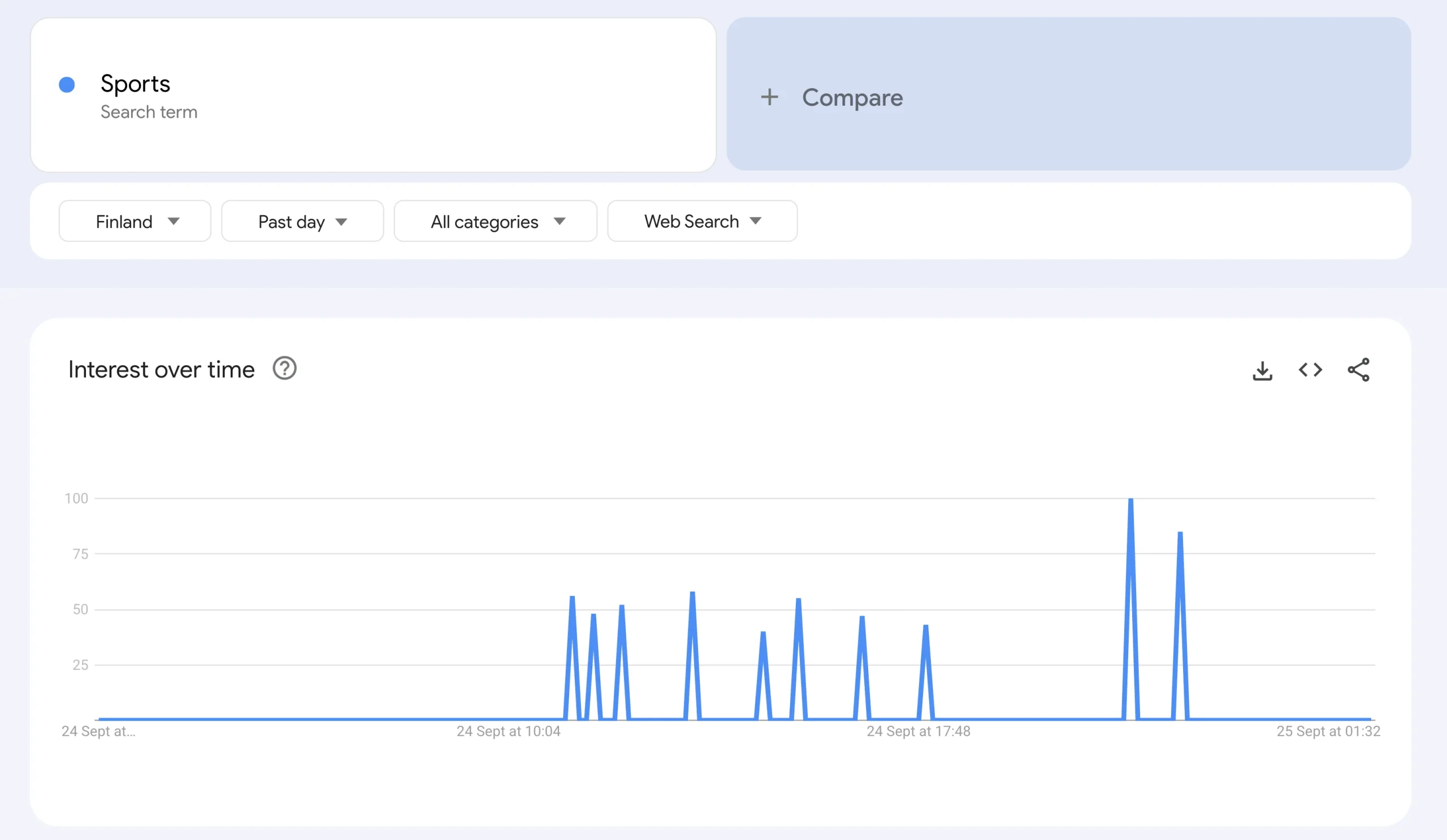
Before settling on a niche, use Google Trends and set the region to Pakistan. Search your topic and compare related subjects to see how interest has changed over time.
A topic with steady or growing interest can give you a stronger starting point than one that is consistently declining.
Step 2: Pick a Domain Name
Now that you know what your blog will cover, choose the domain name.
Keep it short, memorable, easy to spell, easy to pronounce, and flexible enough to accommodate the blog as it grows.
Avoid unnecessary hyphens, complicated spellings, and names that are difficult to say or remember.
You also need to choose the right extension.
.com
This is the general-purpose option. It works well if you want your blog to reach readers outside Pakistan as well as within the country.
.pk
This gives your website a strong Pakistani identity and can make sense for a blog that primarily serves a Pakistani audience.
.com.pk
This is another Pakistan-focused option and can work well for locally targeted websites.
Check the current registration requirements with PKNIC before registering a .pk or .com.pk domain.
At Truehost, we offer over 500 domain extensions, so you can choose an extension that fits your blog and audience.
Step 3: Get Web Hosting for Your Blog
Your domain is the address people use to find your blog. Hosting is where your website’s files, database, images, and content live.
For a new blog, shared hosting is usually the simplest starting point. It costs less than managing a private server, does not require server administration, and gives you the tools needed to install and manage WordPress.
It also gives you room to upgrade later as your blog grows.
What to check before buying web hosting in Pakistan
- Uptime: Look for a clear uptime guarantee so your website remains available to visitors.
- Free SSL: HTTPS should be included so visitors can connect to your website securely.
- WordPress installation: One-click WordPress installation saves time and removes the need to set up WordPress manually.
- PKR billing: Paying in Pakistani rupees makes your hosting costs easier to budget and avoids unnecessary currency conversion.
- Email hosting: A domain-based address such as
[email protected]gives you a professional way to communicate with readers, brands, and potential partners. - Customer support: If something goes wrong, especially during the early stages, you need somewhere to turn for assistance.
- Upgrade options: Your hosting plan should give you a way to move to more resources as your traffic and website requirements increase.
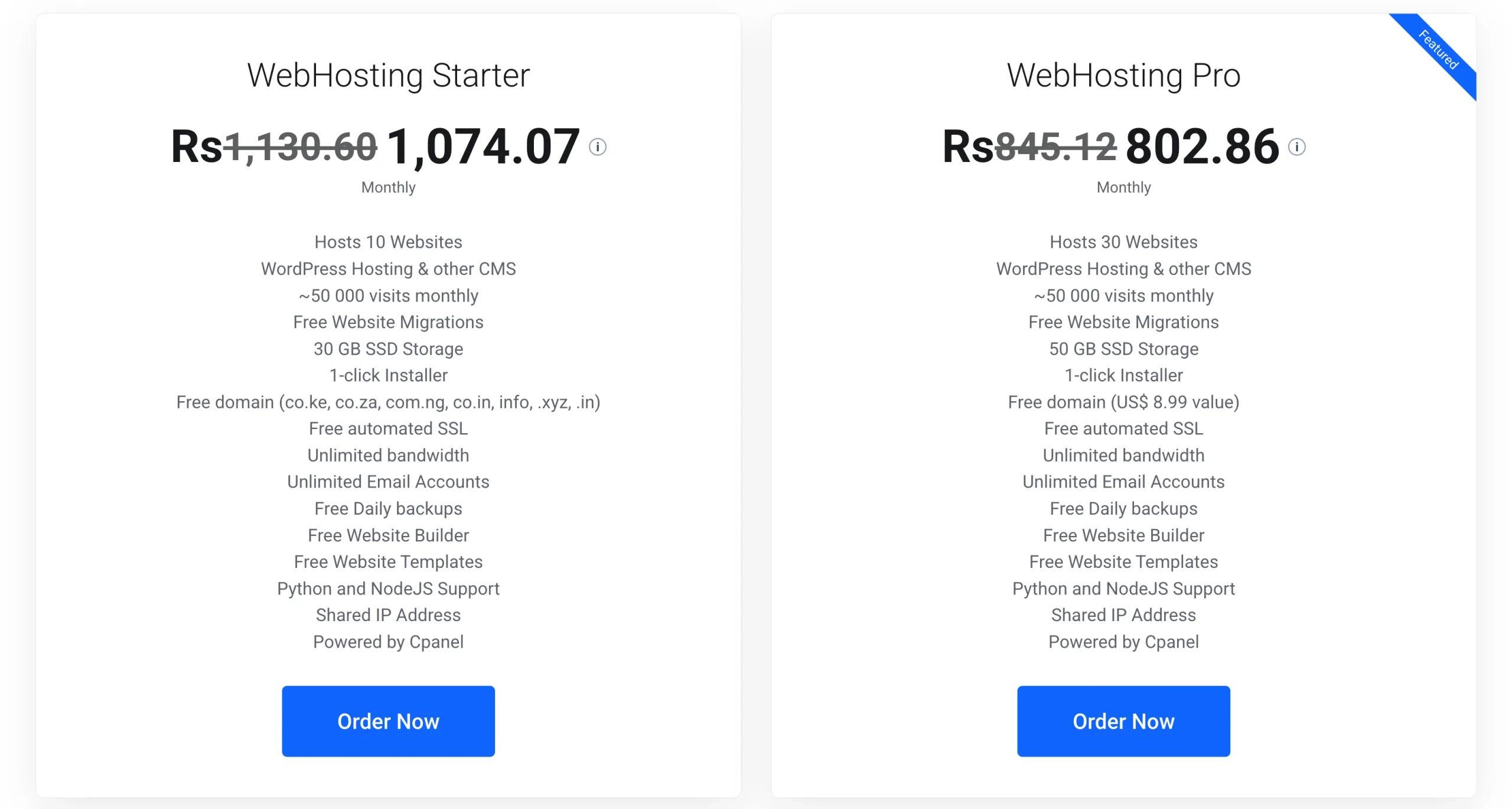
At Truehost, our shared hosting plans are built for the Pakistani market, with PKR pricing, cPanel, free SSL, WordPress installation, and 24/7 support.
Truehost hosting plans:
Starter: ₨282.65/mo
For one new blog.
Pro: ₨845.12/mo
For growing websites or multiple smaller sites.
Unlimited: ₨7,967.90/mo
For multiple websites and larger requirements.
Step 4: Install WordPress
Once your hosting is active, you can install WordPress through cPanel.
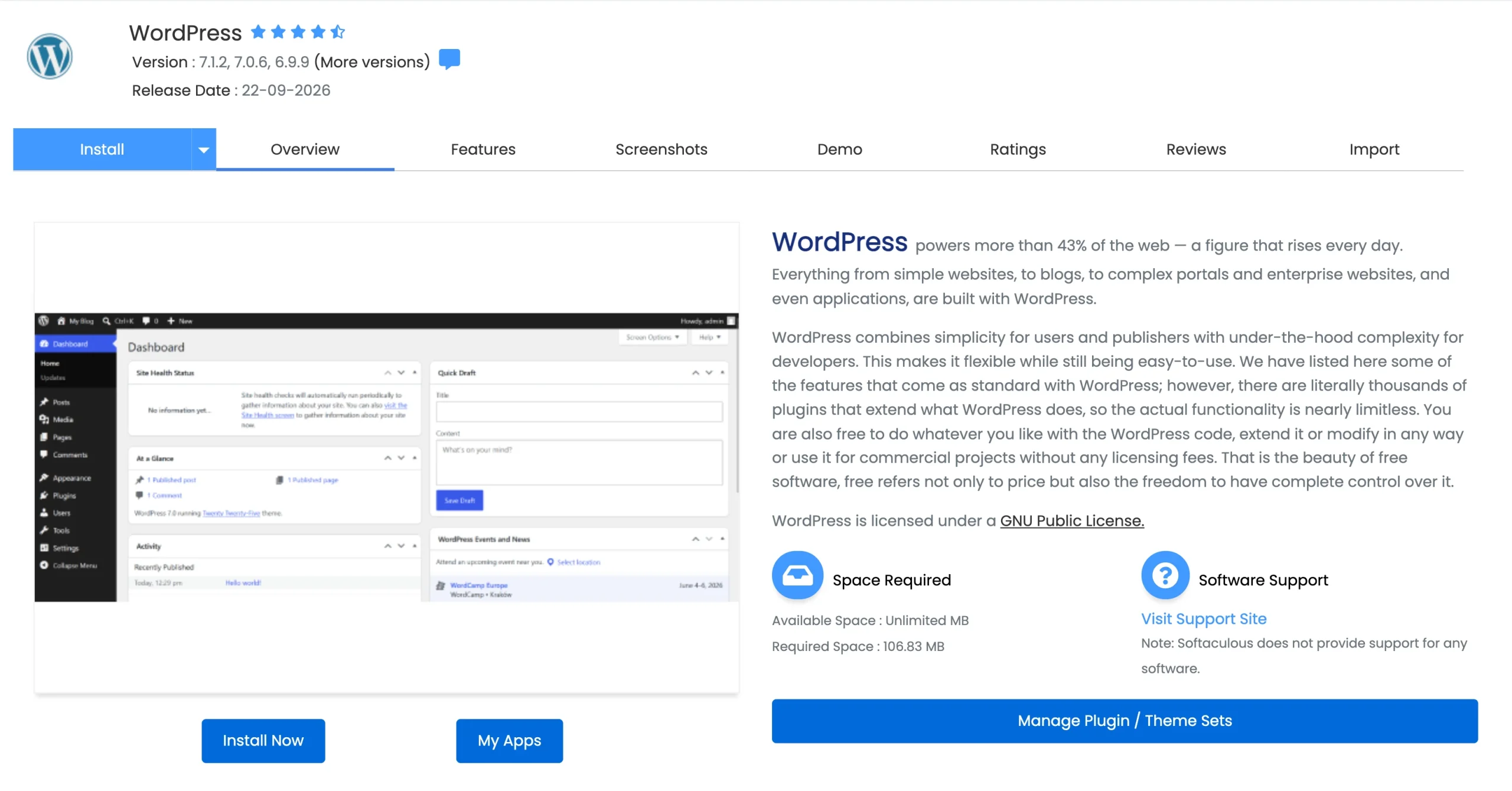
- Log into cPanel. Access cPanel through your Truehost hosting dashboard.
- Find and open the Softaculous Apps Installer.
- Choose WordPress and click Install.
- Enter your website details, including:
- Domain
- Blog name
- Admin username
- Admin password
- Email address
- Click Install and wait for WordPress to finish.
The installation normally takes only a few minutes. You can then log into the WordPress dashboard and begin setting up your blog.
Step 5: Set Up Your Blog Before You Publish
You now have WordPress installed, but the site isn’t ready yet.
1) Choose a Theme
Start with a lightweight theme such as:
- Astra
- Kadence
- GeneratePress
The priorities should be: mobile responsiveness, fast loading, clean typography, easy navigation, and a simple design.
Avoid heavy premium themes loaded with features you’ll never use. A clean, fast layout gives readers a better experience and leaves you with fewer things to maintain.
2) Install Essential Plugins
Install only the plugins your blog needs.
Useful options include:
- Yoast SEO or Rank Math for SEO
- LiteSpeed Cache or WP Rocket for performance
- Wordfence for security
- Contact Form 7 for a contact form
Plugins are not mandatory, and the right choices depend on your hosting environment and the features already available to you.
3) Create the Basic Pages
Create these pages before publishing regularly:
- About: Explain who you are and what the blog is about.
- Contact: Give readers and brands a way to reach you.
- Privacy Policy: This is important if you plan to run AdSense or collect information from readers.
There are free privacy policy generators online. Use one and customize it for your blog, and then publish it.
Step 6: Connect Google Search Console and Analytics
Publishing is not the end. You also need to see what happens after your content goes live.
Set these up early rather than waiting until the blog becomes large. Starting early gives you data that you can use to track the website as it grows.
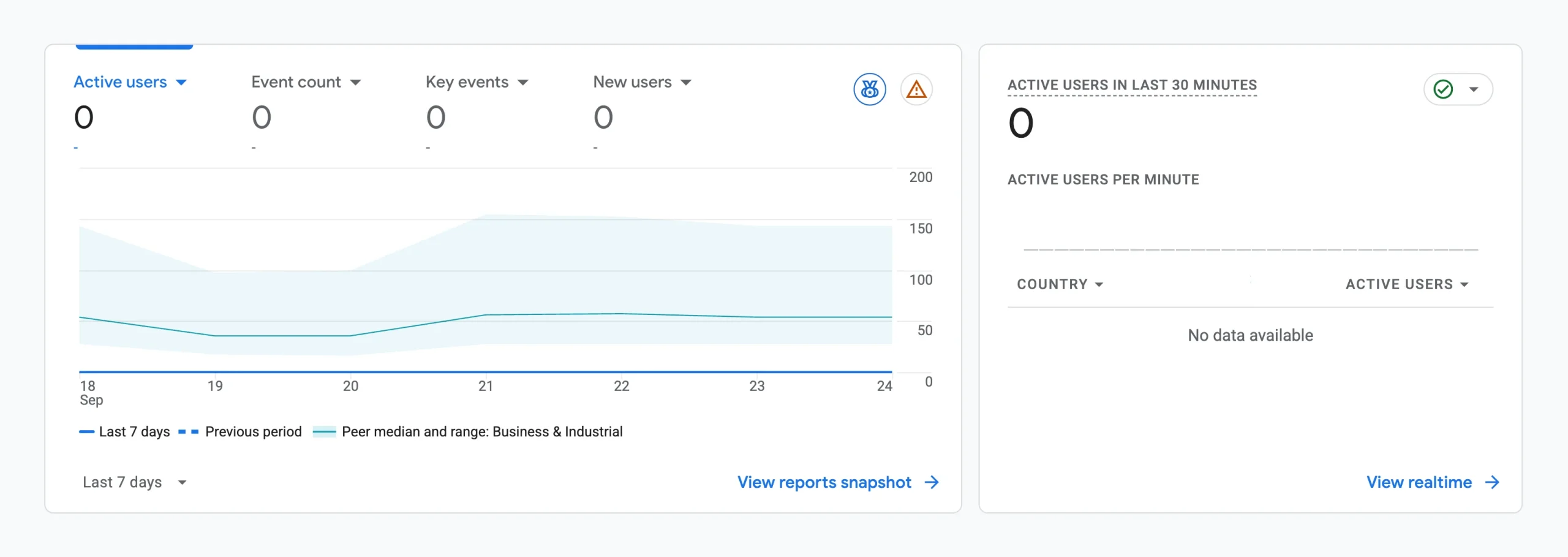
Google Search Console: Use it to monitor search impressions, clicks, search queries, indexing status, and any search-related issues Google finds with your site.
Google Analytics: Use it to see how many visitors are coming, where they’re coming from, which pages they’re reading, and how they behave while they’re on the site.
Both are free, and they give you information you cannot get any other way. Set them up before your second post goes live.
Step 7: Write and Publish Your First Blog Post
This is where you start creating content. Your first post does not need to be perfect. It needs to be useful.
Start with one specific problem and one specific audience. Answer the question clearly instead of trying to cover an entire subject in one article.
Before publishing your blog article:
- Put the target keyword naturally in the title.
- Use it naturally in the introduction.
- Use descriptive H2 headings.
- Write a useful meta description.
- Add relevant images.
- Write descriptive alt text.
- Add internal and external links where relevant.
- Check the article on mobile.
Once the article is ready, publish it.
You can then use Search Console to see if Google is discovering the page and which search queries are beginning to bring impressions.
Step 8: Grow Your Blog
What happens after the first post?
Build a content plan around your niche and keep publishing useful articles consistently.
Target questions people search for. As your collection of articles grows, link related posts together so readers can move from one useful page to another.
You should also revisit older articles. Update outdated information, improve sections that are thin, add relevant internal links, and use your Search Console data to identify new opportunities.
Promote useful content through relevant social channels where your target audience spends time.
Most importantly, build topical depth instead of publishing random subjects. If your blog is about freelancing, for example, build a collection of useful content around finding clients, creating profiles, pricing services, receiving payments, managing clients, and developing relevant skills.
Blogging is a long-term process, not a quick-money scheme. Content, search visibility, audience trust, and income usually take time to build.
Step 9: Monetize Your Blog
Once your blog has useful content and an audience, you can start looking at ways to earn from it.
1) Google AdSense
Google AdSense allows eligible publishers to display advertisements on their websites.
Your advertising revenue can vary based on traffic volume, audience location, niche, advertiser demand, and other factors.
A Pakistani blog may therefore earn a different amount from a website with the same number of pageviews but an audience from another market.
2) Affiliate Marketing
Affiliate marketing allows you to earn when readers complete qualifying actions or purchases through your affiliate links.

Potential programs for Pakistani bloggers include:
- Truehost
- Daraz
- Amazon Associates
- SaaS affiliate programs
For example, a technology blog can recommend hosting, software, or other tools that are relevant to the topic being discussed.
3) Sponsored Content
Sponsored content is created or published as part of a paid partnership with a brand.
Brands usually want evidence that a blog has an audience that fits their target market. Once your blog has established readership in a specific niche, you can approach relevant Pakistani businesses and offer suitable partnership opportunities.
4) Digital Products
Your blog can also become a place to sell your own digital products.
Examples include:
- Ebooks
- Courses
- Templates
- Guides
- Paid resources
Digital products can become useful once you know the problems your readers regularly need help solving.
Meaningful income usually takes time because you need content, search visibility, audience trust, and a monetization strategy.
FAQs on How to Start a Blog in Pakistan
How much can I earn from 1000 views on my blog?
It depends on your niche and how you’re monetizing. With AdSense, Pakistani traffic typically earns between $0.30 and $1.20 CPM, so 1,000 views might bring in PKR 85 to PKR 335 from display ads alone. Affiliate links or digital products on the same traffic can earn significantly more.
How do I get people to read my blog?
Create content around questions people are searching for, publish consistently, improve your SEO, link related posts together, promote useful content through relevant channels, and use Search Console data to find opportunities.
How much do bloggers earn per month?
It varies widely. A blog with 30,000 monthly pageviews in a solid niche can earn between PKR 25,000 and PKR 80,000 per month from AdSense alone. Blogs combining AdSense with affiliate marketing or digital products can earn considerably more at similar traffic levels.
Is blogging still worth it in 2026?
Blogging can still generate traffic, build an audience, and support different income streams in 2026. Results depend on the niche, quality of the content, search visibility, audience, and monetization strategy.
How often should I post on my blog?
There is no fixed posting frequency. A new blogger might start with one or two useful articles per week and adjust the schedule based on the time available. Consistency is more useful than publishing large amounts of content that you cannot maintain.
Start With the Right Foundation
Every blogger in Pakistan who earns from their site started by creating something they could own and build over time.
That starts with hosting. Everything else, including the content, the audience, and the income, grows from there.
Our shared hosting plans at Truehost start from ₨282.65/mo. You get PKR billing, free SSL, cPanel, one-click WordPress, and support when you need it.