Domain SearchInstantly check and register your perfect .pk or international domain
 Web HostingGet a .pk domain for as low as PKR 467
 cPanel HostingUser-friendly hosting powered by cPanel
 Reseller HostingLaunch your own hosting business with minimal technical requirements
 Windows HostingOptimized for Windows-based applications and websites
 Affiliate ProgramEarn referral commissions by promoting our services
 WordPress HostingFast & Reliable WordPress Hosting
 Domain TransferMigrate your existing domain seamlessly with zero downtime.
 All DomainsAccess 324+ top-level domains (TLDs) worldwide from a single platform
 Whois LookupIdentify the owner of any domain using our whois and rdap lookup tool
 Managed VPS Hosting
 AI Website BuilderCreate beautiful websites effortlessly using intuitive drag-and-drop features
 Online ShopLaunch a professional online shop with no technical skills required
 BlogDiscover expert guides on hosting, websites, SEO, and digital growth strategies
 ContactGet instant assistance via live chat or email
 SupportAccess help articles, tutorials, and service documentation
 SSL CertificatesEncrypt data, build trust, and boost SEO.
If you’re researching how to start a website, you may come across cPanel and WordPress and wonder which one you really need.
I mean, providers often mention both, so it’s easy to get mixed up.
The answer is simple: they are not alternatives. They do different jobs. cPanel manages your hosting environment, while WordPress builds and manages your website.
They can work together, and many WordPress websites already run on hosting accounts managed through cPanel.
For example, you can use cPanel to manage your website files, domain, email accounts, and databases, then log in to WordPress to publish blog posts, create pages, or change your site’s design.
At Truehost, our hosting packages support WordPress and provide cPanel access, giving you tools to build your website and manage the hosting behind it.
cPanel vs WordPress: Quick Comparison
| Feature | cPanel | WordPress |
|---|---|---|
| What it is | Hosting control panel | Content management system |
| Main job | Manages hosting | Manages your website |
| Ease of use | Handles hosting and account settings | Handles website content and design |
| Performance | Works at the hosting level | Runs at the website and application level |
| Security | Provides hosting-level controls | Requires application-level protection |
| Backups and updates | Provides hosting tools and backup options, depending on the plan | Manages core, theme, and plugin updates |
| Site building | Installs and manages website software | Builds and manages the website |
| Scalability | Depends on available hosting resources | Depends on website demands and hosting resources |
| Developer tools | File management, databases, FTP, cron jobs, and more | Themes, plugins, hooks, and REST API |
| Resources | Exposes or manages available hosting resources | Uses those resources to run the website |
| Cost | Commercial software; licences start at $29.99/month for one account | Free open-source software |
1) Purpose
cPanel and WordPress have different roles in running a website.
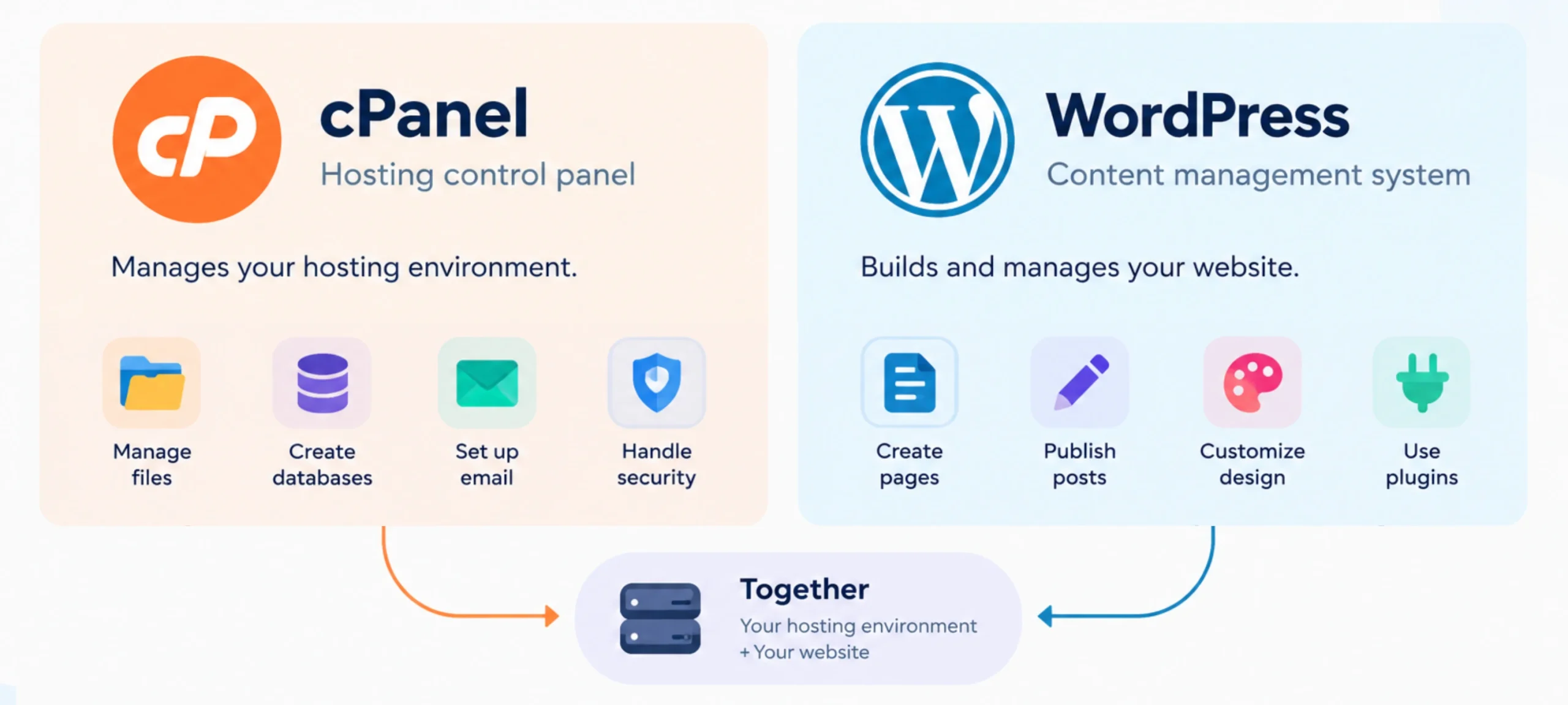
cPanel is a hosting control panel. You use it to manage website files, domains, databases, email accounts, and other hosting settings available under your plan.
WordPress is a content management system (CMS). It gives you a dashboard for creating pages, publishing posts, uploading media, and customizing your website.
If you’re building a freelance portfolio or business website, WordPress is where you’ll do most of your website-building work. cPanel helps you manage the hosting environment that keeps the site running.
2) Cost
WordPress is free, open-source software. You can download and use it without paying.
However, running a website may involve other expenses, including hosting, domain registration, premium themes, plugins, development, and maintenance services.
cPanel is commercial software, and its license price depends on the license tier and billing arrangement.
cPanel’s license prices (USD):
| License | Account limit | Monthly | Annual |
|---|---|---|---|
| Solo Cloud | 1 | $29.99 | $329.49 |
| Admin Cloud | Up to 5 | $35.99 | $395.49 |
| Pro Cloud | Up to 30 | $53.99 | $593.49 |
| Premier | Up to 100 | $69.99 | — |
Premier costs an additional $0.49 per account per month above 100 accounts. Solo, Admin, and Pro are cloud licenses, while Premier supports cloud and dedicated metal servers.
You may not need to purchase a separate cPanel license yourself. Many hosting providers include cPanel in their hosting packages and cover the licensing cost as part of the service.
Your total website cost will depend on the hosting plan you choose and any additional services your site needs.
3) Ease of Use
Both platforms have graphical dashboards, but each is designed for a different set of tasks.
WordPress provides visual editing tools and a dashboard for managing content. You can create pages, publish articles, upload images, change menus, and customize your site’s appearance without writing code for every change.
cPanel offers a graphical interface for hosting tasks, although some settings require technical knowledge.
For example, MultiPHP Manager lets you manage PHP versions for supported domains.
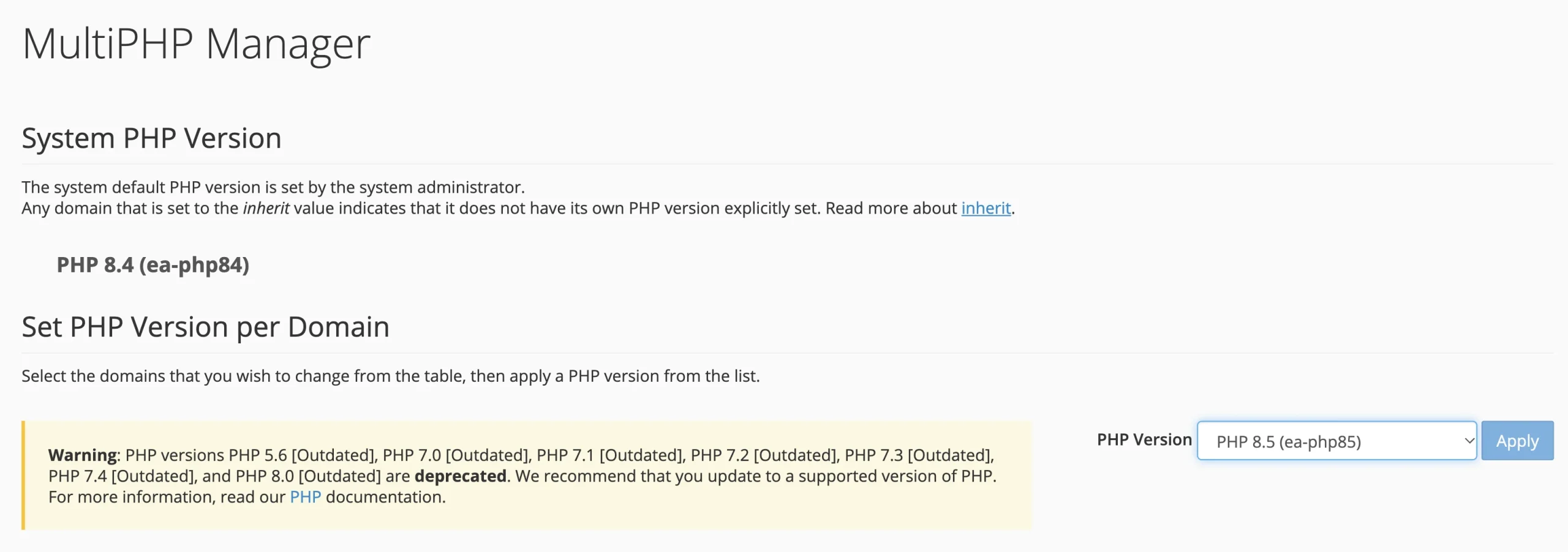
If you’re new to website management, you’ll probably spend more time in WordPress once your site is running. You can return to cPanel when you need to change hosting settings or manage services outside the WordPress dashboard.
4) Performance
Your website’s performance depends on both the hosting environment and the software running on it.
WordPress-specific hosting may be configured with WordPress requirements in mind. Depending on the provider, this can include:
- Suitable server resources
- Caching options
- Tools for installing or managing WordPress
cPanel hosting performance depends on the server, the resources included in your plan, and how the hosting environment is configured. Having cPanel does not automatically make a website faster or slower.
For example, LiteSpeed-powered servers can work with the free LiteSpeed Cache WordPress plugin to provide server-level full-page caching, image optimization, and CSS and JavaScript minification.
The benefits depend on the server configuration and how the plugin is set up.
Your WordPress theme, plugins, image sizes, database, and caching settings also affect loading times. A slow website may need hosting improvements, website optimization, or both.
The best option is a hosting plan with suitable resources and a configuration that supports your website’s needs.
5) Control and Customization
The difference here comes down to what you’re trying to control.
cPanel gives you access to hosting-account settings and tools. Depending on your plan, you can manage files, databases, domains, email accounts, and other available services.
WordPress gives you control over the website’s appearance and functionality. You can choose themes, install plugins, edit pages, manage users, and use development tools to make more advanced changes.
For instance, changing your website’s layout is usually a WordPress task. Uploading a file directly to your hosting account or managing a database is more likely to involve cPanel.
Keep in mind that your hosting provider determines which server-level settings and resources you can access. Neither platform automatically gives you unlimited control over the entire server.
6) Security
Website security involves protecting both the hosting environment and the application running on it.
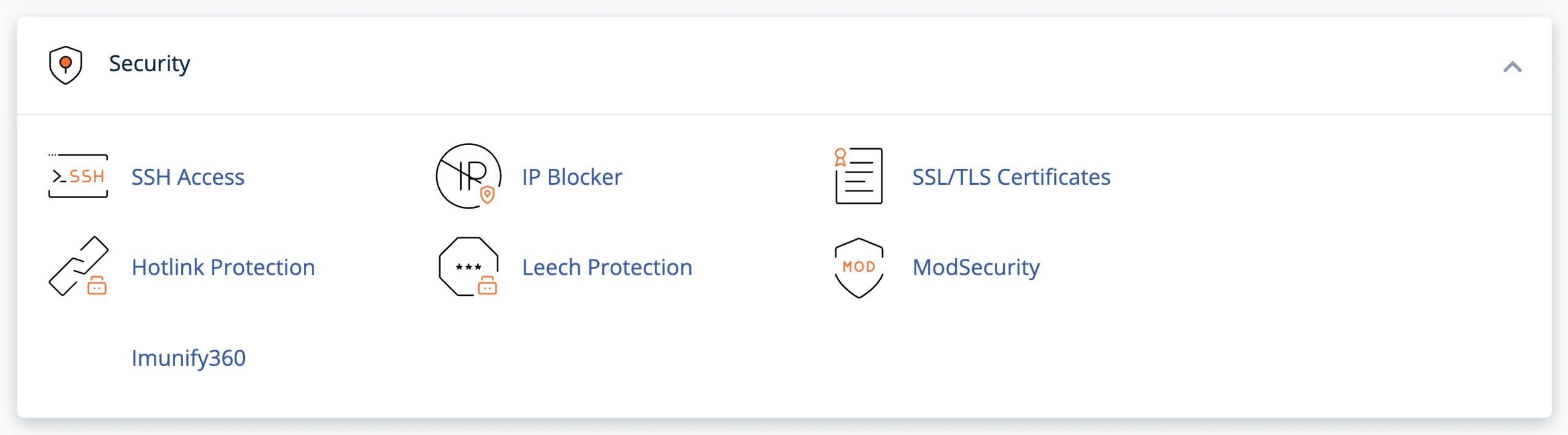
cPanel may provide tools for SSL management, account access, file management, and backups. Other protections, such as malware scanning and firewall controls, depend on your hosting provider and server configuration.
WordPress security focuses on the website itself.
Use strong administrator passwords, install themes and plugins from trusted sources, and keep WordPress and its components updated. Remove plugins and themes you no longer need, and restrict administrator access to people who require it.
An SSL certificate helps secure the connection between your website and its visitors, but it does not protect against every type of attack.
A secure website needs appropriate hosting-level protection as well as good WordPress maintenance practices.
7) Maintenance and Updates
The maintenance work you handle depends on your hosting arrangement and the software you use.
cPanel and hosting maintenance:
Your hosting provider determines which server maintenance tasks it handles. Depending on your plan, cPanel may give you tools for managing files, backups, databases, and PHP versions.
You may not have permission to change every server setting.
WordPress maintenance:
You need to keep WordPress core, themes, and plugins updated. Updates can fix security issues, correct bugs, and maintain compatibility with newer software.
Automatic core updates can reduce the amount of manual work, but they don’t remove the need to check compatibility or test significant changes. Before major updates, keep a recent backup and confirm that your theme and plugins support the versions you’re installing.
You should also check that your hosting environment runs a PHP version supported by your WordPress installation and its components.
8) Website and Account Management
The easiest way to distinguish the cPanel vs WordPress is to look at the tasks you need to complete.
With cPanel, you can manage hosting-related items such as:
- Website files and folders
- Domains and subdomains
- Databases and database users
- Email accounts
- Backups and available hosting tools
With WordPress, you manage the website itself, including:
- Pages and blog posts
- Images and other media
- Menus and navigation
- User accounts and permissions
- Themes and plugins
- Website settings
Suppose you want to publish a new service page for your business. You would usually create it in WordPress. If you need to manage the files or email account associated with your domain, you may need cPanel.
Using the right dashboard for each task saves time and reduces the risk of changing settings you don’t need to touch.
9) Developer Tools
Both platforms offer tools for developers, but they serve different purposes.
cPanel may provide access to File Manager, FTP, phpMyAdmin, database management, and cron jobs. Some hosting plans also support SSH access. The available tools depend on the provider and account permissions.
These tools can help developers manage website files, inspect databases, schedule recurring tasks, and troubleshoot hosting-related problems.
WordPress offers a different set of development options. Developers can build themes and plugins, use hooks to change how WordPress behaves, and work with the REST API to exchange data with other applications.
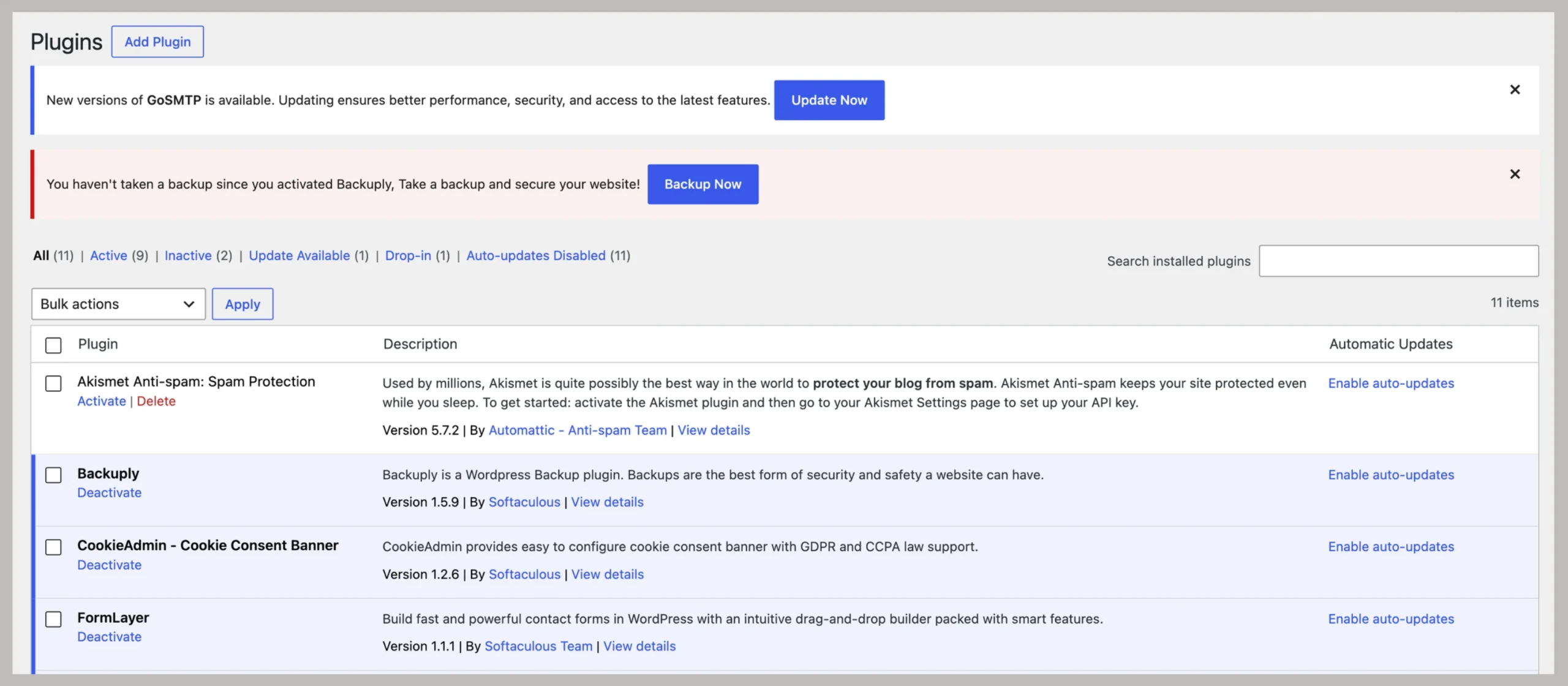
A developer working on a WordPress website may use both platforms. For example, they might edit a theme or plugin within a development workflow and use cPanel to manage files, databases, or scheduled tasks on the hosting account.
10) Resources and Scalability
Your hosting plan determines the resources available to your website. These may include CPU capacity, memory, storage, bandwidth allowances, and account limits.
cPanel lets you view or manage the resources and limits made available by your hosting provider. The specific information and controls depend on the plan.
WordPress uses those resources to run your website. As your site grows, more visitors, larger media files, additional plugins, and more complex functionality can increase resource requirements.
For example, a small freelance portfolio may run comfortably on an entry-level hosting plan. A busy online store with many products and simultaneous visitors may need more memory, processing capacity, or database performance.
You can improve efficiency by:
- Optimizing images
- Removing unnecessary plugins
- Using appropriate caching
- Keeping your database in good condition
If those steps aren’t enough, you may need to upgrade your hosting plan.
cPanel does not guarantee additional server resources, and WordPress cannot create resources that your hosting plan does not provide. Scaling successfully means matching your hosting environment to your website’s needs.
Can cPanel and WordPress Be Used Together?
Yes. They are often used together because they handle different parts of running a website.
Your hosting account provides the environment where the website runs. cPanel gives you a dashboard for managing that account, while WordPress handles the website’s pages, posts, design, and functionality.
For example, you might use cPanel to manage your domain, create an email account, check your database, or handle a backup. Then you’d open WordPress to publish an article, change your theme, or install a plugin.
You can also install WordPress through an application installer such as Softaculous, if your hosting provider includes it. This gives you a guided installation process without requiring you to configure every component manually.
Get Hosting with cPanel and WordPress
A WordPress hosting plan can use cPanel or another control panel behind the scenes. What is of most importance is what the hosting package includes.
If you’re comparing hosting options, check these points before purchasing:
- WordPress compatibility: Make sure the hosting environment supports WordPress and its current technical requirements.
- Available resources: Check storage, memory, processing limits, and any restrictions that could affect your website as it grows.
- SSL: Confirm if an SSL certificate is included and how it is issued and renewed.
- Backup policy: Find out how frequently backups are created, how long they are retained, and how restoration works.
- WordPress installation: Look for a one-click installation option that makes setting up your website easier.
- Customer support: Check what technical support is available for hosting issues and WordPress-related questions.
At Truehost, our WordPress hosting plans include one-click WordPress installation and cPanel access at no extra charge. They provide a starting point for building your website while giving you tools to manage the hosting environment.
You can then use WordPress to create and manage your site and cPanel to handle the hosting tasks behind it.