Domain SearchInstantly check and register your perfect .pk or international domain
 Web HostingGet a .pk domain for as low as PKR 467
 cPanel HostingUser-friendly hosting powered by cPanel
 Reseller HostingLaunch your own hosting business with minimal technical requirements
 Windows HostingOptimized for Windows-based applications and websites
 Affiliate ProgramEarn referral commissions by promoting our services
 WordPress HostingFast & Reliable WordPress Hosting
 Domain TransferMigrate your existing domain seamlessly with zero downtime.
 All DomainsAccess 324+ top-level domains (TLDs) worldwide from a single platform
 Whois LookupIdentify the owner of any domain using our whois and rdap lookup tool
 Managed VPS Hosting
 AI Website BuilderCreate beautiful websites effortlessly using intuitive drag-and-drop features
 Online ShopLaunch a professional online shop with no technical skills required
 BlogDiscover expert guides on hosting, websites, SEO, and digital growth strategies
 ContactGet instant assistance via live chat or email
 SupportAccess help articles, tutorials, and service documentation
 SSL CertificatesEncrypt data, build trust, and boost SEO.
CRM hosting in Pakistan gives you a way to run your customer relationship management software on your own VPS instead of depending entirely on a third-party SaaS platform.
A VPS provides the server, storage, CPU, RAM, and other resources your CRM needs to run. It can also host the database and supporting services that work alongside the application.
The setup follows a clear order. First, check what your CRM requires. Then choose a suitable VPS, configure the server, install the CRM, secure the environment, and put backups and regular maintenance in place.
The right setup depends on the CRM you choose, so it’s worth checking its requirements before you purchase or configure the server.
Here’s what you need to know before you start.
What You Need to Run a CRM on a VPS
A self-hosted CRM is a stack of components that need to work together before a single employee can log in.
A normal set up needs:
- A VPS with enough CPU, RAM, and storage
- A supported operating system
- A web server such as Apache or Nginx
- The runtime required by the CRM, such as PHP
- A supported database such as MySQL, MariaDB, or PostgreSQL
- A domain or subdomain, such as
crm.yourbusiness.pk - An SSL certificate for HTTPS
- Cron jobs or background workers for scheduled tasks
- An email or SMTP service
- A reliable backup system
The exact setup depends on the CRM you’re running.
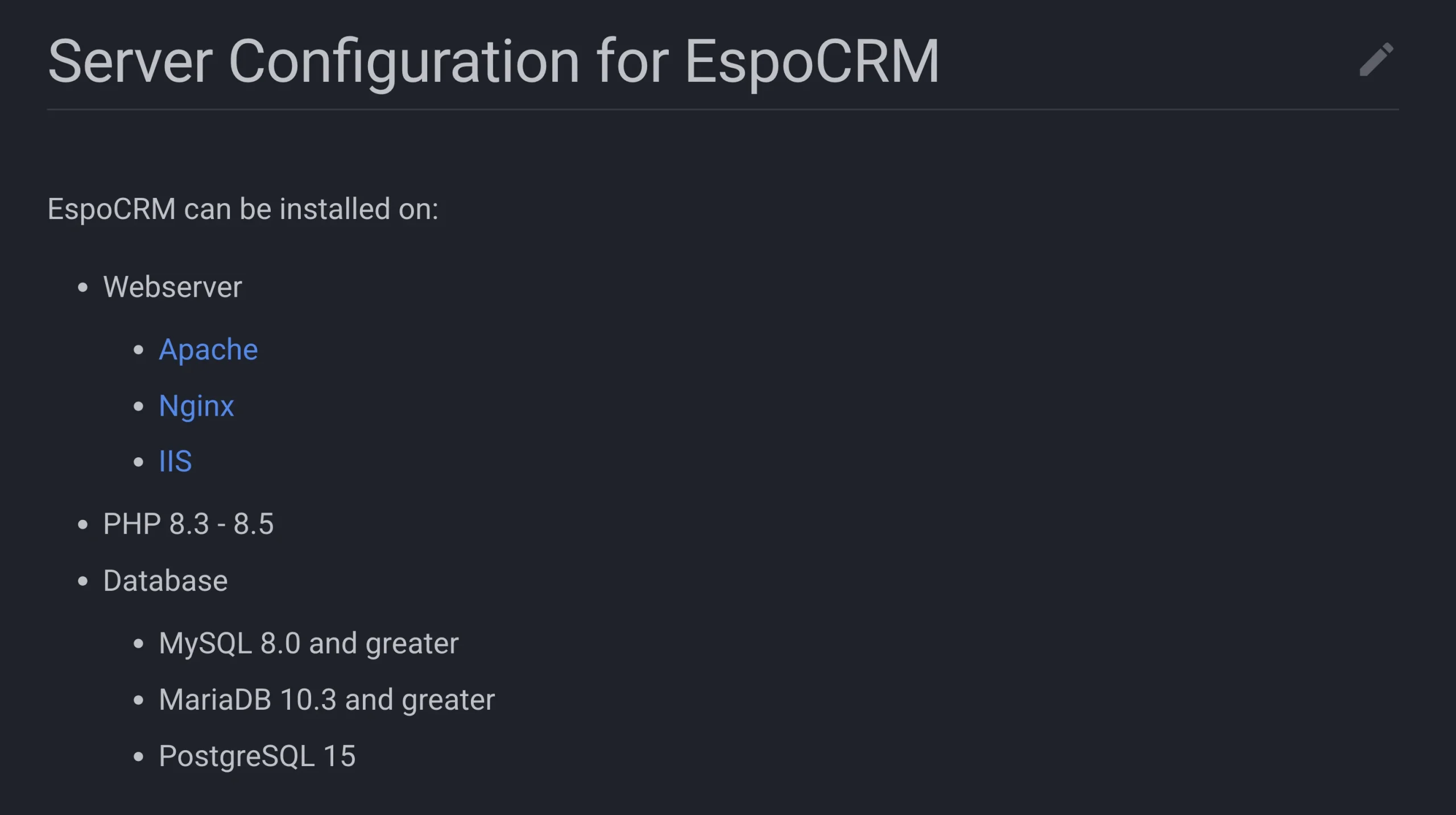
For example, EspoCRM currently supports PHP 8.3–8.5 and MySQL, MariaDB, or PostgreSQL. It also requires specific PHP extensions and scheduled cron jobs. SuiteCRM has its own list.
The point is to choose your CRM first, then build the server environment around what it actually needs.
Always check the CRM’s official requirements before choosing your VPS. The documentation tells you which operating system, runtime, database, and supporting software versions you need.
Check Your CRM’s Requirements First
Before deploying the server, open your CRM’s official documentation and check its technical requirements.
Look for the following:
- Supported operating systems
- PHP or other runtime versions
- Database versions
- Required extensions
- Memory requirements
- Storage requirements
- Cron or scheduler requirements
- Background workers
- Web server requirements
This step is worth doing before you pay for the VPS because different CRM platforms can require different software versions.
For example, SuiteCRM documents requirements involving Apache, PHP, and MySQL/MariaDB. It also requires scheduled tasks for several CRM functions.
Once you know what your CRM needs, you can choose a VPS configuration that fits the application instead of trying to make the application fit an unsuitable server.
How to Run Your CRM on a VPS
Once you’ve confirmed the requirements, you can start setting up the server.
The process begins with the VPS itself and ends with the background jobs that keep your CRM’s automated functions running.
a) Deploy the VPS
Choose a VPS configuration with enough CPU, RAM, and storage for your CRM.
The amount you need depends on the application, the number of users, and the amount of data you expect to store. A small CRM installation may need fewer resources than one handling many users, large databases, reports, and automated workflows.
With our VPS hosting, you get dedicated virtual resources and root access, giving you control over the server environment.
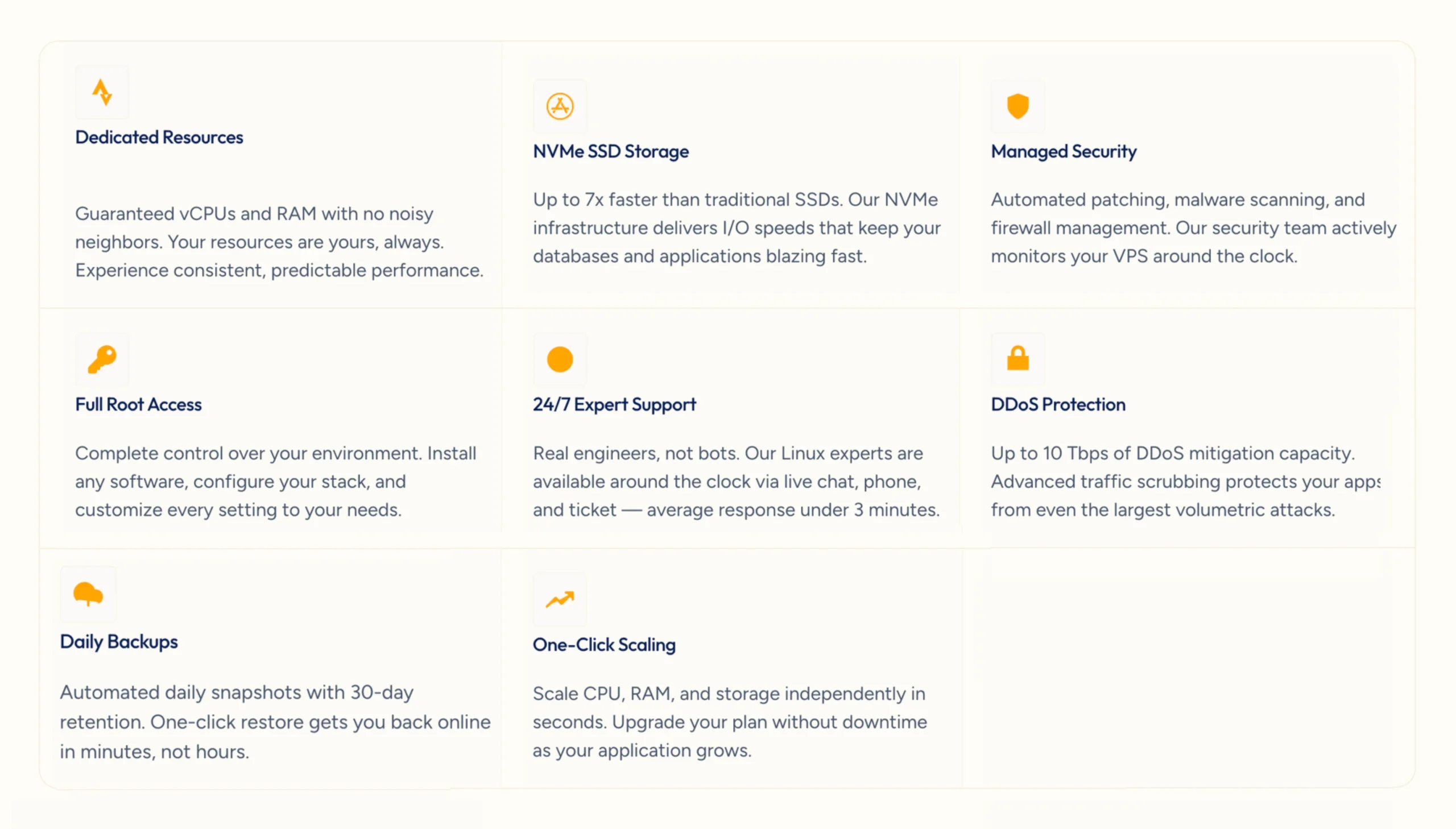
Start with the requirements provided by your CRM and the workload you expect. You can increase resources later if your usage grows.
b) Install the Operating System
Choose an operating system supported by your CRM.
Ubuntu and Debian are common choices for Linux-based applications, but the CRM’s compatibility requirements should guide your decision.
If the CRM requires a particular operating system or software version, check that before installing anything else on the VPS.
Once the operating system is installed, update it before continuing with the CRM setup.
c) Secure the Server
Before installing the CRM, take a few basic security steps:
- Update the operating system
- Secure SSH access
- Configure a firewall
- Use strong administrator credentials
- Restrict unnecessary network access
- Keep server software updated
These settings protect the server before the CRM and its database are exposed to users.
Security is not something you bolt on after the CRM is running. The operating system, web server, database, and CRM all have their own update cycles, and all of them need to be maintained.
You should also avoid leaving services, ports, or accounts open when the application doesn’t need them.
Our managed VPS options can help with server updates, security monitoring, and other administration tasks, so you don’t have to handle every server operation yourself.
d) Connect Your Domain
Your CRM needs an address that users can enter in their browsers. Create a subdomain such as: crm.yourbusiness.pk
Then point its DNS A record to your VPS IP address.
The connection looks like this:
CRM domain → DNS → VPS → Web server → CRMOnce the DNS record points to the correct server and the web server is configured, your team can access the CRM through the subdomain rather than using the VPS IP address directly.
e) Install the Required Software
Next, install the web server, runtime, database, and extensions required by your CRM.
For example, a PHP-based CRM may need:
Nginx or Apache → PHP → MySQL or MariaDB → CRMYour CRM may require a different combination, so use its official compatibility documentation as your guide.
Don’t install arbitrary software versions just because they’re available on the server. A newer version isn’t automatically compatible with your CRM.
Check the supported versions first, then install the required components.
f) Create the Database
Your CRM needs a database to store customer records, activities, sales information, and other application data. Create a dedicated database and database user for the CRM.
During installation, you will normally provide details such as:
- Database host
- Database name
- Username
- Password
Keep these credentials private and avoid giving the database user permissions it doesn’t need. Using a separate database user for the CRM also keeps its access limited to the application it serves.
g) Install the CRM
Now deploy the CRM using the installation method provided by its developer.
Depending on the CRM, this may involve uploading application files, installing dependencies, configuring file permissions, connecting the database, and creating the administrator account.
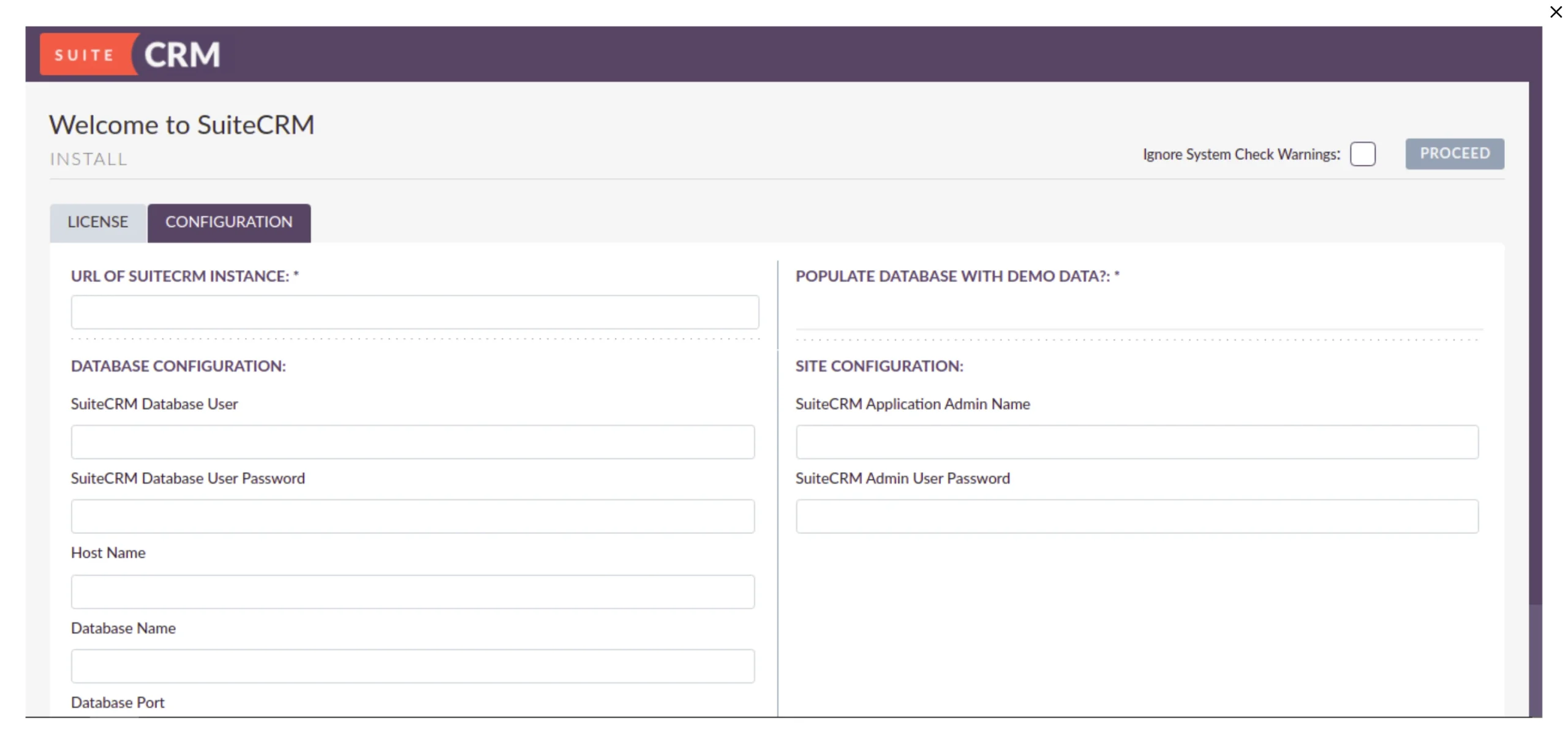
Some applications provide a browser-based installer, while others require commands to be run from the server.
Follow the CRM’s own installation instructions for these steps. They will tell you which files need to be placed on the server, which permissions are required, and which database details need to be entered.
Once installation is complete, log in and check that the main CRM functions are working before moving on to the remaining configuration.
h) Enable HTTPS
Configure an SSL certificate and access the CRM through https://crm.yourbusiness.pk.
Don’t use an unsecured HTTP login for a production CRM containing business or customer information.
HTTPS encrypts the connection between the user’s browser and the server, which is particularly important when employees are entering passwords, customer records, or other business information.
After installing the certificate, test the HTTPS address and make sure the CRM loads correctly through the secure connection.
i) Configure Email
Your CRM may need email for:
- Notifications
- Password resets
- Customer communication
- Automated messages
- Workflow alerts
Configure SMTP using an email service supported by your CRM.
Then send test messages before your team starts depending on the CRM for customer communication or automated notifications.
If your business uses its own domain for email, you may also need to configure email authentication records such as SPF, DKIM, and DMARC.
Don’t assume that the CRM will automatically send emails just because the application itself has been installed. SMTP needs to be configured and tested separately.
j) Configure Scheduled Jobs
Many CRM functions run in the background rather than immediately when a user performs an action.
These can include:
- Scheduled emails
- Notifications
- Workflows
- Reports
- Email processing
EspoCRM, for example, requires cron configuration for scheduled jobs.
After installing the CRM, check its documentation and make sure all required cron jobs or background workers are running.
This is an easy part of the setup to overlook. Your CRM may open normally in the browser while scheduled tasks quietly fail in the background.
Check the job status and application logs after configuration so you know these automated functions are working.
Secure and Back Up Your CRM
A CRM may contain customer details, sales records, documents, and internal business information, so security should continue after installation.
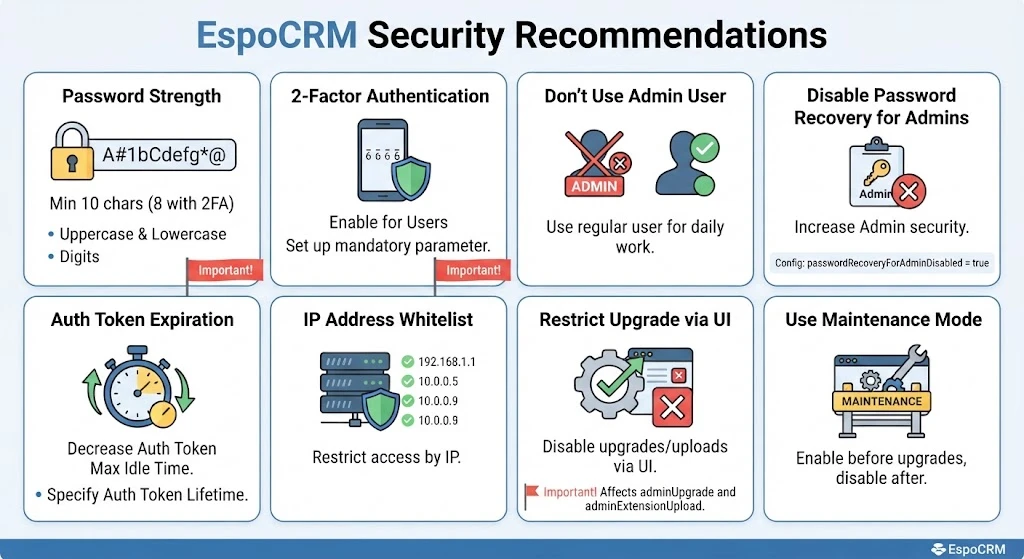
Keep the operating system, server software, and CRM updated. Use strong access controls, HTTPS, firewall rules, and monitoring.
You should also back up the database, uploaded files, and application/configuration. The database contains your CRM records, while uploaded files may include documents, images, and other information stored separately from the database.
Store backups separately from the production VPS where possible. If the backup is sitting on the same server as the live CRM, a serious server problem could affect both.
You should also test that you can restore the backup. A backup is only useful if you can recover the data when you need it.
Our current managed VPS offering includes automated daily backups, while the exact backup features depend on the VPS service you choose.
Maintain Your CRM VPS
A working CRM still needs regular maintenance.
Check the following routinely:
- Backup status
- CPU and RAM usage
- Available storage
- Database health
- Scheduled jobs
- Application and server logs
- Security updates
- CRM updates
These checks can help you spot problems before they interrupt your team’s work.
For example, if the CRM becomes slower as usage increases, check if CPU, RAM, storage, database queries, or background jobs are becoming bottlenecks.
A full storage drive, inefficient database query, or failed background process can affect performance without requiring a larger VPS.
Once you’ve identified the cause, you can optimize the application or increase VPS resources if the workload has genuinely grown.
Regular updates are also important. Keep track of your CRM’s upgrade instructions and check compatibility before updating major software components.
Host Your CRM on a Truehost VPS
Running a CRM on a VPS doesn’t have to be complicated if you follow the right order.
Start by checking the CRM requirements. Then choose the VPS resources, deploy the server, secure it, connect your domain, and install the required software.
From there, create the database, install the CRM, configure HTTPS and email, set up scheduled jobs, back up the system, and keep up with regular maintenance.
You don’t need the largest VPS available.
Start with the resources your CRM and current workload require, then scale as your business grows.
If you want control over your CRM environment without managing every server task yourself, our managed VPS options can take care of many underlying server operations.