Domain SearchInstantly check and register your perfect .pk or international domain
 Web HostingGet a .pk domain for as low as PKR 467
 cPanel HostingUser-friendly hosting powered by cPanel
 Reseller HostingLaunch your own hosting business with minimal technical requirements
 Windows HostingOptimized for Windows-based applications and websites
 Affiliate ProgramEarn referral commissions by promoting our services
 WordPress HostingFast & Reliable WordPress Hosting
 Domain TransferMigrate your existing domain seamlessly with zero downtime.
 All DomainsAccess 324+ top-level domains (TLDs) worldwide from a single platform
 Whois LookupIdentify the owner of any domain using our whois and rdap lookup tool
 Managed VPS Hosting
 AI Website BuilderCreate beautiful websites effortlessly using intuitive drag-and-drop features
 Online ShopLaunch a professional online shop with no technical skills required
 BlogDiscover expert guides on hosting, websites, SEO, and digital growth strategies
 ContactGet instant assistance via live chat or email
 SupportAccess help articles, tutorials, and service documentation
 SSL CertificatesEncrypt data, build trust, and boost SEO.
A VPS gives you more resources and control than shared hosting, which is why it becomes the natural next step for growing websites and applications. You get your own slice of CPU, RAM, and storage, and you can configure the server the way you need.
But there comes a point where that slice is no longer enough. Maybe your CPU usage sits near 90% during busy hours. Maybe your database has grown large enough that queries take noticeably longer than they used to. Maybe you simply need more separation from other tenants on the same physical machine.
A dedicated server gives you an entire physical server instead of a virtual portion of one. The real question is not whether a dedicated server is more powerful than a VPS. It almost always is. The real question is whether your current VPS has actually become a limitation for your website, application, and budget, or whether the problem lies somewhere else entirely.
This article walks through how to tell the difference, when optimization is the smarter move, and what to think about before committing to dedicated hosting.
VPS vs Dedicated Server: Quick Comparison
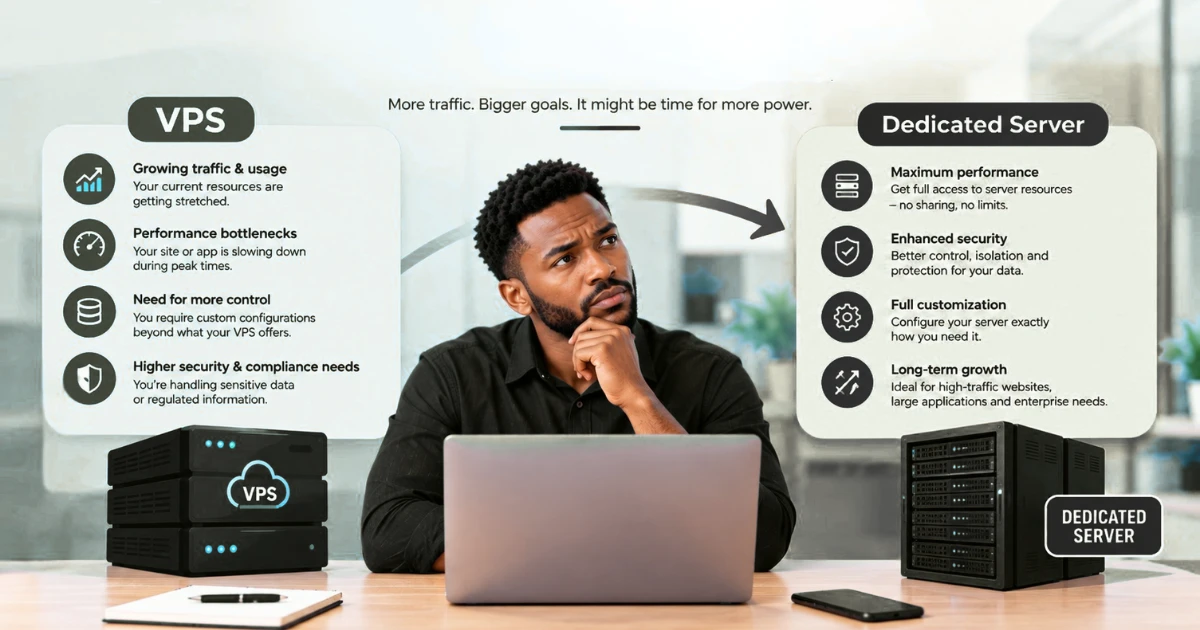
Before getting into specific warning signs, it helps to see how VPS and dedicated hosting compare side by side.
| Feature | VPS Hosting | Dedicated Server |
|---|---|---|
| Server environment | Virtual server | Entire physical server |
| Resources | Allocated virtual resources | Dedicated physical resources |
| Performance | Suitable for growing workloads | More consistent for demanding workloads |
| Isolation | Virtual isolation | Physical isolation |
| Control | High | Very high |
| Cost | Lower | Higher |
| Best for | Growing websites and applications | High-traffic and resource-intensive workloads |
This comparison does not mean every growing website should move to dedicated hosting. A busy blog and a high-volume ecommerce platform can have completely different resource needs even if their traffic numbers look similar on paper. The right decision depends on your actual resource usage, your workload’s specific requirements, your technical capacity, and what you are willing to spend.
What Are the Signs Your VPS Is No Longer Enough?
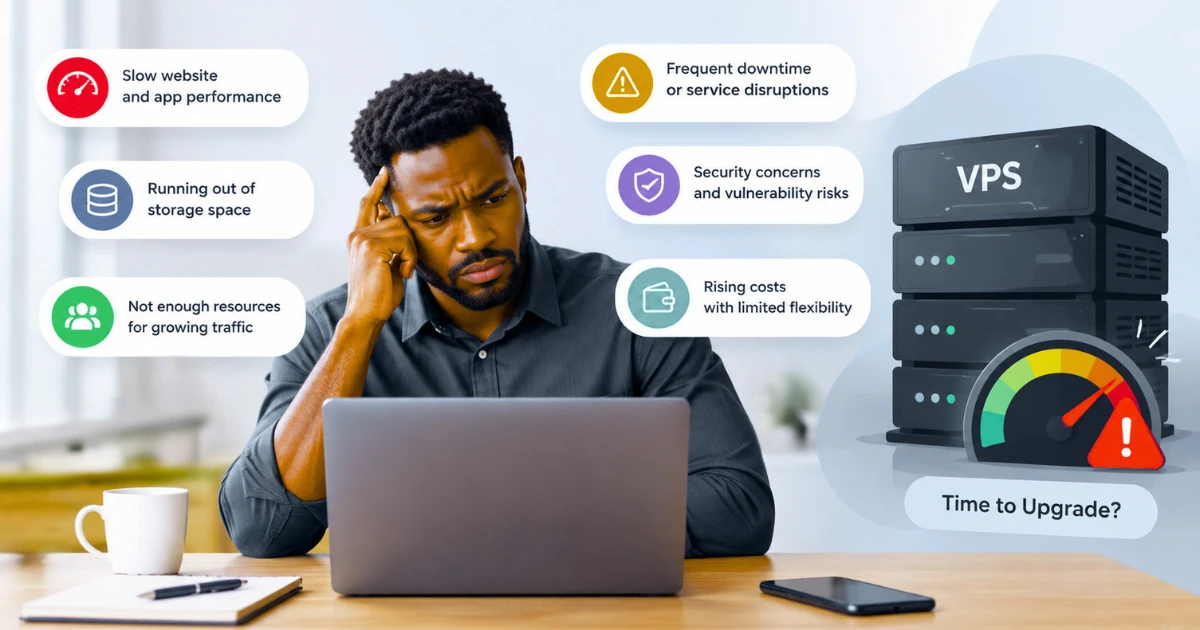
A VPS is reaching its limits when resource pressure becomes a regular pattern rather than an occasional event. One bad day does not mean your hosting is the problem. A pattern that repeats week after week is a different story.
1. Your VPS Frequently Runs Out of Resources
This is usually the clearest sign, and it shows up in a few specific ways:
- CPU usage consistently sits at high levels, not just during rare traffic spikes
- RAM is frequently exhausted, forcing the system to rely on swap space
- Storage is approaching its limit and needs regular cleanup
- Disk I/O stays high even outside of peak hours
- Processes get killed because the server has run out of available resources
- Your application becomes noticeably unstable during busy periods
There is an important distinction here. A single spike, say during a flash sale or after a social media mention, does not automatically mean you need a dedicated server. Spikes are normal. What matters is whether the pressure keeps coming back on a normal Tuesday afternoon, without anything unusual happening.
2. Your Website Becomes Slow Under Heavy Traffic
As traffic grows, resource limitations tend to show up more clearly. You might notice:
- Pages loading slower as more visitors arrive at once
- Database queries taking longer to return results
- Users experiencing delays during your busiest hours
- Traffic spikes causing visible performance drops
- Caching and other optimization tricks no longer being enough to keep things fast
It is worth repeating that slow performance under load does not automatically point to the hosting environment. A poorly indexed database or an unoptimized checkout process can create the exact same symptoms on a much larger server. Speed problems have more than one possible cause, and hosting is only one of them.
3. Your Application Has Outgrown the VPS
Some workloads simply place heavier demands on CPU, RAM, storage, and disk I/O than others. A few common examples:
- Large databases with millions of rows or complex joins run slower without adequate memory and fast storage.
- Ecommerce platforms handling many simultaneous checkouts, product searches, and inventory updates put steady pressure on CPU and database performance.
- SaaS applications serving many active users at once need consistent resources to keep response times predictable.
- Business management systems handling reporting, invoicing, and data entry across a whole team can generate constant background load.
- Media processing, such as video encoding or image transformation, is CPU and disk intensive by nature.
- Data processing jobs that crunch large datasets need both processing power and memory headroom.
- Custom web applications built for specific business logic often have unpredictable resource patterns that a shared VPS environment struggles to absorb.
If your workload resembles any of these and keeps growing, that growth itself is a sign worth paying attention to.
4. You Need Physical Server Isolation
Some businesses need more than virtual separation from other tenants. Reasons for this vary and can include:
- Security requirements tied to the type of data you handle
- Compliance requirements specific to your industry
- Operational requirements, such as needing full control over the underlying hardware
- Workloads that need clearer separation from other virtual environments on shared infrastructure
This is a real and valid reason to consider dedicated hosting, but it is worth being precise about it rather than assuming. Not every business handling sensitive data needs a dedicated server, and specific compliance frameworks have their own detailed requirements that go well beyond hosting type alone.
5. You Need More Predictable Performance
A dedicated server can offer a more predictable physical resource environment, since you are not sharing the underlying hardware with other customers. For workloads that need consistently available CPU, RAM, and storage, that predictability matters.
That said, a dedicated server does not guarantee better performance in every situation. Hardware specifications, server configuration, software efficiency, and the workload itself all still play a role. A poorly configured dedicated server can underperform a well-tuned VPS.
How Do You Know if Your VPS Is Actually the Problem?
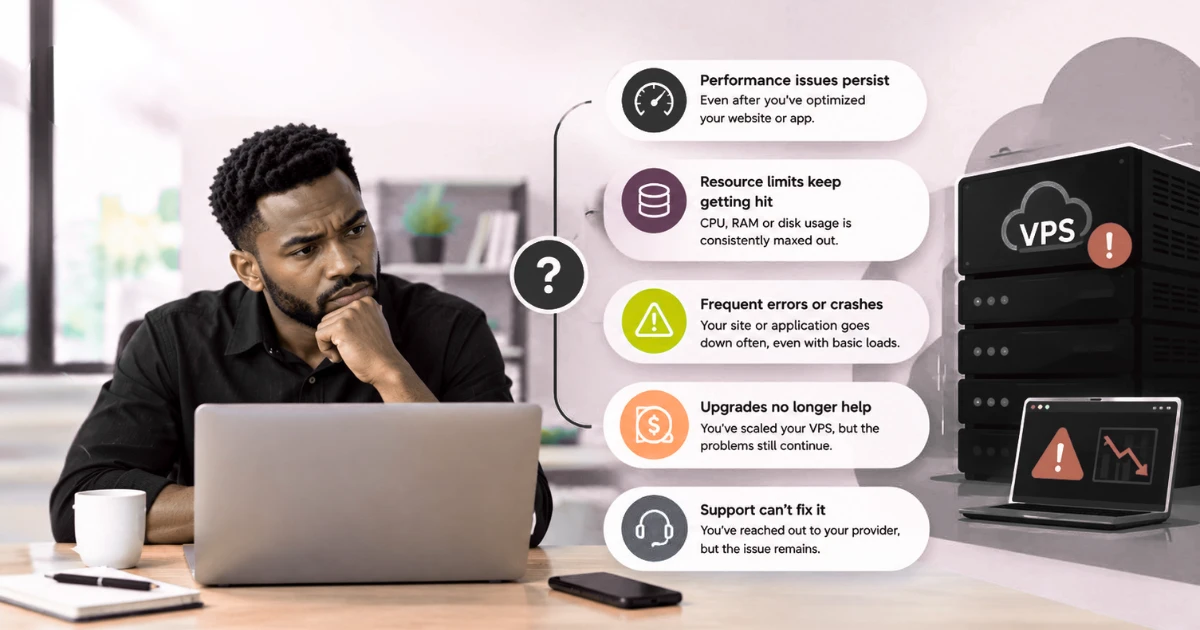
Before assuming you need to upgrade, it is worth diagnosing what is actually happening. A slow website is not automatic proof that your VPS needs to be replaced.
Start by checking:
- CPU usage over time, not just at a single moment
- RAM usage and how often the server relies on swap
- Disk usage and how much free space remains
- Disk I/O, especially during peak hours
- Network usage and bandwidth patterns
- Database performance, including slow query logs
- Server response times under normal and peak load
- Traffic patterns, including sudden spikes versus steady growth
- Error logs for recurring warnings or failures
- Application performance at the code level
If these checks come back clean, or only mildly elevated, the real cause might be somewhere else entirely:
- Poorly optimized code that runs inefficient loops or queries
- Large, unoptimized images slowing down page loads
- Inefficient database structure or missing indexes
- Plugins that consume more resources than they are worth
- Third-party services or APIs that respond slowly
- Incorrect server configurations, such as poorly tuned caching or database settings
- Application-level bugs that have nothing to do with server capacity
Taking the time to identify the actual bottleneck can save you from an unnecessary and expensive upgrade. If your database queries are the real problem, a dedicated server with the same unoptimized database will still be slow, just slightly less slow.
What Are the Benefits of Upgrading to a Dedicated Server?
For workloads that have genuinely outgrown VPS hosting, dedicated servers offer real advantages.
1) Dedicated Physical Resources
CPU, RAM, storage, and other physical resources belong entirely to you. Nobody else’s traffic spike or resource-heavy process affects your server’s performance. That said, this does not mean every dedicated server automatically outperforms every VPS. A budget dedicated server with older hardware can still be outpaced by a well-specified VPS running on modern infrastructure. Specifications matter more than the label.
2) More Consistent Performance
Because the hardware is not shared, dedicated servers tend to offer a more predictable environment for demanding workloads. Response times are less likely to fluctuate based on what other customers are doing. Performance still depends on the hardware you choose, how the server is configured, the efficiency of your software, and the nature of your workload itself.
3) Greater Server Control
Dedicated hosting typically gives you more control over:
- The operating system you install
- The software stack you run
- Security settings and firewall configuration
- Server configuration at a deeper level
- The overall application environment
Not every hosting plan offers the same level of control, so it is worth checking what a specific dedicated server plan actually includes before assuming full access to everything.
4) Stronger Physical Isolation
Your server runs on its own physical hardware. You are not sharing the underlying machine with other customers the way you would on most VPS platforms. This is a meaningful distinction for businesses with specific isolation, security, or compliance needs, as outlined by AWS in its documentation on dedicated physical infrastructure, even though the underlying concept applies broadly across providers, not just to a single cloud platform.
What Are the Downsides of Moving to a Dedicated Server?
Dedicated hosting is not free of trade-offs, and it is worth weighing these honestly before committing.
Higher Cost
You are paying for an entire physical server, so the base cost is naturally higher than a VPS plan. The total cost of running that server can also include more than just the monthly hosting fee, depending on what management, security, and support options you choose.
Greater Technical Responsibility
Depending on whether you choose managed or unmanaged hosting, you may take on more responsibility for:
- Server administration
- Ongoing maintenance
- Security patching and monitoring
- Software and operating system updates
- Troubleshooting when something goes wrong
- Server configuration and tuning
This does not mean every dedicated server leaves you to handle everything alone. Managed plans exist specifically to reduce this burden, which is covered in more detail below.
You May Pay for Unused Capacity
If your actual workload does not require dedicated physical resources, a dedicated server can end up giving you more capacity than you need. That unused headroom still costs money every month, even if you never touch it.
Managed vs Unmanaged Dedicated Servers
The management level you choose changes what day-to-day server ownership actually looks like.
| Feature | Managed Dedicated Server | Unmanaged Dedicated Server |
|---|---|---|
| Server management | Provider handles key management tasks | Customer handles server administration |
| Technical knowledge | Less required | More required |
| Maintenance | Provider handles more tasks | Customer handles more tasks |
| Support | More hands-on | More limited |
| Cost | Usually higher | Usually lower |
| Best for | Businesses that want technical support | Experienced server administrators |
This is an important consideration when upgrading, because moving to dedicated hardware also changes the level of server administration involved. A business without an in-house system administrator will have a very different experience with an unmanaged server than one with a dedicated technical team.
What Should You Check Before Upgrading From VPS to Dedicated Server?
The decision should come from actual data and business requirements, not a hunch that things feel slow.
1. Review Your Resource Usage
Look at your CPU, RAM, storage, bandwidth, and disk I/O over a meaningful stretch of time, not just a single busy day. Patterns matter more than isolated moments. A month of consistent data tells you far more than a single unusually busy afternoon.
2. Identify Your Main Workload
Understanding what is actually consuming your resources shapes what kind of upgrade makes sense. Common sources include:
- Website traffic and page requests
- Database activity and query volume
- Background applications or automated processes
- File storage and media handling
- Ecommerce transactions and checkout processing
- Data processing jobs running on a schedule
A traffic-heavy blog and a database-heavy SaaS product need different things from a server, even if their overall resource usage looks similar in a dashboard. If most of your load actually comes from a content-managed site, it is also worth checking whether a plan built specifically for WordPress hosting solves the problem before you commit to dedicated hardware.
3. Plan for Future Growth
Think about what your workload might look like over the next 6 to 12 months, not just where it stands today. You do not want to upgrade and then outgrow the new server within a few months. At the same time, avoid overprovisioning just because it feels safer. Buying far more capacity than your realistic growth requires just means paying for resources that sit idle.
4. Compare Server Specifications
CPU is only one part of the picture. Also compare:
- RAM, since insufficient memory creates bottlenecks regardless of CPU power
- Storage type and capacity, since SSD and NVMe storage perform very differently from older spinning disks
- Bandwidth, especially if your application serves a lot of media or handles high traffic volumes
- Network speed, which affects how quickly data moves in and out of the server
- Backup options, since recovery capability matters as much as raw performance
- Server management, since managed and unmanaged plans come with very different support levels
- Security features, including firewalls, monitoring, and DDoS protection
- Technical support, particularly how quickly issues get resolved
- Upgrade options, in case you need more capacity again later
5. Calculate the Total Cost
The advertised server price is rarely the full picture. Total cost can include:
- Server management fees
- Backup services
- Security tools and monitoring
- Software licensing
- Migration costs
- Ongoing administration
- Technical support plans
Comparing total operating cost, rather than just the base monthly hosting price, gives you a much more accurate picture of what the upgrade will actually cost over time.
How Do You Migrate From a VPS to a Dedicated Server?
Once you have decided to move forward, a careful migration process protects you from downtime and data loss.
i) Prepare the New Server
Set up the operating system, control panel, required applications, security settings, databases, and any software your application depends on. The exact setup varies depending on your application and hosting environment, so this step often takes longer than people expect.
ii) Back Up Your VPS
Create complete backups before you touch anything on the new server. This should include:
- Website files
- Databases
- Email accounts
- Configuration files
- Any other data your application depends on
A backup you never need is a minor inconvenience. A backup you needed and did not have is a serious problem.
iii) Move Your Website and Applications
Transfer your files, databases, and application configurations to the new server, then set everything up to match your current environment as closely as possible.
iv) Test Everything
Before you change anything that affects live traffic, work through a practical checklist:
- Website functionality across key pages
- Database connections and query behavior
- Contact forms and other input fields
- Login systems and user accounts
- Ecommerce transactions, from cart to checkout
- Email sending and receiving
- SSL certificates and secure connections
- Scheduled tasks and automated jobs
- Third-party integrations and API connections
Testing needs to happen before DNS changes, not after. Once DNS points to the new server, any problems you find are live problems affecting real visitors.
v) Update DNS
Once testing confirms everything works correctly, point your domain to the new server. DNS changes are not instant everywhere at once. Caching at different points on the internet means some visitors may reach the new server before others, depending on how long previous DNS records were cached. If you are also registering a new domain as part of this move, this is a good point to sort that out through your domain registration provider so the DNS records are ready before you switch.
vi) Keep the VPS Temporarily
Do not cancel your old VPS the moment the new server goes live. Keep it available until you have confirmed the migration was fully successful and stable under real traffic. If something unexpected comes up in the first few days, having the old server as a fallback can save you from a much bigger problem.
Common Mistakes to Avoid When Upgrading
- Moving without checking actual resource usage. Assumptions are not data.
- Assuming every slow website needs a dedicated server. Many performance problems live in the code, not the hardware.
- Choosing a server based only on CPU. RAM, storage, and database requirements matter just as much.
- Ignoring RAM, storage, and database requirements. These often matter more than raw processing power for typical websites.
- Buying significantly more capacity than necessary. Overprovisioning wastes money without solving a real problem.
- Choosing unmanaged hosting without the required technical skills. This can turn a hosting upgrade into a full-time job.
- Failing to create complete backups. Skipping this step turns a routine migration into a high-risk one.
- Migrating without testing. Problems found after DNS changes affect live visitors.
- Changing DNS before the new server is ready. This can send real traffic to an incomplete setup.
- Forgetting email and other DNS-dependent services. Website testing alone is not enough.
- Cancelling the VPS immediately after migration. This removes your safety net before you know the new server is stable.
FAQs
Should You Optimize Your VPS or Upgrade to a Better Plan?
This is often the more useful question to ask before spending money on new hardware.
Optimization is usually the right move when:
- The VPS still has reasonable resource headroom left
- The performance problem traces back to inefficient code
- Database queries need better indexing or restructuring
- Caching has not been properly configured or utilized
- Large, unoptimized files or images are adding unnecessary load
- Server configuration has room for improvement
- Unnecessary applications or background processes are consuming resources for no real benefit
An upgrade starts to make more sense when resource usage stays consistently high even after reasonable optimization, or when your workload genuinely requires dedicated physical resources for isolation, compliance, or performance reasons.
Dedicated hosting is not automatically the next step after VPS. In many cases, moving to a larger VPS plan solves the problem just as well, particularly when your workload needs more resources but does not yet require dedicated hardware. It is worth treating a bigger VPS as a real option, not just a stopgap on the way to something else.
Can I use a dedicated server for multiple websites?
Yes. Since you control the entire server, you can host multiple websites on it, as long as the combined resource needs of those sites fit within the server’s capacity. This is common for agencies or businesses managing several projects under one hosting environment.
Can I keep my existing control panel after moving to a dedicated server?
In many cases, yes, depending on which control panel you use and whether the new server supports it. Some control panels require a fresh license or specific installation steps on dedicated hardware, so it is worth confirming compatibility before migrating rather than assuming it will carry over automatically.
Do I need to change my domain name when moving servers?
No. Your domain name stays the same. What changes is the DNS record that points your domain to your server’s IP address. Visitors will not notice any difference in the domain itself.
What happens to email accounts when I move from a VPS to a dedicated server?
Email accounts need to be recreated or migrated on the new server, and the associated DNS records, particularly MX records, need to point to wherever your email is now hosted. This step is often overlooked because it is separate from website testing, which is why it deserves its own checklist item during migration.
Can I move back to a VPS if a dedicated server is no longer necessary?
Yes. If your workload shrinks or your needs change, you can migrate back to VPS hosting using a similar process in reverse. Businesses sometimes scale down after a temporary spike in demand passes, and there is nothing wrong with right-sizing your hosting in either direction.
Ready to Upgrade From VPS to Dedicated Hosting?
If your VPS is consistently reaching its limits, or your workload now genuinely requires dedicated physical resources, it may be time to consider a dedicated server.
Before you upgrade, check your resource usage and identify the actual cause of your performance problems. If optimization or a larger VPS plan can solve the issue, you may not need dedicated hosting yet.
If your workload has outgrown VPS hosting and you need more capacity, control, or physical isolation, a dedicated server can give your website or application the resources it needs to run reliably.