Domain SearchInstantly check and register your perfect .pk or international domain
 Web HostingGet a .pk domain for as low as PKR 467
 cPanel HostingUser-friendly hosting powered by cPanel
 Reseller HostingLaunch your own hosting business with minimal technical requirements
 Windows HostingOptimized for Windows-based applications and websites
 Affiliate ProgramEarn referral commissions by promoting our services
 WordPress HostingFast & Reliable WordPress Hosting
 Domain TransferMigrate your existing domain seamlessly with zero downtime.
 All DomainsAccess 324+ top-level domains (TLDs) worldwide from a single platform
 Whois LookupIdentify the owner of any domain using our whois and rdap lookup tool
 Managed VPS Hosting
 AI Website BuilderCreate beautiful websites effortlessly using intuitive drag-and-drop features
 Online ShopLaunch a professional online shop with no technical skills required
 BlogDiscover expert guides on hosting, websites, SEO, and digital growth strategies
 ContactGet instant assistance via live chat or email
 SupportAccess help articles, tutorials, and service documentation
 SSL CertificatesEncrypt data, build trust, and boost SEO.
Choosing between Truehost and HostBreak is one of the more common hosting decisions you’ll face since both are great options.
They both accept PKR payments, both have a great reputation among customers in Pakistan, and both will technically get your site online.
The thing is, there is a meaningful difference in what you really get per rupee, and each serves a different audience.
For that reason, we will walk you through pricing, performance, support, security, and long-term value so you can make an informed decision. Those details can change the value you get from your hosting plan, especially as your website grows.
So, let’s compare Truehost vs HostBreak on these features.
Truehost vs HostBreak Comparison
| Feature | Truehost Pakistan | HostBreak |
|---|---|---|
| Founded | 2016 (global brand) | 2001 |
| Starting price | ₨282.65 /mo | Rs.300/mo |
| Bandwidth | Unlimited on all plans | Unlimited on some plans |
| Free domain | On all plans for select extensions | On some plans |
| PKR billing | Yes | Yes |
| Best suited to | Growing sites, WooCommerce, developers | Simple sites and local businesses |
1) Pricing and Package Value
Truehost pricing
Our web hosting plans in Pakistan start from ₨282.65 per month when billed annually.
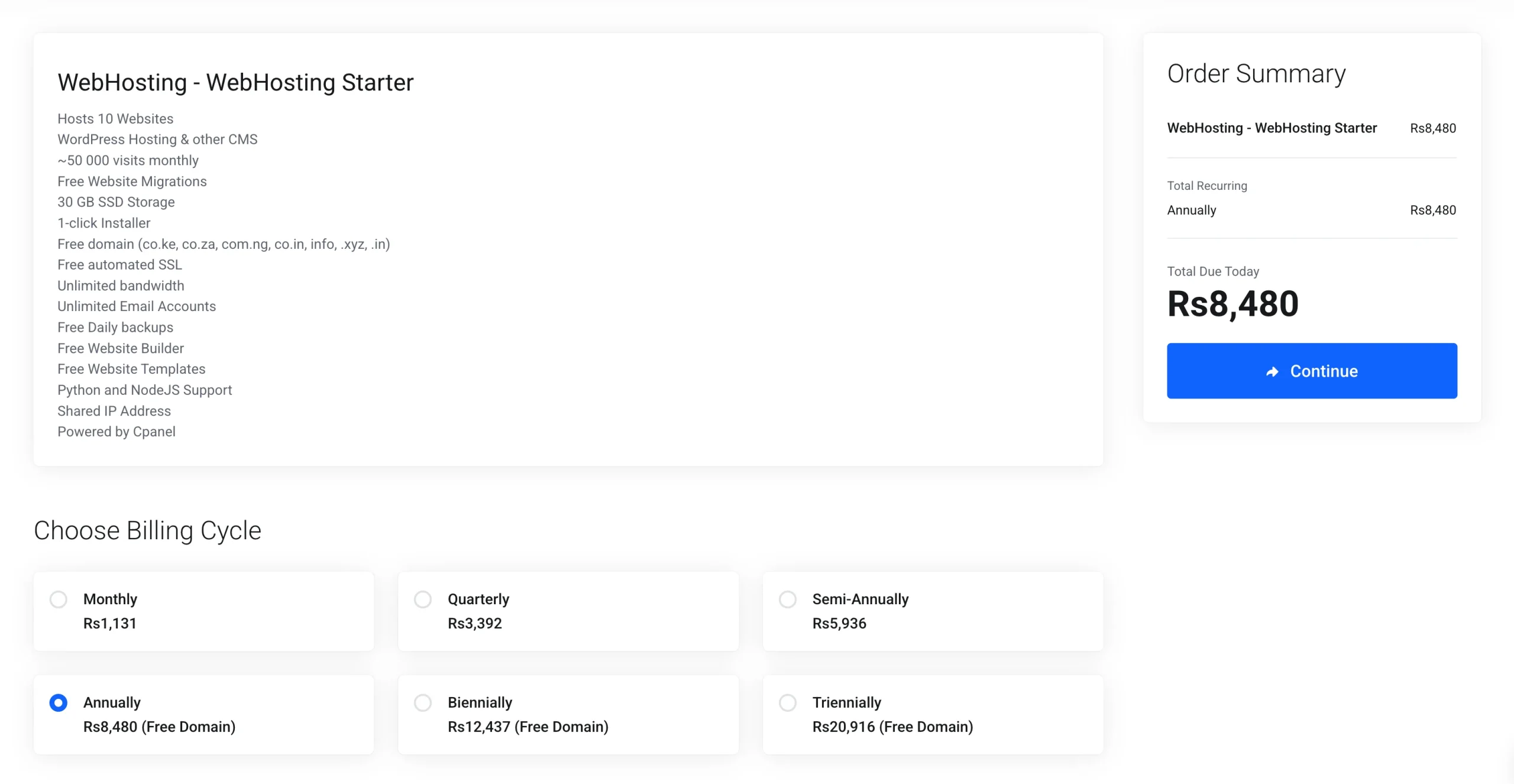
The entry-level plan includes:
- Up to 10 websites
- 30 GB SSD storage
- Unmetered bandwidth
- Free SSL
- Daily automatic backups
- Free website migration assistance
- cPanel
- Softaculous for one-click application installation
- Python support
- Node.js support
That gives you room to host more than one website without immediately moving to a higher hosting category.
For someone running a business website alongside a blog, portfolio, landing page, or another small site, that capacity can be useful.
HostBreak pricing
HostBreak’s entry-level plan currently costs Rs.300 per month when billed annually.
The package includes:
- 1 website
- 1 GB NVMe storage
- 30 GB monthly data transfer
- 5 POP email accounts
- cPanel
- Softaculous
- Free SSL
- Daily backups
- Free migration
- 30-day money-back guarantee
The resource allocation is much smaller than the Truehost entry plan, but that may be sufficient if you only need to run one small website.
Next tiers
As you move up the plans, the difference in capacity becomes more noticeable.
Truehost Pro supports up to 30 websites, with 50 GB SSD storage and unlimited bandwidth. HostBreak Basic supports 1 website, with 2 GB NVMe storage and 50 GB monthly transfer.
This makes the two plans suitable for different types of users. A person with one small website may have little use for capacity designed for multiple sites. Someone managing several websites may quickly find a single-site plan restrictive.
Renewal pricing
There is another number to check before purchasing: the renewal price.
Hosting companies often advertise an introductory or long-term billing price that can differ from the amount charged at renewal. Your first-year cost therefore does not necessarily tell you what hosting will cost over several years.
Check the current checkout price and renewal terms before paying, particularly if you are comparing plans based on long-term cost.
2) Performance, Uptime, and Server Infrastructure
Server location
In Pakistan, you can use international data centers, although hosting inside the country provides the fastest response times for local users.
However, international data centers don’t mean poor performance, especially if the proximity serves the area well.
Our Truehost data centers are located in India and Singapore to ensure you get the fastest possible response. For HostBreak, the closest data centers are also located in India and Singapore.
Truehost performance
Truehost hosting uses technologies designed to support faster website delivery, including:
- SSD/NVMe-based infrastructure on applicable plans
- LiteSpeed Web Server
- LSCache
- 24/7 monitoring
- Distributed infrastructure
- Caching support for WordPress and WooCommerce
- 99.9% uptime SLA across the broader infrastructure
LiteSpeed is particularly useful for WordPress websites because it works with LSCache to cache frequently requested content and reduce repeated work on the server.
For a small business website, that can help keep pages responsive. For a WooCommerce store or a website receiving more traffic, server-side caching can become increasingly useful as the number of requests increases.
HostBreak performance
HostBreak uses NVMe storage and CloudLinux infrastructure, along with LiteSpeed and LSCache on applicable hosting environments.

Its hosting offering also includes:
- 99.9% uptime guarantee
- 24/7 support
- Automated daily backups
Both providers therefore offer technologies designed for shared hosting performance rather than relying only on basic server configurations.
For a simple website with modest traffic, either platform can provide the resources needed to keep the site running. As traffic and website requirements increase, the specific plan you choose becomes increasingly important.
3) Customer Support and Local Accessibility
Hosting support tends to become important at the least convenient time.
A website can work perfectly for months and then develop an error after a plugin update, domain change, DNS adjustment, or server-side issue. When that happens, access to someone who can investigate the hosting environment can save hours of troubleshooting.
Truehost support
Truehost provides 24/7 technical support for hosting customers.
The support offering covers hosting, domains, and website-related services under the same account, which can be useful when several parts of your website setup are managed through one provider.
Free website migration assistance is also available, making the move from another host easier if you do not want to handle the transfer yourself.
HostBreak support
HostBreak also provides 24/7 support and has a long-standing presence in the Pakistani hosting market. Its support options include direct contact channels, including WhatsApp, alongside its hosting support services.
HostBreak also offers free website migration and a 30-day money-back guarantee on applicable plans.
What to look for in hosting support
A support team should be judged by more than the number of contact channels listed on a website.
Look at:
- How quickly support responds
- If technical problems are investigated rather than simply redirected
- Availability outside normal business hours
- Knowledge of hosting, domains, DNS, email, and server issues
- Ability to help with website migrations
- If support can distinguish between an account issue and a server issue
This becomes even more important if your website generates sales or serves customers around the clock.
4) cPanel, Ease of Use, and Developer Features
If you have never managed hosting before, the control panel can make a big difference to how quickly you get comfortable.
Both Truehost and HostBreak use cPanel, so users get a familiar interface for managing common hosting tasks.
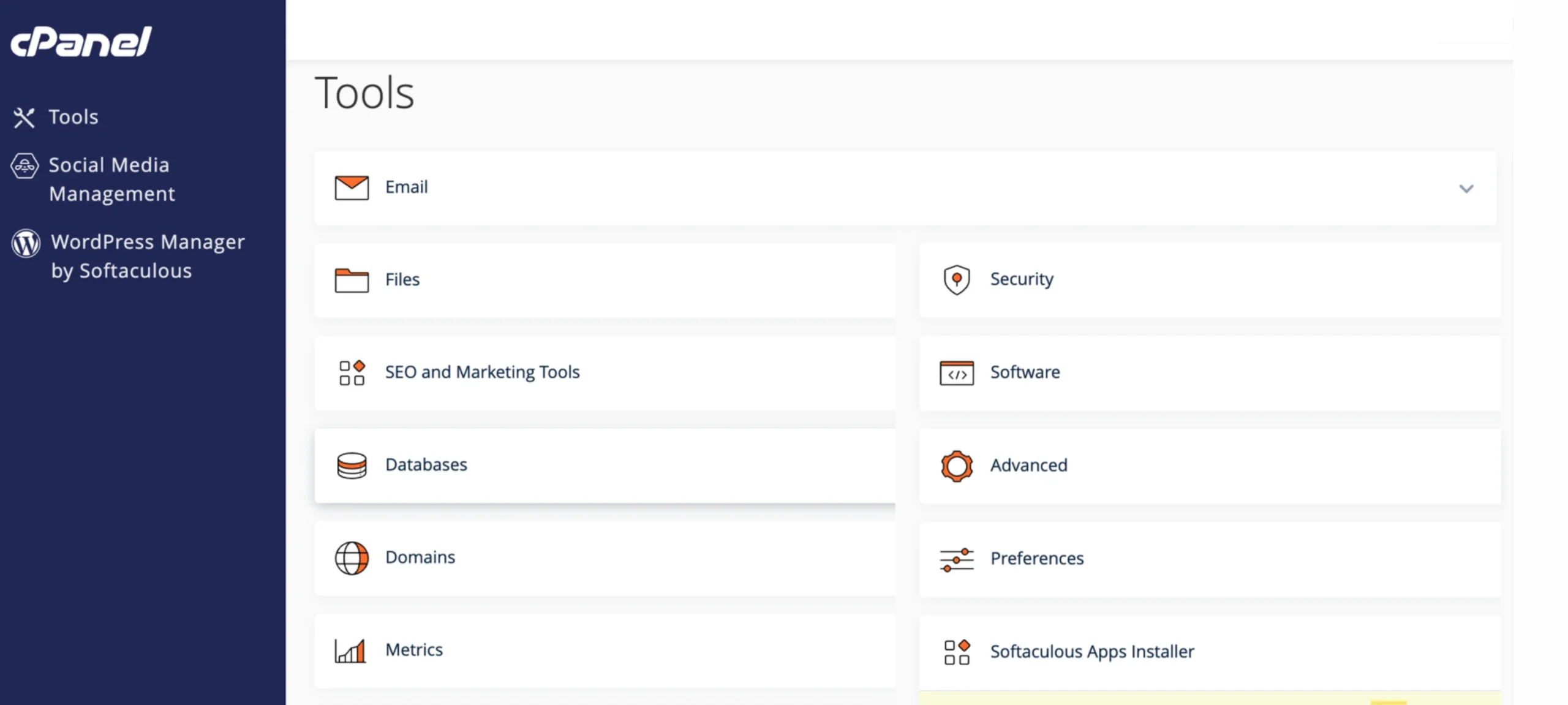
From cPanel, you can manage:
- Domains
- Email accounts
- Databases
- Website files
- SSL certificates
- Applications
- Backups and other hosting settings, depending on the plan
Truehost tools
Truehost hosting includes Softaculous for one-click application installation, making it easier to install WordPress and other supported applications without manually uploading and configuring every file.
The hosting environment also supports:
- WordPress and other CMS platforms
- WooCommerce
- Python
- Node.js
- Website migration assistance
Python and Node.js support can be useful for developers who need more than a standard PHP-based WordPress installation.
It also gives a growing website more options before the owner needs to consider moving to a VPS.
HostBreak tools
HostBreak provides cPanel and Softaculous for managing websites and installing supported applications. Its hosting environment supports common website applications, including WordPress and WooCommerce, alongside PHP and Node.js-oriented hosting.
CloudLinux is also used within its hosting infrastructure to help manage resources in a shared hosting environment.
For someone running a standard WordPress business website, the two providers cover the main tools needed to manage the site.
The difference becomes more relevant for developers who need multiple application environments or plan to build beyond a conventional CMS setup.
5) Security and Website Backups
Website security is easy to overlook while everything is working.
Once a website is compromised, loses important files, or becomes inaccessible, the cost of recovery can be far higher than the hosting bill. That makes SSL, malware protection, backups, and account security worth checking before you choose a plan.
Truehost security
Truehost hosting includes security features such as:
- Free SSL certificates with automated setup
- Firewalls
- Daily backups
- Imunify360 malware protection
- Support for additional security tools such as Wordfence
SSL protects information exchanged between the visitor and website by encrypting the connection. Daily backups provide recovery points if files or website data are lost or damaged.
Imunify360 adds malware detection and other server-level security functions to supported hosting environments.
Together, these features give your website several layers of protection.
HostBreak security and backups
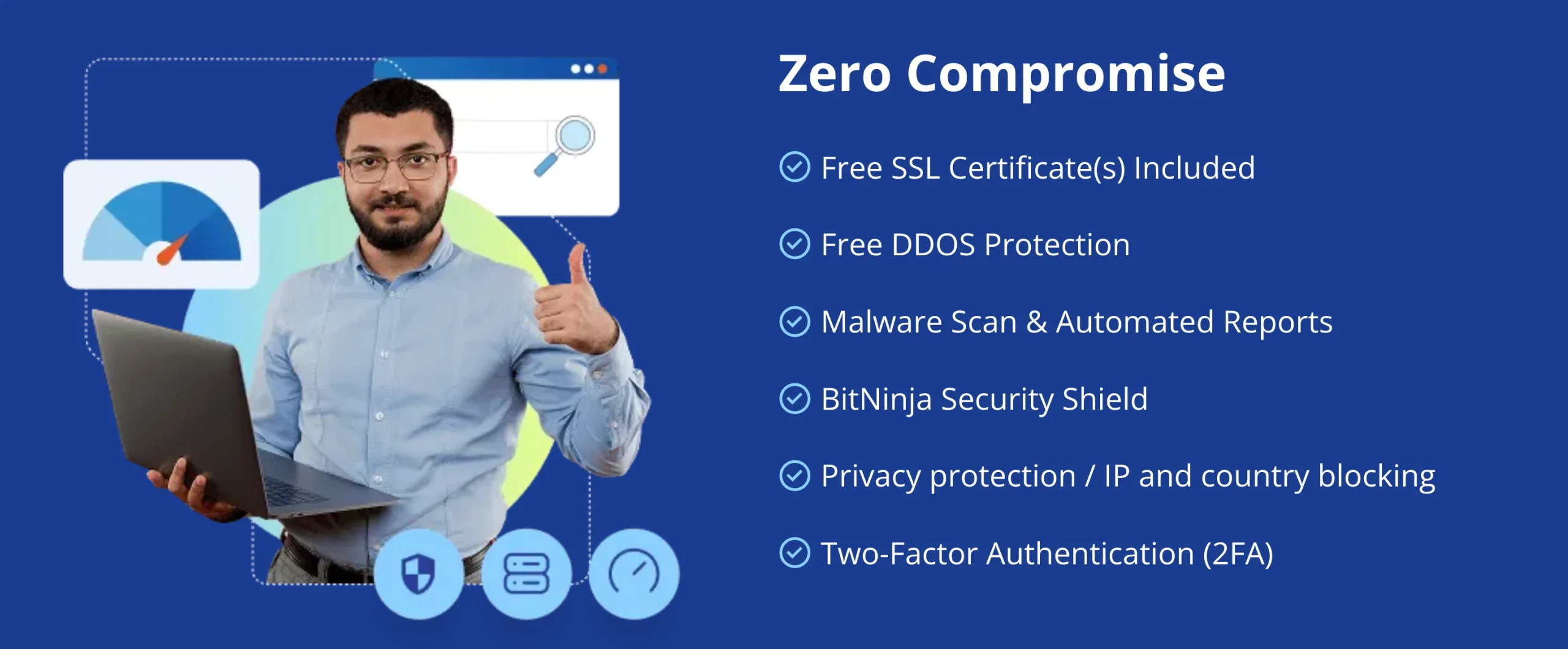
HostBreak also provides several security features across its hosting plans, including:
- Free SSL certificates on applicable plans
- DDoS protection
- Malware scanning and automated reports
- BitNinja security protection
- Privacy protection and IP/country blocking
- Two-factor authentication (2FA)
- Automated backups on applicable plans
The important detail is to check the specific package before purchasing because security and backup features can vary between plans.
For a website that stores customer information, processes orders, or generates business revenue, knowing how your hosting provider handles backups and security should be part of the purchasing decision.
Which Is Better for Your Website in Pakistan?
The answer depends largely on what you need your hosting account to handle.
Choose Truehost if you:
- Need to host multiple websites
- Want greater website capacity at the entry level
- Need unmetered bandwidth
- Run WordPress websites
- Run WooCommerce
- Need Python or Node.js support
- Want room to expand within shared hosting
- Prefer a hosting provider with a broader path from shared hosting to VPS services
Consider HostBreak if you:
- Are starting with one website
- Prefer a smaller entry-level package
- Want NVMe storage
- Need cPanel and Softaculous
- Want free SSL and daily backups on a plan that includes them
- Value HostBreak’s long-standing presence in Pakistan
- Want 24/7 support and migration assistance
- Only need the resources provided by a single-site hosting package
The resource limits are important here.
If you have one small company website, paying for capacity you will never use may not make sense.
If you plan to operate several websites or build a larger WordPress or WooCommerce project, starting with a plan that has more capacity can reduce the need for an early upgrade.
The Verdict: Truehost or HostBreak?
At the end of the day you have to make the call. The right pick depends on what you’re optimizing for, and here’s how the choice breaks down, case by case:
- Best overall for growth: Truehost
- Best for WordPress/WooCommerce: Truehost
- Best for developer flexibility: Truehost
- Best for simple websites: either, depending on the selected plan
- Best if local brand familiarity and WhatsApp support are priorities: HostBreak
Truehost is the stronger choice if you want a hosting platform with more built-in features and room to scale, while HostBreak remains a credible option if your needs are limited to simple shared hosting.
But if your website is how you generate revenue, attract customers, or represent your business online, you want a host that was built specifically for that job.