 Domain SearchInstantly check and register your perfect .pk or international domain
 Web HostingGet a .pk domain for as low as PKR 467
 cPanel HostingUser-friendly hosting powered by cPanel
 Reseller HostingLaunch your own hosting business with minimal technical requirements
 Windows HostingOptimized for Windows-based applications and websites
 Affiliate ProgramEarn referral commissions by promoting our services
 WordPress HostingFast & Reliable WordPress Hosting
 Domain TransferMigrate your existing domain seamlessly with zero downtime.
 All DomainsAccess 324+ top-level domains (TLDs) worldwide from a single platform
 Whois LookupIdentify the owner of any domain using our whois and rdap lookup tool
 Managed VPS Hosting
 AI Website BuilderCreate beautiful websites effortlessly using intuitive drag-and-drop features
 Online ShopLaunch a professional online shop with no technical skills required
 BlogDiscover expert guides on hosting, websites, SEO, and digital growth strategies
 ContactGet instant assistance via live chat or email
 SupportAccess help articles, tutorials, and service documentation
 SSL CertificatesEncrypt data, build trust, and boost SEO.
Can I host multiple websites on a single hosting plan? Short answer: yes.
You can host multiple websites on one hosting plan if your package supports addon domains. Most Truehost plans do, even our lowest-cost one.
Here’s how it works. You buy one hosting account. Inside that account, you add extra domains. Each domain points to its own folder, called a document root. Your visitors never know they’re sharing a server.
Behind the scenes, your server (Apache, Nginx, or LiteSpeed) uses something called virtual hosts. It reads the domain name in each request and routes traffic to the right folder.
All your sites share the same pool of resources: CPU, RAM, disk space, bandwidth, and inodes.
We at Truehost build our plans with this use case in mind. Every plan runs on cPanel with Softaculous for one-click installs.
Every domain you add gets a free Let’s Encrypt SSL certificate, automatically. And our SSD and LiteSpeed infrastructure means addon domains work even on our entry-level plans, not just the expensive ones.
If you’re managing a portfolio of client sites, running a blog network, or launching a few side projects, this guide walks you through the requirements, the setup, and the ongoing management.
What are the Requirements to Host Multiple Websites
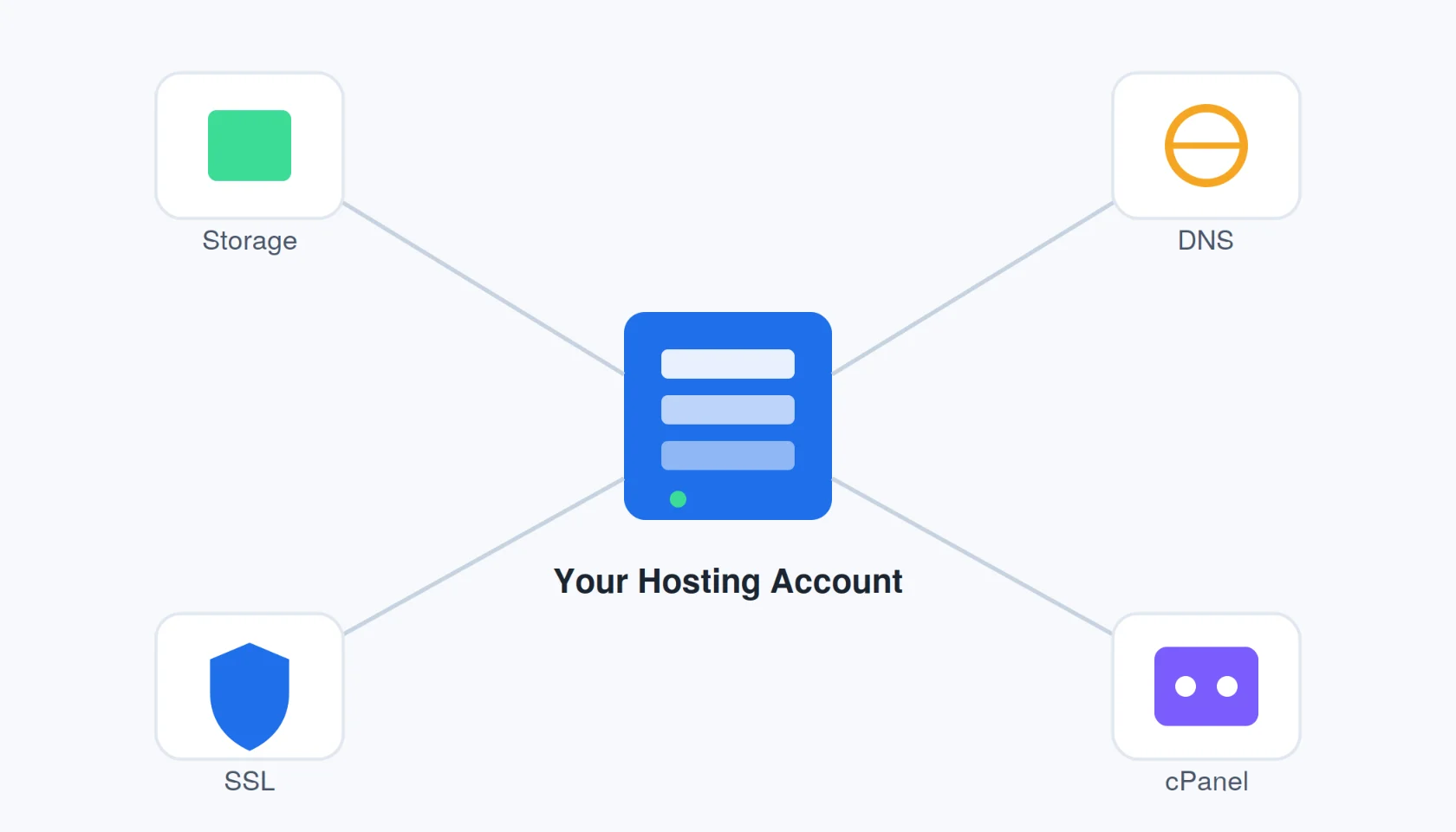
Before you add your second domain, check these four areas first.
Hosting Plan and Resources
Not every plan supports multiple domains. Check your plan’s limits before you commit.
At Truehost.pk, here’s what our shared hosting tiers currently offer:
| Plan | Websites | Storage | Monthly price (USD, triennial) | Monthly price (PKR) |
|---|---|---|---|---|
| Starter | Up to 10 | 30 GB SSD | $2.06 | Rs 566.97 |
| Pro | Up to 30 | 50 GB SSD | $2.25 | Rs 1,133.93 |
| Unlimited | No fixed ceiling | Unlimited SSD | $13.22 | Rs 8,099.50 |
Prices are current as listed on truehost.pk. Verify live pricing at checkout, since exchange rates shift.
Website count is only half the story. You also need enough combined disk space, bandwidth, CPU, RAM, and inodes for all your sites together, not just one.
Example: if you run three brochure sites and one WooCommerce store with product photos, the store will eat far more storage and CPU than the others. Plan around your heaviest site, not your average one.
Billing in Pakistan is straightforward. You can pay in PKR through bank transfer or card at checkout.
Technical Setup and Configuration
Each website needs its own foundation. That means:
- A registered domain, yours or a client’s
- DNS pointed to your hosting account (Truehost nameservers or an A record to your shared IP)
- A separate document root, so each site’s files stay isolated
- cPanel access to manage it all from one dashboard
Security and Maintenance
Multiple sites means multiple attack surfaces. Treat each one seriously.
- Give every domain its own SSL certificate. Free Let’s Encrypt SSL is the standard choice.
- Use a separate database per site. This is non-negotiable for WordPress and WooCommerce; never share a database between two installs.
- Keep backups running. We include free daily backups on our plans, similar to JetBackup-style tools.
- Know the tradeoff. Shared hosting isolates your files, but resource limits are shared. One compromised or high-traffic site can affect the others on the same account.
Management Tools
cPanel does the heavy lifting here.
- Domains, File Manager, MySQL databases, and email all live in one panel
- Softaculous gives you one-click installs for WordPress and other apps
- Resource monitors show your disk, bandwidth, and CPU usage in real time
Optional extras worth setting up: a dedicated FTP account per site, a staging environment, and a security plugin like Wordfence on each WordPress install.
How to Host Multiple Websites
Here’s the full process, step by step.
Step 1: Log in to your cPanel
Log in to your Truehost Client Area. Select your hosting service. Open cPanel from there.
Step 2: Go to the Domains Section
Look for Domains, Addon Domains, or Create a New Domain — the label depends on your cPanel theme.
Step 3: Enter the New Domain Name
Type the new domain as registered. Skip the “www” and the “https://”.
Example: enter newclientsite.pk, not www.newclientsite.pk.
Step 4: Assign a Separate Document Root (Very Important!)
This step matters more than any other on this list, get it right and the rest goes smoothly.
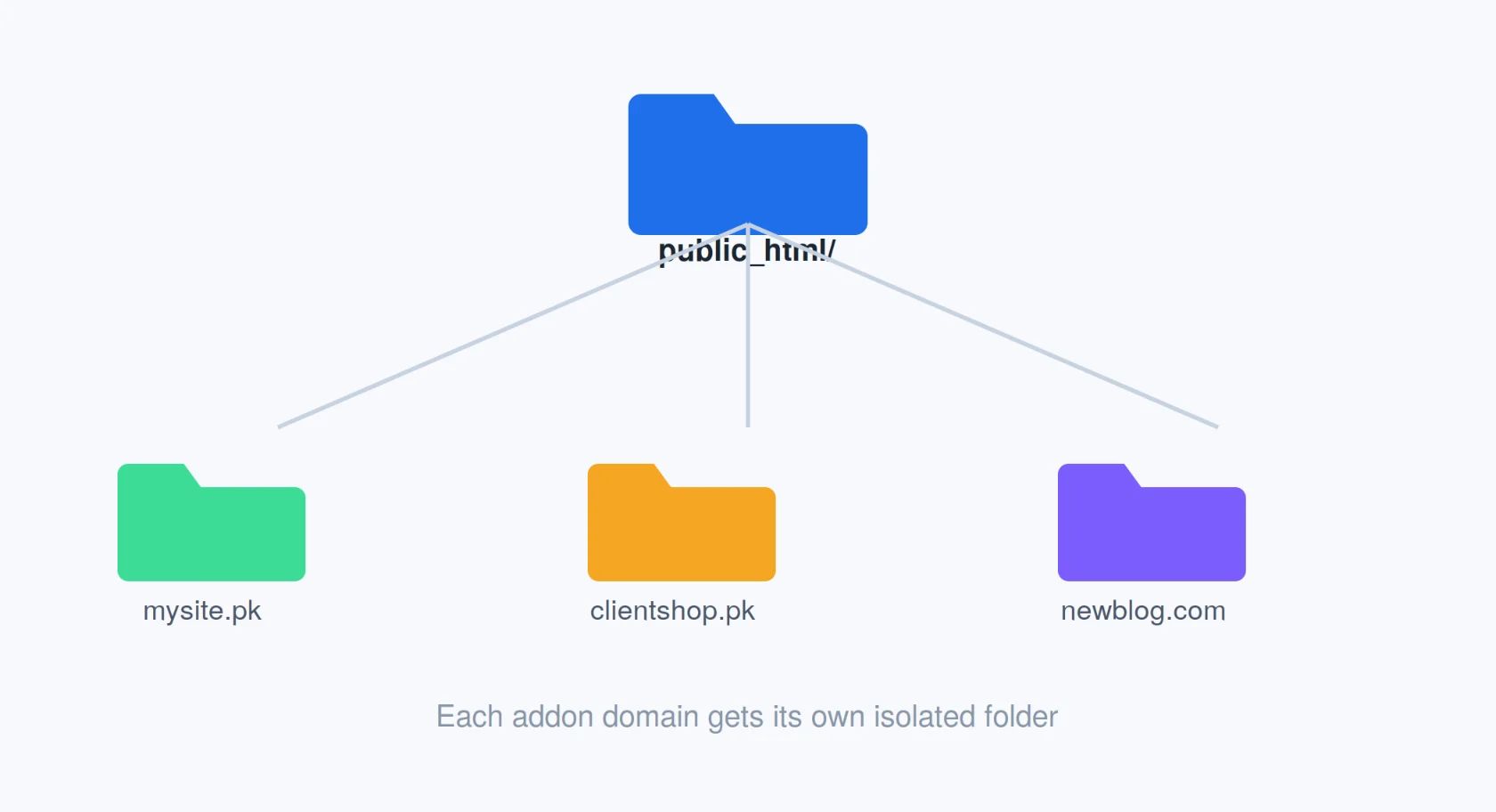
Uncheck “Share document root.” Give the new domain its own folder.
Example path: public_html/newdomain.pk.
Skip this step, and your new site’s files can mix with your main site’s files. That’s a mess you don’t want to clean up later.
You can also create a dedicated FTP account for this folder. It’s optional, but useful if a client or teammate needs file access without touching your other sites.
Step 5: Add the Domain
Click Add Domain or Create. Wait for the confirmation message.
Step 6: Point the Domain’s DNS to Servers
If you registered the domain with Truehost, your nameservers are usually already correct.
Registered somewhere else? Update the nameservers to point to Truehost, or set an A record to your account’s shared IP.
Confirm your current nameserver values in your welcome email or your dashboard; they can change.
DNS propagation takes time. Allow 4 to 48 hours before you assume something is broken.
Step 7: Upload Your Website Files
Three ways to do this: File Manager, FTP, or Softaculous’s one-click installer for WordPress, Joomla, and similar platforms.
Step 8: Set Up SSL, Database, Email, and Test
Finish the setup properly.
- Install free SSL (automatic, or manual Let’s Encrypt)
- Create a database and database user, if your site needs one
- Set up email addresses for the new domain
- Test everything, incognito mode, mobile view, contact forms, and page speed
How to Manage Multiple Websites
Setup is the easy part. Ongoing management is where sites break down.
1) Always Use Separate Folders for Each Site
Never let two sites share a document root. One bad file overwrite can take down both.
This happens more often than you’d think. Someone reuses a folder path during a quick fix, and suddenly two sites are reading from the same wp-config.php file.
- Double-check the document root every time you add a domain, not just the first time.
- Name folders after the domain itself,
public_html/clientname.pk, notpublic_html/site2. Vague names cause mix-ups six months later. - If you use staging copies, keep them in their own folder too. A staging site sharing a live site’s root is a common way to accidentally overwrite production files.
2) Set Up Regular Backups and Test Restores
A backup you’ve never restored isn’t a real backup. Test one restore per quarter, minimum.
Backups fail silently more often than people expect. A database backup can run every night for months while quietly missing one table, and you won’t know until you need it.
- Confirm your daily backups are actually running, check the backup log in cPanel, don’t just assume.
- Keep at least one backup copy off-server. If your hosting account has an issue, an on-server-only backup won’t help you.
- Restore a random file or table to a test folder every few months, not just the whole site. This confirms your backups are usable, not just present.
- Back up before every plugin update, every theme change, and every migration, even with daily backups running.
3) Monitor Your Resource Usage Closely
Check your cPanel resource stats monthly. A sudden spike usually means a plugin problem, a traffic surge, or a compromised file.
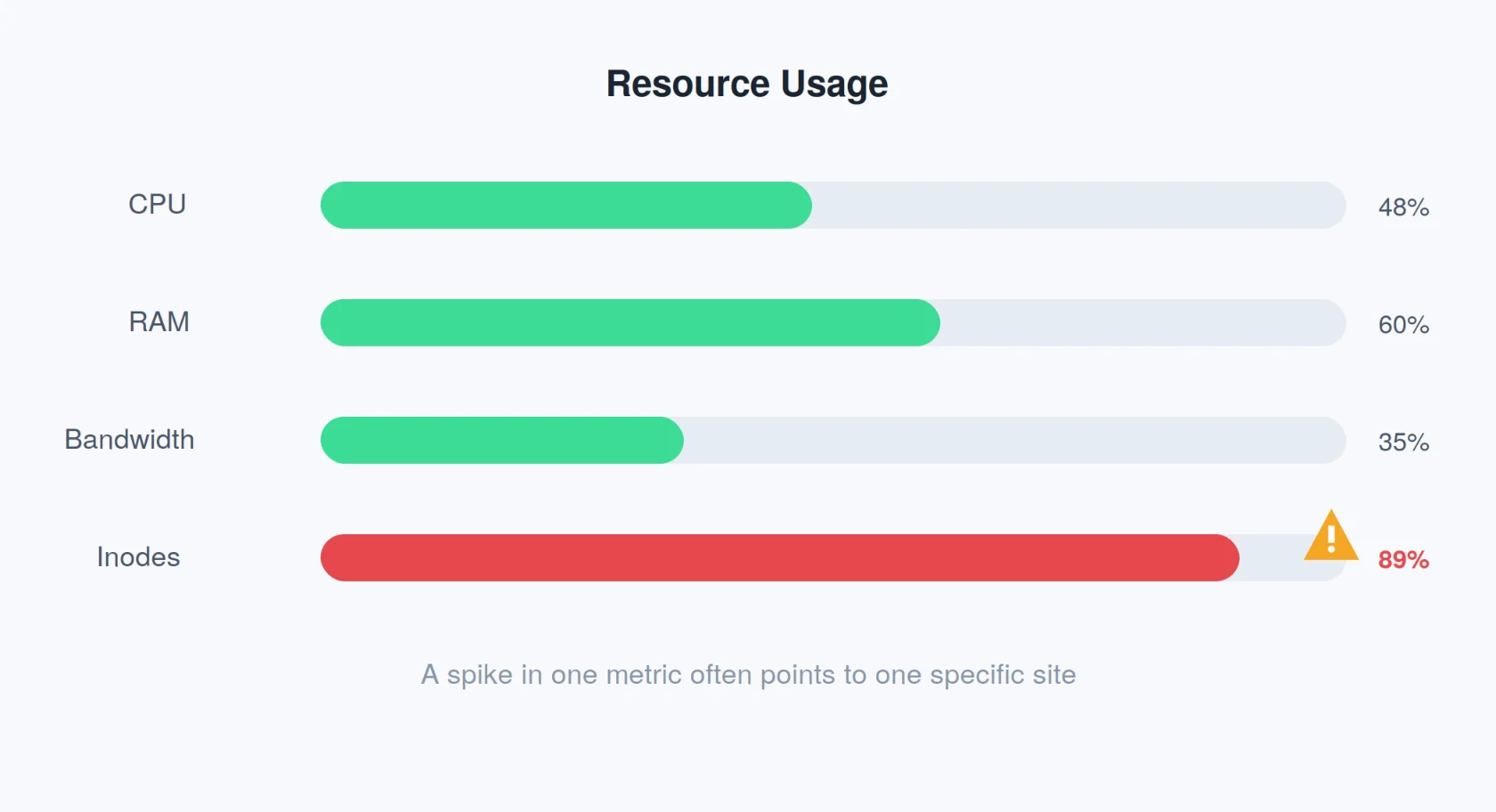
Resource limits apply across your whole account, not per site. One site quietly eating CPU can slow down every other site you host.
- Watch CPU and entry process usage weekly if you’re running 10+ sites, not just monthly.
- Set a mental baseline for each site’s normal traffic, so a 5x spike is obvious at a glance.
- Check inode counts too. WordPress sites with heavy caching plugins or large media libraries hit inode limits before they hit storage limits.
- If one site is consistently the top resource consumer, that’s the one to move to its own plan or a VPS first, not the whole account.
4) Prioritize Security for Every Site
Old WordPress installs are the most common entry point for attackers. Update every site, not just your favorite one.
On a multi-site account, security is only as strong as your weakest site. Attackers don’t care which domain they land on first; they care about reaching your shared server resources.
- Run WordPress core, theme, and plugin updates on every site on a set schedule, not on an as-you-remember basis.
- Install a security plugin like Wordfence on each install, not just your main one.
- Use different admin usernames and passwords across sites. Reused logins mean one breach becomes many.
- Remove unused plugins and themes entirely, even deactivated ones can carry vulnerabilities.
- Enable two-factor authentication on your cPanel login and on every WordPress admin account.
5) Know When It’s Time to Upgrade
If your Unlimited plan starts feeling slow under real traffic, that’s your signal.
A VPS gives you dedicated CPU and RAM instead of shared resources, worth it once one site starts pulling serious traffic.
Shared hosting works well until one site outgrows what the account can comfortably support, and pushing past that point slows everything else down with it.
Signs it’s time to move:
- One site consistently uses more resources than all your other sites combined.
- You’re seeing slow admin panels or timeouts during normal traffic, not just spikes.
- You need root access to install custom software or run a specific PHP or Node.js version a shared plan doesn’t support.
- You’re running automation tools alongside your sites: n8n workflows, AI-driven apps, or anything that runs continuously in the background, and they’re competing with your websites for the same resources.
Agencies running dozens of client sites, or teams running automation tools like n8n workflows or AI-driven apps alongside their websites, often move to VPS or a dedicated server at this stage for the extra headroom.
You don’t need to move every site, often just the one heavy site needs its own plan, while the rest stay comfortably on shared hosting.
6) Be Cautious with Client Websites
Client sites carry more risk than personal projects. Isolate them properly, document your setup, and never reuse the same database credentials across accounts.
Client work adds a layer of responsibility your own side projects don’t have. A mistake on a personal blog costs you time. A mistake on a client site costs you trust, and sometimes the contract.
- Give each client site its own database, its own database user, and its own strong, unique password. Never copy credentials from one client’s site to another’s.
- Document each site’s setup as you build it, domain, document root, database name, plugins installed, and any custom configuration. You won’t remember six months later.
- Set up a dedicated FTP or cPanel sub-account for any client or team member who needs access, instead of sharing your main login.
- Keep a clear record of who owns what: which sites are under your management, which the client can access, and who’s responsible for updates and backups.
- Communicate resource limits to clients upfront, especially if their site is likely to grow. A surprise upgrade conversation goes over better before a site hits its limit than after it goes down.
Host Multiple Websites on One Plan with Truehost
Here’s why Truehost.pk fits the Pakistani market specifically.
- Transparent PKR pricing. Starter plans begin at ₨3,391.80, with no hidden renewal jumps.
- Multi-site ready from the lowest tier. Host up to 10, 30, or unlimited websites depending on your plan.
- Full toolkit included. cPanel, Softaculous, free SSL, free daily backups, and unlimited custom email addresses on every plan.
- Local-friendly payments. Bank transfer, card, and Stripe-powered checkout. 24/7 support by phone, chat, and email.
- Free migrations. Moving from another host? We’ll move your files, databases, and email for free.
- .pk domains and free domain offers on eligible annual plans.
- LiteSpeed and SSD infrastructure, tuned for fast loading across Pakistan.
| Truehost.pk | Typical local competitor | |
|---|---|---|
| Multi-site capacity | 10 / 30 / unlimited by plan | Often 1–3 sites even on mid tiers |
| Starting price | Rs 566.97/mo | Varies, often with hidden renewal hikes |
| Local payments | Bank transfer, card, Stripe | Limited or bank-only in many cases |
| Support | 24/7 phone, chat, email | Business hours only, common |
Ready to add your second domain? Start with a Starter or Pro plan and get your first 10 or 30 sites hosted from one dashboard.
This setup is a good fit for:
- Freelancers managing a portfolio of client sites
- Small agencies juggling multiple projects at once
- Multi-brand business owners running several storefronts
- Bloggers with a main site and a few side projects
Host Multiple Websites On A Single Hosting Plan FAQs
Will one busy site slow down the others?
Yes, it can. Shared hosting pools CPU and RAM across every site on the account. A traffic spike on one domain can slow the rest, especially during peak hours. If one of your sites regularly runs hot, move it to its own plan or a VPS.
What happens if I hit resource limits?
Your account may throttle, or a site may return errors under load. cPanel’s resource monitors flag this before it becomes a crisis, check them regularly so you can upgrade proactively instead of reactively.
Can I use .pk and .com domains together?
Yes. Addon domains work with any TLD you’ve registered, .pk, .com, .co, or otherwise. Each one gets its own document root and SSL certificate, regardless of extension.
When should I move to VPS instead of shared multi-site?
Move when a single site needs guaranteed resources, when your combined traffic strains your plan’s limits, or when you need root access for custom software. A VPS plan solves all three.
Are there fair-use policies I should know about?
Yes. “Unlimited” plans still carry fair-use limits on CPU and entry processes to keep the server stable for every account on it. Check your plan’s terms, or ask our support team for the specific thresholds on your package.




