Domain SearchInstantly check and register your perfect .pk or international domain
 Web HostingGet a .pk domain for as low as PKR 467
 cPanel HostingUser-friendly hosting powered by cPanel
 Reseller HostingLaunch your own hosting business with minimal technical requirements
 Windows HostingOptimized for Windows-based applications and websites
 Affiliate ProgramEarn referral commissions by promoting our services
 WordPress HostingFast & Reliable WordPress Hosting
 Domain TransferMigrate your existing domain seamlessly with zero downtime.
 All DomainsAccess 324+ top-level domains (TLDs) worldwide from a single platform
 Whois LookupIdentify the owner of any domain using our whois and rdap lookup tool
 Managed VPS Hosting
 AI Website BuilderCreate beautiful websites effortlessly using intuitive drag-and-drop features
 Online ShopLaunch a professional online shop with no technical skills required
 BlogDiscover expert guides on hosting, websites, SEO, and digital growth strategies
 ContactGet instant assistance via live chat or email
 SupportAccess help articles, tutorials, and service documentation
 SSL CertificatesEncrypt data, build trust, and boost SEO.
Prepare your website before running ads, or you risk paying for clicks that arrive, look around, and leave without buying anything. That’s the short version. The longer version is what this guide is for.
If you’re about to launch your first Google, Meta, or TikTok campaign in Pakistan, the excitement usually sits on the ad side with the creative, the targeting, and the budget.
But the website is where the sale happens. An ad can only bring someone to your door. What they find once they’re inside decides if they stay.
Google itself treats your landing page as part of the ad.
Landing page experience is one of the three factors behind your Quality Score, alongside ad relevance and expected click-through rate, and a weak page can quietly push your cost per click higher on every single keyword you’re bidding on.
So before you put more money into your ad account, take some time to get the page ready.
Steps to Prepare Your Website before Running Ads
1) The Pre-Launch Website Checklist
Before you spend a single rupee, walk through your website as if you’re a customer seeing the business for the first time.
Start with the page you’re planning to use for your ads. Does it deliver what the ad promised?
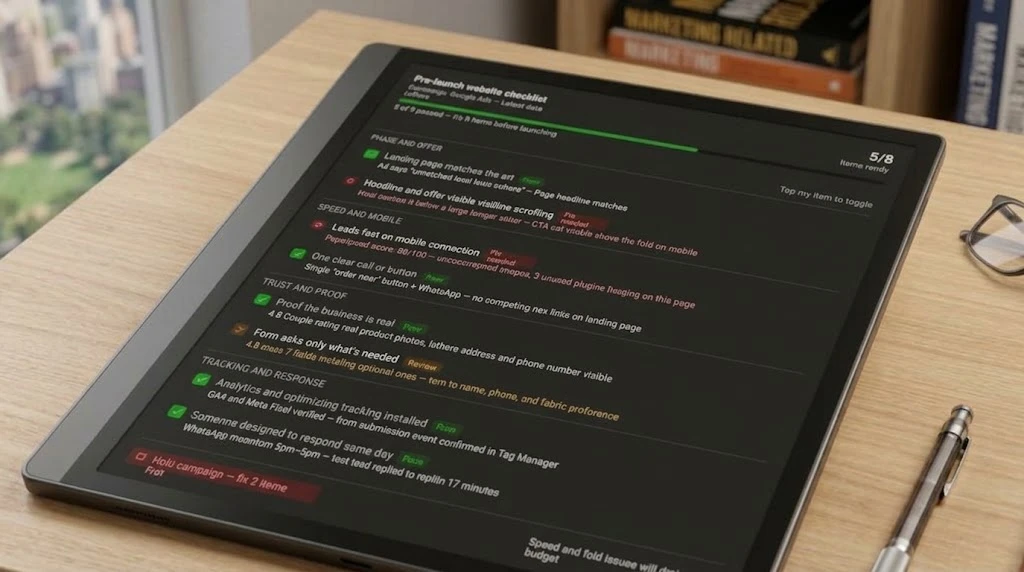
Then check these basics:
- The page you’re sending traffic to matches what the ad promises.
- The headline and offer are visible without scrolling.
- The site loads fast and works cleanly on an average Pakistani mobile connection.
- There’s one clear action, a form, a WhatsApp button, or a “Order Now” button, not ten competing links.
- The page shows some proof the business is real: reviews, photos, a phone number, and an address.
- Forms ask only for what you need to respond well.
- Analytics and conversion tracking are installed and tested, not “coming soon.”
- Someone is ready to respond to leads the same day they arrive.
If several of these are missing, fix the website before increasing your ad spend. There is little value in sending more people to a page that isn’t ready to receive them.
2) Send Every Ad To The Right Page
Your homepage may be the main entrance to your website, but it doesn’t need to receive every advertising click.
Say you’re running an ad for unstitched lawn suits in Lahore. A visitor clicking that ad should arrive on a page about those lawn suits, with the products, prices, delivery information, and an easy way to place an order.
The same applies to services.
If you’re advertising AC repair in Karachi, the landing page could show the areas you serve, the type of repairs you handle, expected response times, your phone number, and a WhatsApp option.
The page should continue the conversation that started with the ad.
This is often called message match. If the ad says “Unstitched Lawn Suits Delivered Across Lahore,” the landing page shouldn’t greet the visitor with a generic “Welcome to Our Store.” The headline should confirm that they’ve arrived at the right place.
If you’re advertising several products or services, create focused pages for the different offers instead of sending everyone to one crowded homepage.
3) Make The First Screen Work
The first screen is everything a visitor sees before scrolling. Give it enough information for someone to quickly decide that they’ve landed in the right place.
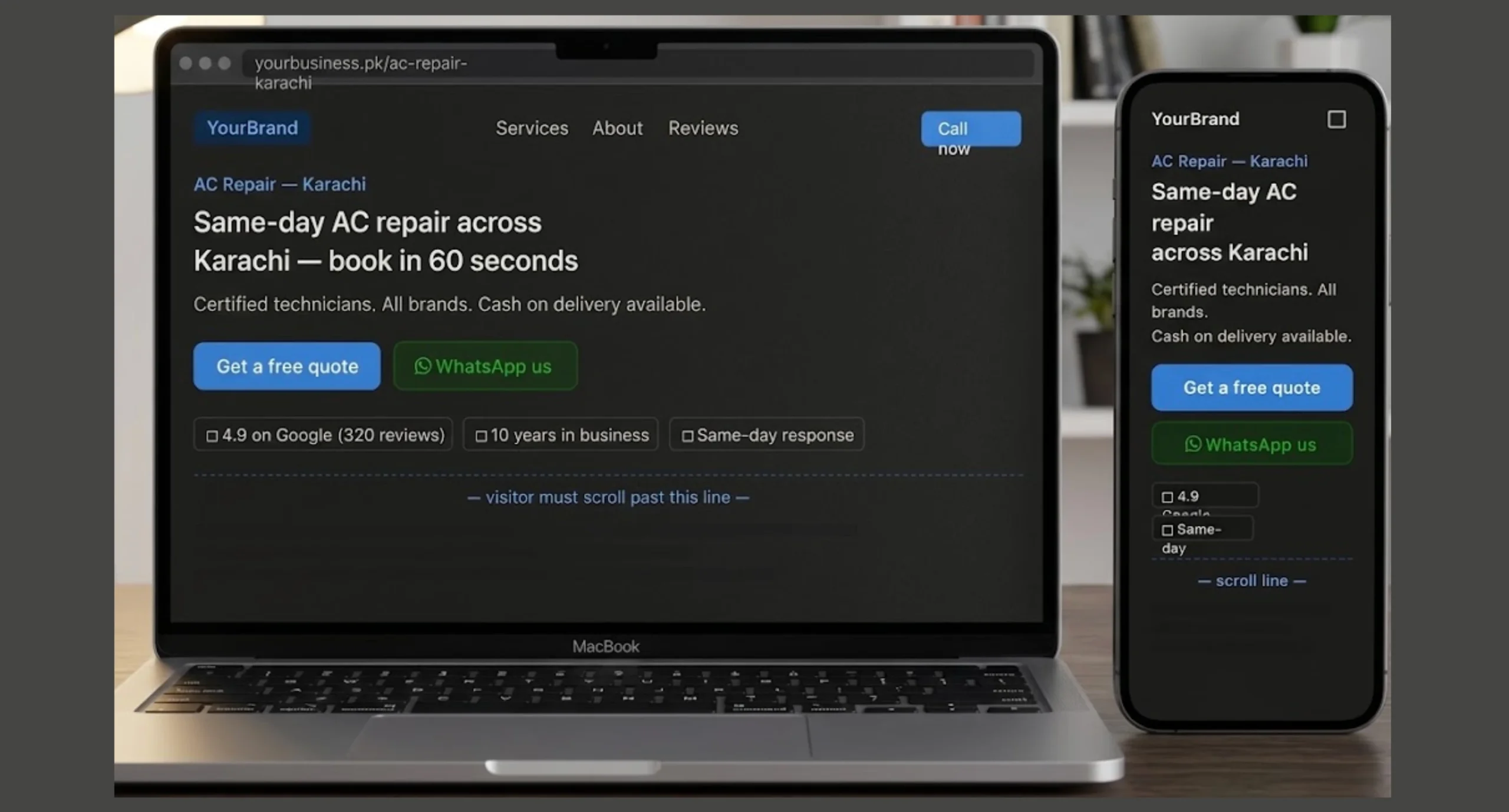
It should show:
- What you offer and where you serve.
- One primary call to action.
- A phone number, WhatsApp button, or short form.
- At least one trust signal.
Keep the design mobile-first. A visitor shouldn’t need to pinch the screen, zoom in, scroll through several sections, or search for your contact details.
This is particularly important for paid traffic because the visitor has already taken an action to reach your page. Don’t make the next step difficult to find.
If your main goal is WhatsApp inquiries, make the WhatsApp button easy to see. If you want people to place an order, put the ordering option where they can find it quickly.
The first screen doesn’t need to contain everything. It needs to make the next step clear.
4) Fix Speed Before Increasing Your Budget
Slow pages waste paid traffic. Google reports that 53% of mobile visits are abandoned when a page takes more than three seconds to load. That makes page speed worth checking before you put more money behind an ad campaign.
Start with the landing page you’re sending traffic to, not just your homepage.
Before launching:
- Compress images before uploading them.
- Remove unnecessary sliders, pop-ups, and plugins.
- Test the exact landing page with Google PageSpeed Insights.
- Check how the page performs on a mobile device.
- Use reliable, performance-focused hosting.
Large images are often an easy place to start. A product photo may look great on your computer while being unnecessarily heavy for someone opening the page on a phone.
Also check everything that loads before the visitor can interact with the page. A page with too many scripts, animations, plugins, or third-party tools can take longer to become usable.
If your hosting is contributing to slow loading, fixing the website itself may not be enough. Your hosting setup also needs to support the traffic you’re paying to bring in.
5) Build Trust
Someone who clicks your ad may have never heard of your business before.
They don’t have the benefit of a recommendation from a friend or a previous experience with your company, so your website needs to provide some evidence that they’re dealing with a real business.
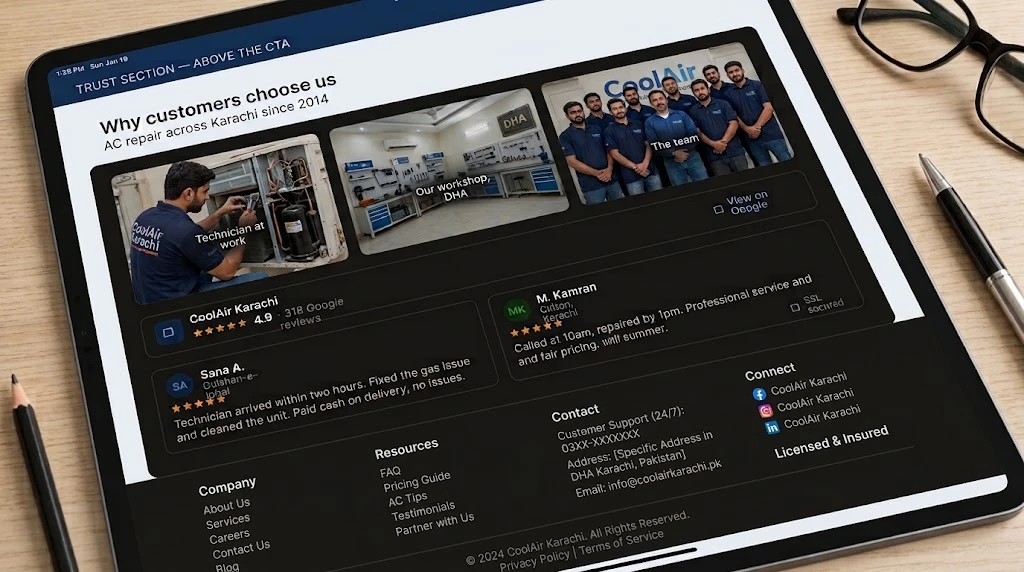
For Pakistani customers, useful trust signals can include:
- Real photos of your products, team, office, or shop.
- Customer reviews or ratings from your Google Business Profile.
- A visible phone number and WhatsApp option.
- Clear payment options such as JazzCash, Easypaisa, bank transfer, or cash on delivery, where applicable.
- A business email using your own domain.
- SSL/security on the website.
You don’t need to cover the page with badges and claims.
A few genuine trust signals placed close to your offer and call to action can be far more useful than a long company history hidden at the bottom of the page.
For example, a product page could show customer reviews close to the order button. A local service page could show the business phone number, service area, and real photos of completed work.
The goal is simply to give the visitor enough information to feel comfortable taking the next step.
6) Keep Forms and WhatsApp Simple
Every additional question on a form gives an interested customer another reason to stop.
Ask for the information you genuinely need to respond. For many businesses, that may be a name, phone number, and a short description of what the customer wants.
You can collect more details during the conversation.
The same idea applies to WhatsApp. Instead of sending someone to a blank WhatsApp chat with nothing but a “Hi,” use a pre-filled message that gives your team some context.
For example:
Hello, I saw your ad for [product/service]. I’m in [city] and would like a quote.
Now the customer doesn’t have to work out what to write, and your team already knows why the person is contacting you.
Make the next step easy.
If the campaign is designed to generate WhatsApp conversations, the button should be visible and easy to tap on a phone. If you’re using a form, keep it short enough that someone can complete it without feeling like they’re applying for a job.
7) Set Up Tracking
Don’t wait until your ads are running to discover that your leads aren’t being recorded. Before sending paid traffic, install and test the tracking tools you need for the campaign.
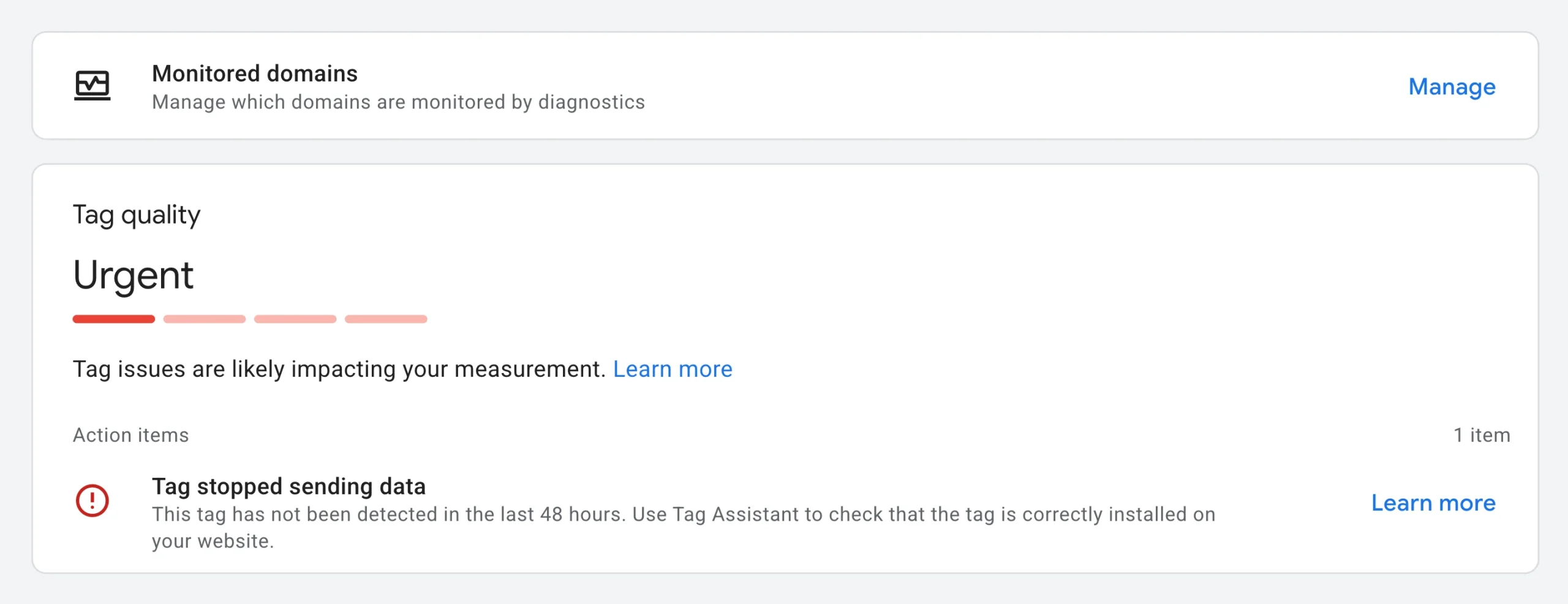
At a minimum, check:
- Google Analytics 4.
- Google Tag Manager.
- Meta Pixel for Facebook and Instagram campaigns.
- Tracking for form submissions.
- Tracking for WhatsApp clicks.
- Tracking for phone calls where applicable.
- A test submission to confirm that leads reach your inbox or CRM.
Don’t stop after installing the tracking code. Submit the form yourself. Click the WhatsApp button. Make a test call if you’re tracking calls. Then check that the actions appear where they’re supposed to.
A page view tells you someone arrived. Conversion tracking tells you what happened after they arrived.
That difference becomes important once you’re paying for hundreds or thousands of clicks. You want to know which ads are generating inquiries, conversations, and sales rather than simply counting visitors.
Get Your Website Ready Before You Pay For Traffic
Preparing your website before running ads is the step that decides if the rest of your campaign has a chance.
Match your page to your offer, make it fast and mobile-friendly, add trust signals, keep forms short, and track everything from day one. Then test your tracking before the first rupee is spent.
You don’t need to build a huge website before advertising. You need a page that is ready to receive the traffic you’re paying for.
If you’re ready to get a page live before your campaign starts, our website builder is built for just that.