Domain SearchInstantly check and register your perfect .pk or international domain
 Web HostingGet a .pk domain for as low as PKR 467
 cPanel HostingUser-friendly hosting powered by cPanel
 Reseller HostingLaunch your own hosting business with minimal technical requirements
 Windows HostingOptimized for Windows-based applications and websites
 Affiliate ProgramEarn referral commissions by promoting our services
 WordPress HostingFast & Reliable WordPress Hosting
 Domain TransferMigrate your existing domain seamlessly with zero downtime.
 All DomainsAccess 324+ top-level domains (TLDs) worldwide from a single platform
 Whois LookupIdentify the owner of any domain using our whois and rdap lookup tool
 Managed VPS Hosting
 AI Website BuilderCreate beautiful websites effortlessly using intuitive drag-and-drop features
 Online ShopLaunch a professional online shop with no technical skills required
 BlogDiscover expert guides on hosting, websites, SEO, and digital growth strategies
 ContactGet instant assistance via live chat or email
 SupportAccess help articles, tutorials, and service documentation
 SSL CertificatesEncrypt data, build trust, and boost SEO.
Ever typed a domain into your browser and wondered who owns it?
Maybe you’re looking to buy a domain that’s already taken, protecting your brand from misuse, or just curious about who runs a website you visit often.
If you’re planning to buy a domain, you need the right contact. If you’re protecting your brand, you want to spot potential issues early.
Even verifying a website’s legitimacy starts with knowing who owns it.
Checking domain ownership takes seconds and costs nothing. Enter a domain, hit search, and get instant results.
The only catch? Privacy services sometimes hide personal contact details, so you might not always see the owner’s name or email.
Different Ways to Find Out Who Owns a Domain Name
I) WHOIS lookup tool like ICANN Lookup or Whois.com
ICANN Lookup and Whois.com are popular choices. You simply go to the tool’s website, type the full domain name like, example.com and click search.
The tool pulls data from public registration databases and shows you everything available; registrar name, key dates, nameservers, and any public contact information.
These tools are free and don’t require registration.
II) Registrar-Specific Lookups
Many domain registrars offer their own WHOIS lookup tools. If you know which company registered the domain, you can go directly to their website and use their search function.
The results are often just as detailed as WHOIS tools. Some registrars even provide additional context about their services.
III) Check the Website Directly
Sometimes you don’t need a WHOIS tool at. Many websites display ownership information openly.
Look for an “About” page, “Contact” page, or check the website’s footer for copyright notices mentioning a company name.
You can also inspect the website’s SSL certificate details; certificate transparency logs sometimes reveal the organization that owns the certificate.
This won’t give you registration data, but it can help identify who’s behind the website without using a separate tool.
3 Easy Steps to Know Who Owns a Domain on Truehost
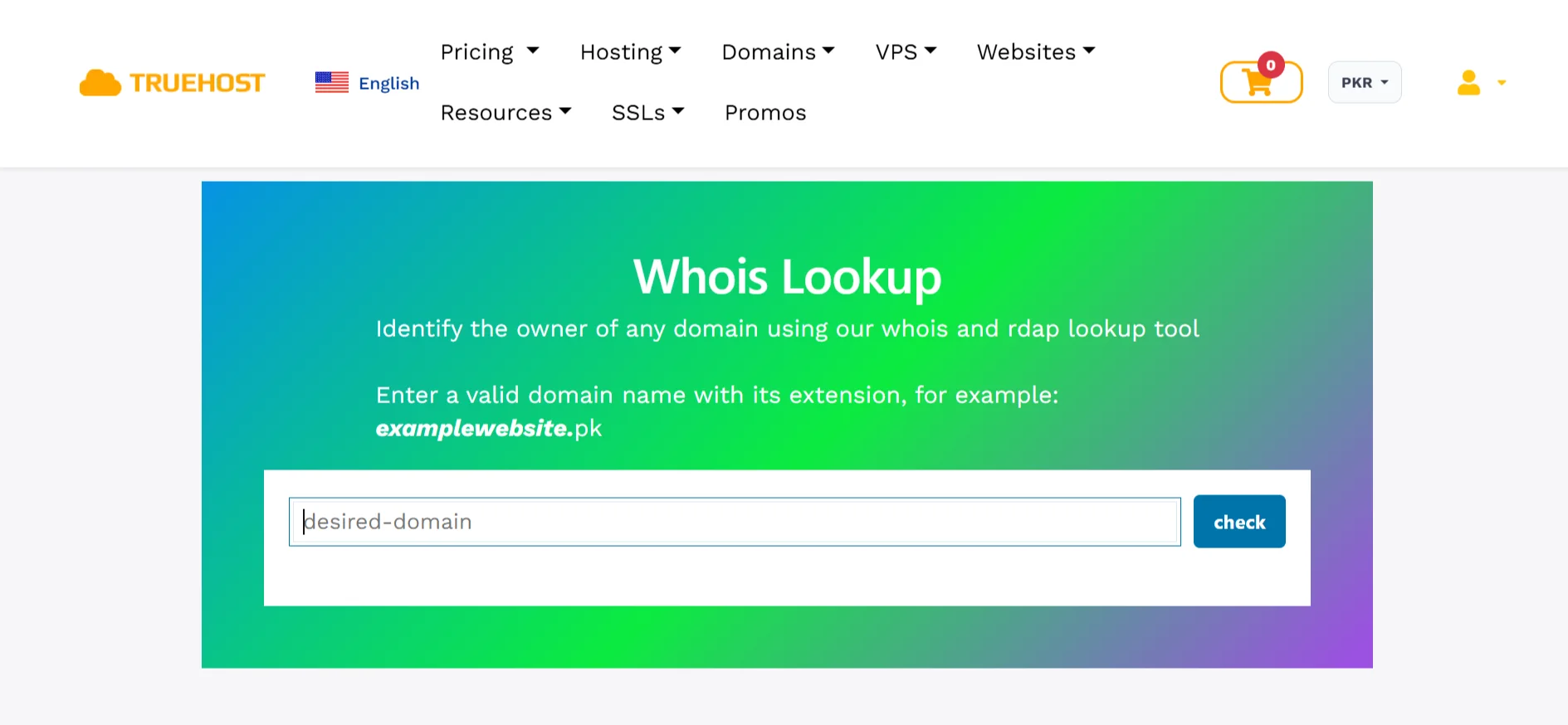
Our WHOIS lookup is so easy to use. You just need to take three quick steps:
Step 1: Go to the WHOIS lookup page on Truehost
Go to our WHOIS lookup page. It’s pretty direct and user-friendly, so you dont need technical support once you are on the page.
Step 2: Type the full domain name
Enter the full domain name. Make sure you include the extension like .com, .pk, or .org because that’s part of the domain you’re querying.
Step 3: Click “Check” and get instant results
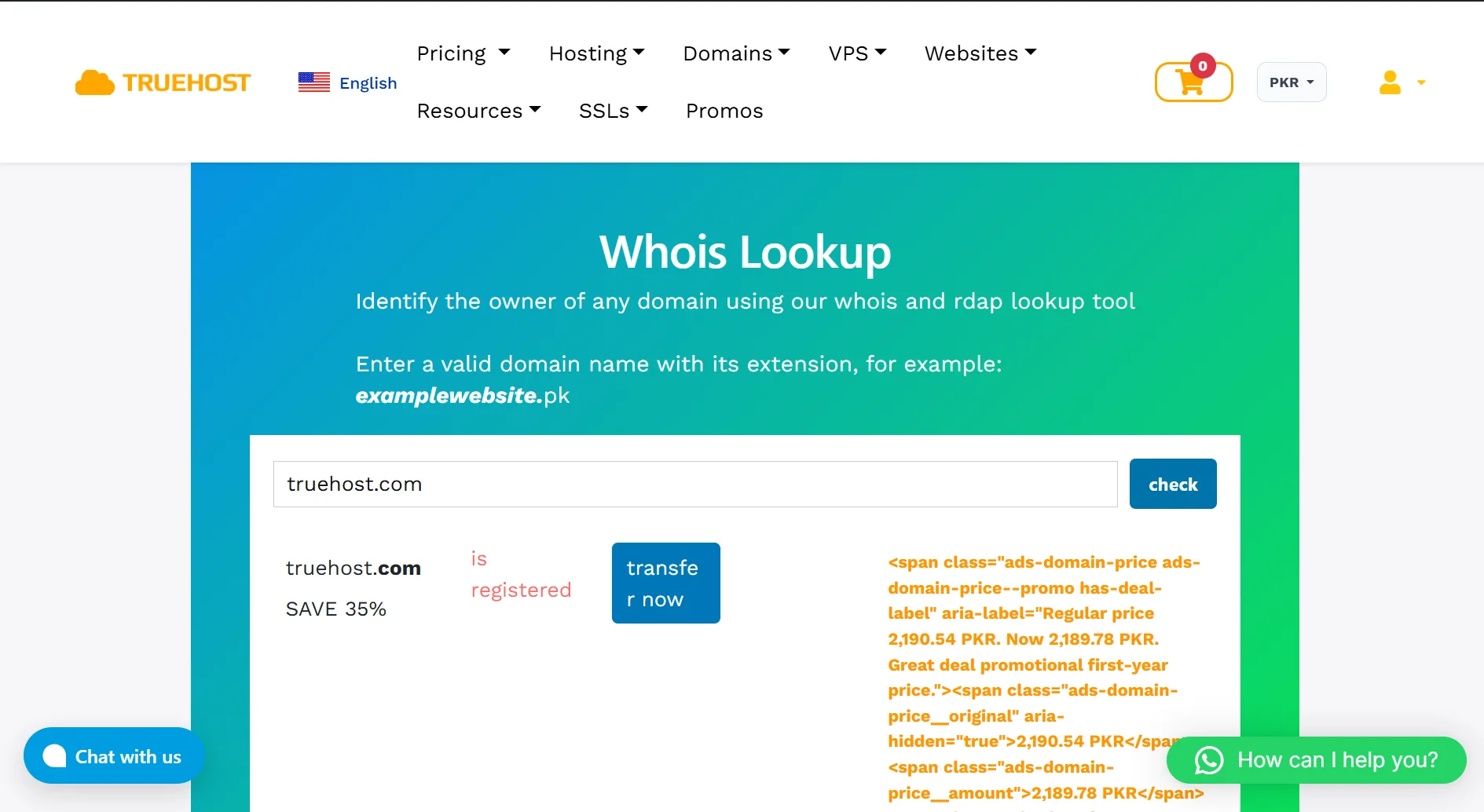
After entering the accurate domain name you want to search, click ” Check. You’ll get instant results showing all available registration details. Our tool is free, and you can run as many checks as you need.
What You’ll Find in the Results
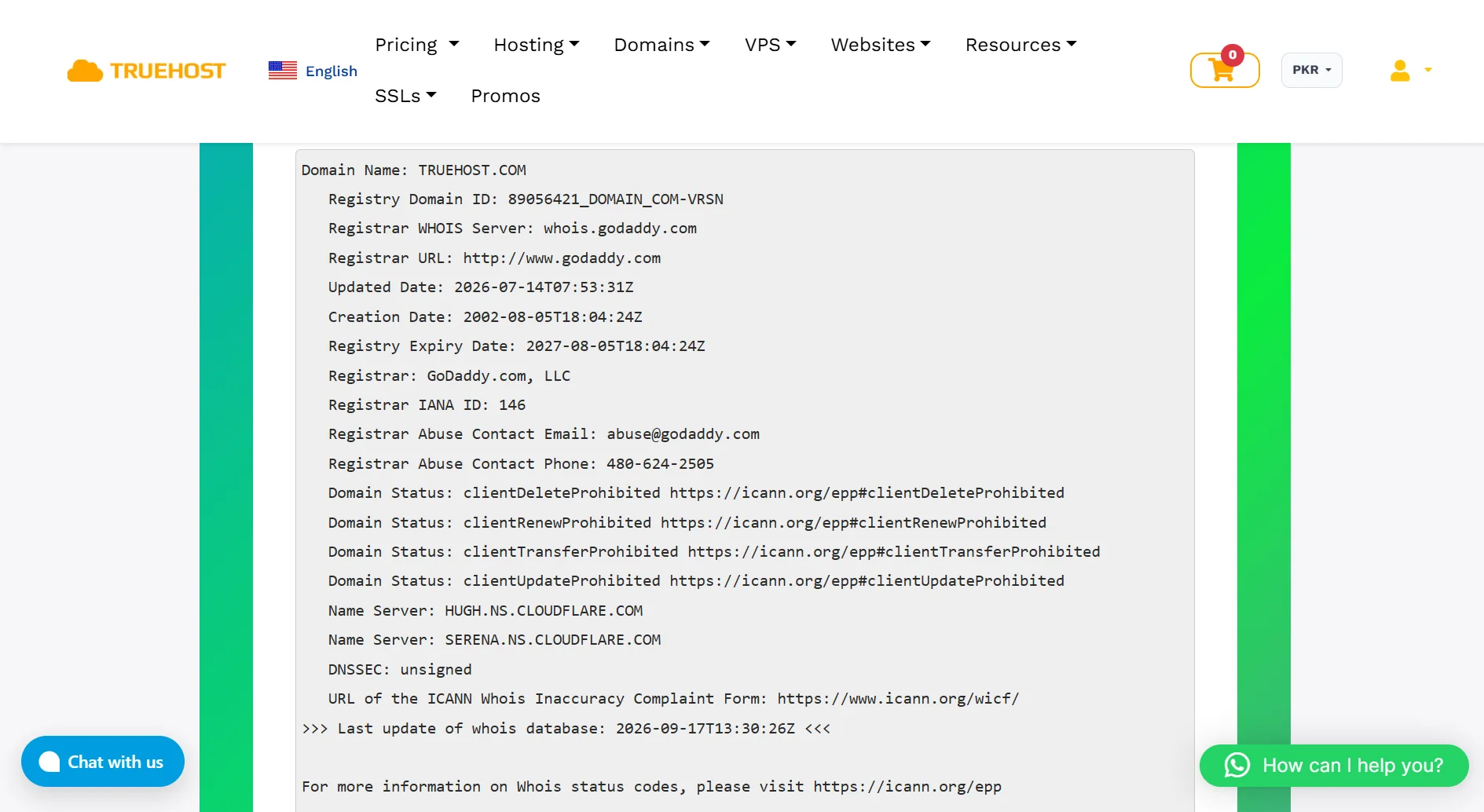
When you run a WHOIS or RDAP lookup, here’s what appears in the results:
- Domain registration details appear if they’re publicly available. This includes the registrant name and organization. Privacy services sometimes hide these.
- Registrar and hosting information shows the company where the domain is registered and sometimes the hosting provider.
- Important dates are always included: the original registration date, the expiration date, and the last update date.
- Nameservers and DNS records indicate which servers handle the domain’s DNS. You’ll see a list of nameserver addresses.
- Domain status and security indicators include EPP status codes that show whether the domain is active, locked, or pending transfer.
- RDAP-formatted metadata shows up in a structured, machine-readable format. RDAP is the modern replacement for WHOIS and provides cleaner, more consistent data.
- Domain availability and status tells you if the domain is available to register, already taken, or in a special state like locked or pending transfer.
How to Check Who Owns a Domain Name FAQs
Is WHOIS trustworthy?
WHOIS data is official and comes directly from domain registrars and registries. The information is accurate in terms of what’s been submitted. However, some owners use privacy services or submit incomplete details. ICANN requires registrars to verify the information, so you can generally trust what you see, as long as it hasn’t been intentionally obscured.
How do I contact the owner of a domain name?
If the WHOIS record includes an email address, you can reach out directly. Many privacy services provide forwarding email addresses that let you contact the owner without revealing their real address. If the record doesn’t include contact details, you can try finding an email address on the website itself. You could also use WHOIS data to identify the registrar and ask them to forward a message.
Can you find a domain name from an IP address?
You can perform a reverse DNS lookup using tools designed for this purpose. This tells you which domains are associated with a specific IP address. However, many websites share IP addresses with other sites, especially if they use shared hosting. The results won’t be as clean or direct as a domain WHOIS lookup.
How do I change the owner of a domain name?
The current owner needs to initiate the transfer through their registrar. They’ll need to unlock the domain, get an authorization code, and provide it to you. You then start the transfer process with your own registrar.
Can I hide my WHOIS information?
Yes. Most registrars, like Truehost, offer privacy protection services that replace your personal contact information with proxy details. When you enable privacy protection, your name, address, phone number, and email address stay hidden in public WHOIS records, but the registrar can still contact you if needed.
Look Up Who Owns a Domain
Try Truehost’s WHOIS and RDAP lookup tool. It’s free, works for any domain worldwide, and gives you instant results. Enter a domain name with its extension, then click Search.
You’ll see registration details, registrar info, key dates, nameservers, domain status, and RDAP metadata. If the owner hasn’t enabled privacy protection, you’ll also get their contact information.
Our tool uses RDAP technology, the modern, more secure replacement for WHOIS.
Looking to buy a taken domain? Use our tool to identify the owner, check expiration status, and plan your approach.
If contact details are public, reach out and negotiate directly. Need help? Contact us via Live Chat.