Domain SearchInstantly check and register your perfect .pk or international domain
 Web HostingGet a .pk domain for as low as PKR 467
 cPanel HostingUser-friendly hosting powered by cPanel
 Reseller HostingLaunch your own hosting business with minimal technical requirements
 Windows HostingOptimized for Windows-based applications and websites
 Affiliate ProgramEarn referral commissions by promoting our services
 WordPress HostingFast & Reliable WordPress Hosting
 Domain TransferMigrate your existing domain seamlessly with zero downtime.
 All DomainsAccess 324+ top-level domains (TLDs) worldwide from a single platform
 Whois LookupIdentify the owner of any domain using our whois and rdap lookup tool
 Managed VPS Hosting
 AI Website BuilderCreate beautiful websites effortlessly using intuitive drag-and-drop features
 Online ShopLaunch a professional online shop with no technical skills required
 BlogDiscover expert guides on hosting, websites, SEO, and digital growth strategies
 ContactGet instant assistance via live chat or email
 SupportAccess help articles, tutorials, and service documentation
 SSL CertificatesEncrypt data, build trust, and boost SEO.
WHOIS is a public database that stores information about every registered domain name on the internet. It’s basically a directory that tells you who owns a domain and when it was registered.
The system has been around since the early days of the internet. It was created to make domain ownership transparent.
When you enter a domain into a lookup tool, the tool queries a network of registrars and registries to pull the relevant records. In the past, this happened through the traditional WHOIS protocol.
Now, many tools use RDAP (Registration Data Access Protocol), which runs over HTTPS, provides better structured data, and offers stronger privacy protections.
The main purpose of a WHOIS lookup is to give you transparency. When using it to check who owns a website, when a domain expires, or who to contact about an issue, it gives you that information in a clear format.
And yes, WHOIS lookups are completely free. You don’t need to sign up or pay anything.
Who Needs a WHOIS Lookup
| Who needs WHOIS | Why |
| Website owners | To check their own domain expiration date and renew on time. |
| Buyers | To find domain owners for purchase or negotiation. |
| SEO Professionals | Research competitor domain age, registrar, and ownership history. |
| Cybersecurity Teams | Investigate suspicious domains, phishing sites, or spam sources |
| Domain Registrars | Verify domain availability or transfer status for customer support. |
| Marketers / Brands | Monitor brand misuse or cybersquatting on similar domain names. |
| Web Developers | To troubleshoot DNS or hosting issues by checking registrar and nameserver details. |
What You Can Find About a Domain
- Domain registration details: If publicly available, these include the registrant’s name, organisation, and contact information. Keep in mind that privacy protection services may hide this information.
- Registrar and hosting information: tells you which company registered the domain and hosting details. This helps identify the service provider and, in security investigations, can pinpoint suspicious registration patterns.
- Important dates: when the domain was created, when it expires, and when it was last updated. This helps you know the domain’s age and how soon it might become available if the owner doesn’t renew.
- Nameservers and DNS records: show which DNS infrastructure supports the domain. Nameservers like “ns1.cloudflare.com” indicate where the domain’s DNS is managed. This can help with technical troubleshooting and security monitoring.
- Domain status and security indicators: tell you if the domain is active, locked, or pending transfer.
- RDAP-formatted metadata: provides structured, standardized data in a machine-readable format. RDAP is the modern replacement for WHOIS, offering better security and compliance with privacy regulations like GDPR.
- Domain availability and status: shows whether the domain is registered, expired, or available for registration. This is crucial for anyone looking to purchase a domain.
- Contact information: available unless privacy services protect it. When visible, it includes the owner’s email, phone number, and address, so you can reach out directly.
Benefits of a WHOIS Lookup
1) Verify Domain Ownership
Before you sign a contract, buy a domain, or enter any arrangement involving a website, you need to know who legally owns it. WHOIS confirms that.
This is especially critical in acquisitions, partnerships, or legal disputes. If the person you’re negotiating with doesn’t match the registrant listed, that’s a red flag.
2) Check Domain Availability
If you have a domain name in mind, the quickest way to see if it’s taken is a WHOIS lookup.
The tool will tell you immediately whether the domain is registered or still available. If it’s available, you can register it right away without any worries.
3) Find Expired Domains
Domains drop all the time when owners forget to renew or simply let them go. WHOIS shows you the exact expiration date.
If a domain you’ve had your eye on is about to expire, you can time your move and register it the moment it becomes available.
Domain investors use this strategy regularly to pick up valuable names.
4) Contact Domain Owners
Sometimes you need to reach the person behind a domain, maybe to buy it, resolve an issue, or request permission.
If the contact details are public, WHOIS gives you an email address or phone number to start that conversation.
Not every owner makes themselves easy to find, but when they do, this is how you reach out.
5) Monitor Competitors
Competitors register new domains for all kinds of reasons: new products, new markets, or brand expansions.
By checking WHOIS records regularly, you can see what they’re doing before they announce it publicly. That intelligence helps you stay ahead in your industry.
6) Check Renewal Dates
If you run a portfolio of domains, even just a handful, it’s easy to lose track of when each one renews. Missing a renewal means losing the domain.
WHOIS clearly shows that date, so you can set reminders and avoid expensive mistakes.
7) Detect Cybersquatting
When someone registers a domain that’s a slight variation of your brand name, that’s cybersquatting.
They’re banking on your reputation to make money.
WHOIS helps you identify who registered it, when they did it, and what contact details they used, which is exactly what you need to start a dispute or take legal action.
8) Resolve Legal/copyright Issues
If someone is using a domain that infringes on your trademark or intellectual property, you need to send a proper legal notice.
That means you need a valid contact address. WHOIS provides that information when it’s public, making it easier to send cease-and-desist letters or negotiate settlements.
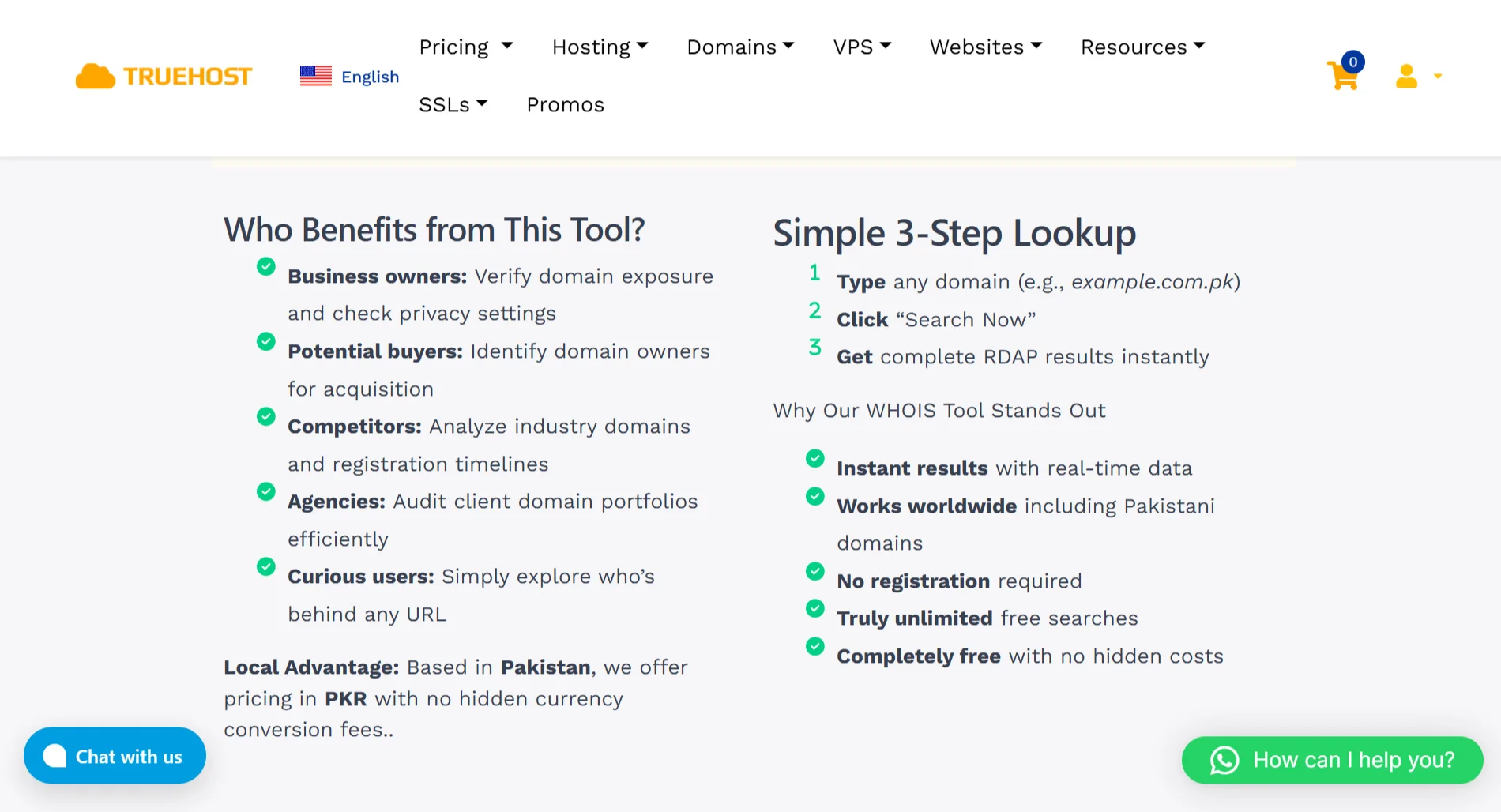
Perform a WHOIS Lookup in 3 Steps
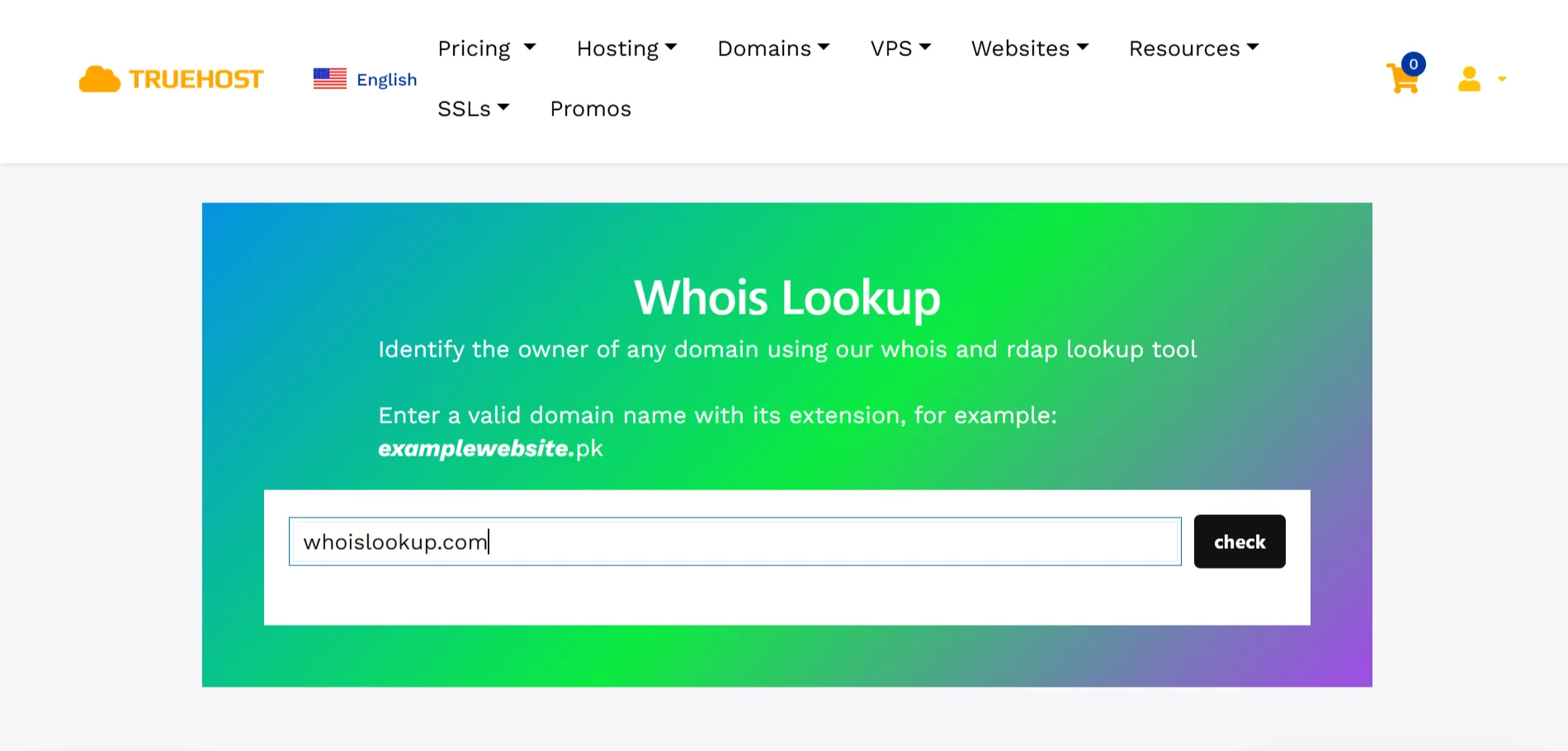
It’s so easy to perform a WHOIS lookup with our tool:
- Step 1: Type any domain name you want to look up. For example, “
example.com.pk” or just “example.com.” - Step 2: Click check. Your query will be sent to the relevant databases, and the system will retrieve the current registration data.
- Step 3: You’ll get complete RDAP results instantly. The results will include all the registration information, clearly structured for easy reading.
Why Truehost Is the Easiest Platform to Do a WHOIS Lookup
When you use our WHOIS and RDAP lookup tool, you get real-time, reliable domain registration details. You get domain owner information, registrar details, key dates, and nameserver records.
If the domain contact information is publicly available, you’ll see it.
Our tool is powered by RDAP, which provides secure, modern access to registration data with GDPR-compliant protection. This means you get structured, reliable information delivered quickly.
Using Truehost’s tool is completely free with no limits on searches. You don’t need to register an account or provide any personal information.
Just visit our page, enter your domain, and you’ll have your results in seconds.
As a Pakistan-based provider, we offer services in PKR with no hidden currency conversion fees, making it simpler and more transparent for local users. Customer support is available to help whenever you need it.
And, after using WHOIS, you can take the next step by securing your brand with Truehost’s affordable domain services, including registration, renewal, and transfer options with domain privacy protection where needed.