Domain SearchInstantly check and register your perfect .pk or international domain
 Web HostingGet a .pk domain for as low as PKR 467
 cPanel HostingUser-friendly hosting powered by cPanel
 Reseller HostingLaunch your own hosting business with minimal technical requirements
 Windows HostingOptimized for Windows-based applications and websites
 Affiliate ProgramEarn referral commissions by promoting our services
 WordPress HostingFast & Reliable WordPress Hosting
 Domain TransferMigrate your existing domain seamlessly with zero downtime.
 All DomainsAccess 324+ top-level domains (TLDs) worldwide from a single platform
 Whois LookupIdentify the owner of any domain using our whois and rdap lookup tool
 Managed VPS Hosting
 AI Website BuilderCreate beautiful websites effortlessly using intuitive drag-and-drop features
 Online ShopLaunch a professional online shop with no technical skills required
 BlogDiscover expert guides on hosting, websites, SEO, and digital growth strategies
 ContactGet instant assistance via live chat or email
 SupportAccess help articles, tutorials, and service documentation
 SSL CertificatesEncrypt data, build trust, and boost SEO.
A lapsed domain can take more than just your website offline. Your email, DNS records, subdomains, and years of brand traffic can also be affected. The longer a domain stays expired, the harder it may be to recover.
The good news is that checking a domain’s expiration date usually takes only a minute or two.
This guide covers five easy ways to check it: RDAP, WHOIS, your registrar dashboard, command-line tools, and domain monitoring services. It is useful for website owners checking their own domains, as well as buyers, researchers, and investors checking domains they may want to acquire.
How to Read a Domain Lookup Result
Whichever method you use, a domain lookup will typically return some combination of these fields:
| Field | What It Means |
| Registration Date | When the domain was first registered |
| Expiration Date | When the current registration period ends |
| Registrar | The company managing the domain on the registrant’s behalf |
| Registry Expiration | The expiration date as recorded by the registry itself |
| Domain Status | EPP status codes showing the domain’s current state or restrictions (e.g., active, locked, in a grace period) |
| Nameservers | The servers that handle the domain’s DNS |
| Updated Date | When the domain record was last modified |
Not every lookup tool surfaces all of these fields, and privacy protection services often mask registrant contact information. If your goal is simply to know when to renew, the field to focus on is the Expiration Date, though it’s worth glancing at Domain Status too, since codes like Redemption Period or pending Delete tell you a domain has already lapsed and is further along in the deletion process than a plain “active” listing would suggest.
Method 1: RDAP Lookup
RDAP (Registration Data Access Protocol) is the modern successor to WHOIS, and as of January 2025, it’s ICANN’s official standard for accessing generic top-level domain (gTLD) registration data, such as the extensions like .com, .org, .net, .shop, and similar. It returns structured, machine-readable data (JSON) rather than WHOIS’s old free-text format, and it supports more granular access controls, which comply with privacy rules like GDPR.
In an RDAP result, you’ll typically see two related but distinct entities:
- Registry: the organization that operates the domain extension itself (for example, for .pk, that’s PKNIC. For .com/.net, it’s Verisign)
- Registrar: the company you actually registered the domain through (Truehost, Cloudflare, and so on)
In practice, you rarely need to seek out a dedicated RDAP client. Most modern domain lookup websites and browser tools now query RDAP behind the scenes automatically and present the results in a familiar, readable layout, so the protocol switch has been largely invisible to everyday users.
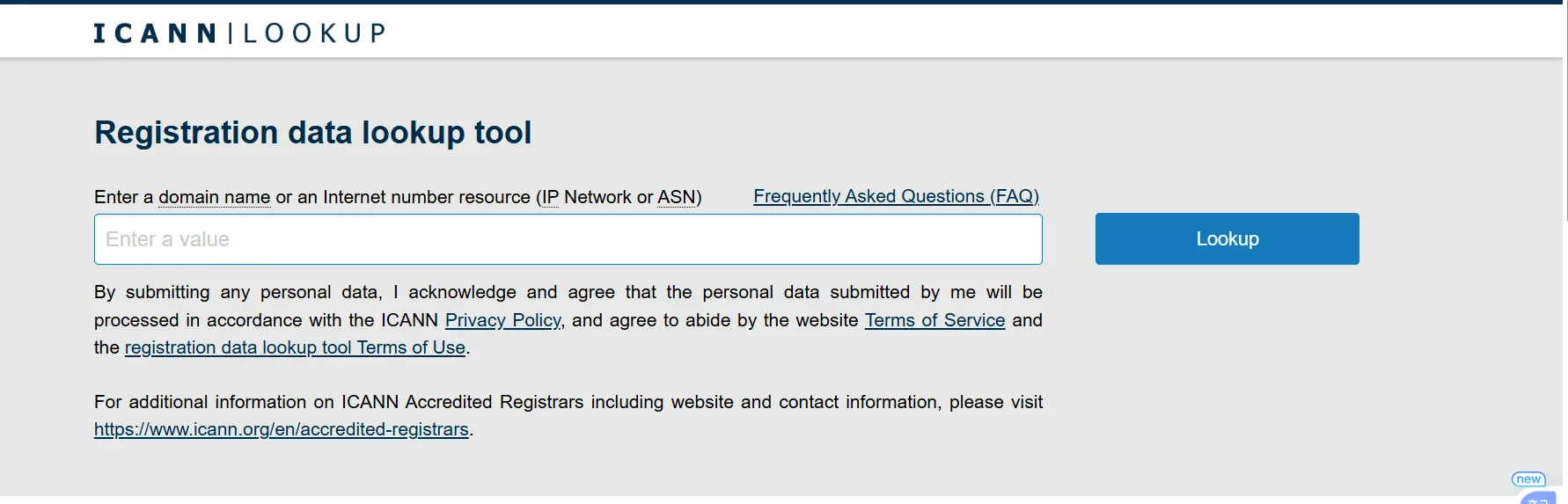
ICANN also runs its own free RDAP-based lookup tool if you want to go straight to the source.
If you’re specifically checking a .pk domain, Truehost’s WHOIS/RDAP lookup is a convenient option, since it’s built to handle Pakistani domains alongside international ones in a single search.
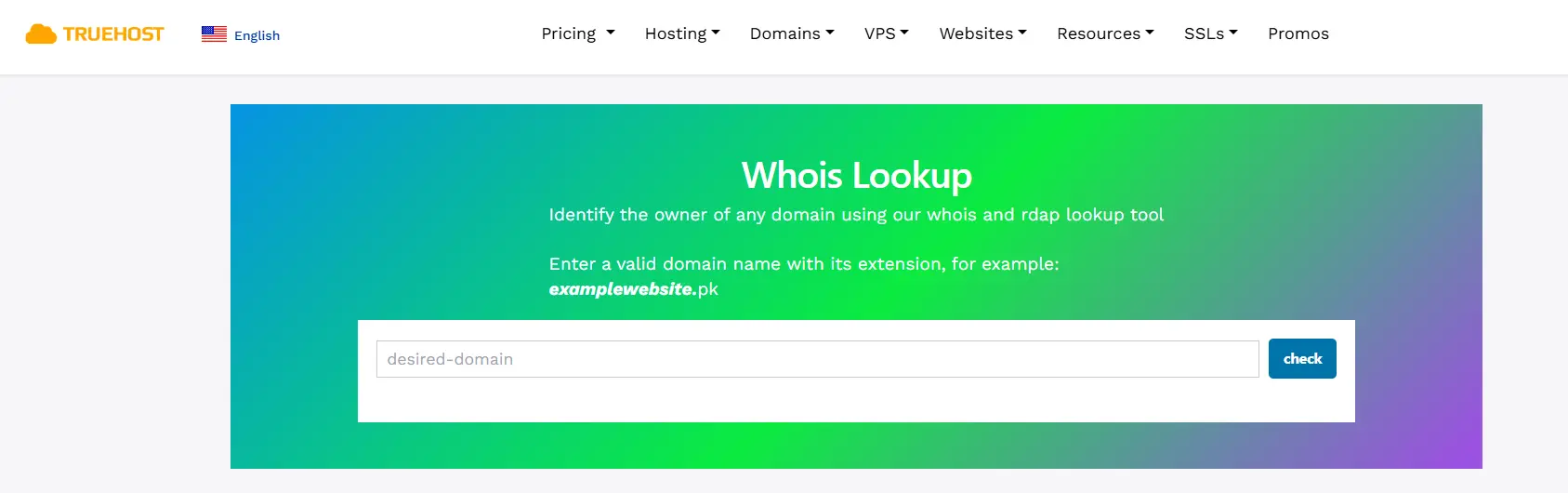
Method 2: WHOIS Lookup
WHOIS is the older, decades-old protocol that RDAP was built to replace. Since ICANN’s January 2025 policy change, gTLD registries and registrars are no longer required to run WHOIS services (a handful of legacy exceptions like .com, .name, and .post still maintain it), so WHOIS has effectively gone from mandatory to optional across most of the gTLD space.
That said, WHOIS hasn’t disappeared, and it’s still genuinely useful in a few situations:
- Older or smaller ccTLDs (country-code domains) that haven’t migrated to RDAP, since ICANN’s mandate only covers gTLDs, not country-code registries
- Legacy tools and scripts that were built around WHOIS output and haven’t been updated
- A fallback when an RDAP query for a particular TLD comes back empty
For most everyday lookups on common gTLDs, you’ll get the same underlying information either way; many lookup services now just query RDAP and format the output to look like classic WHOIS text, so the distinction is mostly a technical one rather than something you’ll need to manage yourself.
Method 3: Check Your Registrar Account
If you own the domain, your registrar’s dashboard is usually the fastest and most reliable option, since it reflects your actual account status rather than a third-party’s cached data.
- Log in to your registrar account.
- Open your domain list.
- Select the domain in question.
- Check the expiration or renewal date shown.
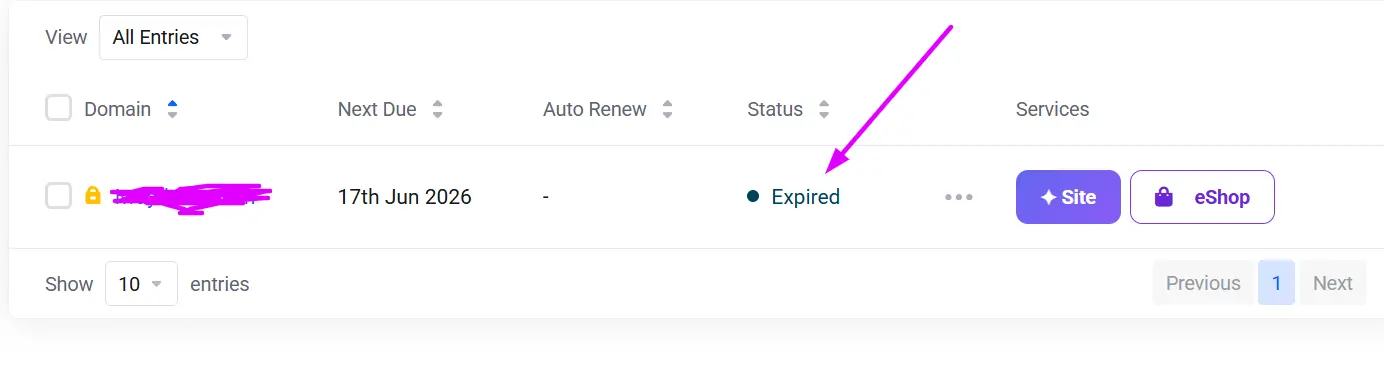
While you’re there, it’s worth confirming whether auto-renewal is enabled. Don’t assume your registrar or hosting provider will renew the domain automatically on your behalf; payment methods expire, notification emails land in spam, and auto-renewal settings can get toggled off during account changes. A quick check now is far cheaper than an emergency redemption fee later.
Method 4: Use the Command Line
If you’re comfortable in a terminal, you can query domain data directly without opening a browser. A classic WHOIS example:
whois example.com | grep “Expiration Date”
This runs a WHOIS query against the domain and filters the output down to the line containing the expiration date. You can substitute an RDAP-based client if you’d prefer to stay aligned with the current standard, and either approach can be wrapped into a script to check multiple domains at once, handy for developers or agencies who’d rather automate this than click through a dashboard for each name.
Method 5: Use Monitoring Tools
If you’re responsible for more than a handful of domains, a monitoring service will save you from having to check manually. These tools typically:
- Track expiration dates across your entire domain portfolio
- Send renewal reminders ahead of the deadline
- Flag domains approaching a grace or redemption period
- Help agencies, IT teams, and domain investors avoid accidental lapses
This approach pays off most clearly for businesses managing dozens or hundreds of domains, where a single missed renewal email could mean a client’s site, or your own, going dark.
Secure Your Domain Before the Clock Runs Out
Whichever method you used to check your expiration date, the takeaway is the same: don’t leave renewal to chance. Grace periods and redemption windows exist as a safety net, not a plan, and by the time a domain reaches pending delete, no lookup tool or support ticket can bring it back.
If your .pk domain is coming up for renewal (or you’d rather not track the date yourself), you can renew or transfer it directly at truehost.pk/domains and let auto-renewal handle the rest
Check When a Domain Name Expires: FAQs
What’s the difference between WHOIS and RDAP?
WHOIS is the original, decades-old lookup protocol: a plain-text, largely unstructured response with no built-in access controls. RDAP is its modern replacement; it returns structured JSON data, supports internationalized domain names, allows differentiated access levels depending on who’s asking, and was designed with data-protection rules like GDPR in mind. Since January 2025, RDAP has been ICANN’s required standard for gTLD registration data, though the underlying registration information itself hasn’t changed, only how it’s delivered.
How accurate are public WHOIS/RDAP expiry dates?
Generally very accurate for the “Expiration Date” or “Registry Expiration” fields, since these come directly from the registry’s authoritative database. That said, discrepancies can happen: caching delays in third-party lookup tools, a registrar applying a renewal that hasn’t yet synced to the public record, or a domain sitting in a post-expiration grace period where the “expiration” shown no longer reflects real-time status. For anything time-sensitive, like a purchase decision, cross-check the registry data with your registrar dashboard if you own the domain, or run the lookup close to the date you need to act on.
What about .pk domains specifically; how does PKNIC handle this?
.pk is Pakistan’s country-code domain, managed by PKNIC rather than falling under ICANN’s gTLD RDAP mandate, so its rules differ somewhat from .com-style domains. A few points specific to .pk:
- Registration and renewal terms run in two-year increments, up to a maximum of ten years; you can’t renew for just one year at a time.
- PKNIC typically issues renewal invoices a few weeks before expiration, and providers commonly recommend renewing at least 10–15 days ahead of the deadline to avoid any service interruption.
- After expiration, PKNIC generally allows a grace window of roughly 30 days at standard renewal pricing (sometimes with a modest late fee), though sources describe slightly different windows, so it’s worth confirming the current figure with your registrar or PKNIC directly.
- If the domain isn’t renewed within that window, it moves into a longer redemption-style hold, commonly cited as around two to three months, during which recovery becomes more expensive, before the name is eventually released, sometimes through a PKNIC auction for high-demand names.
Because PKNIC sets its own policies independently of ICANN, always verify current fees, renewal requirements, and expiration timelines through PKNIC or an accredited .pk registrar.
Why do registrar dashboard and public lookup sometimes disagree?
A few common reasons: the public RDAP/WHOIS record hasn’t finished propagating after a recent renewal, the lookup tool you’re using is serving a cached result, or the domain is in a transitional status (like an auto-renew grace period) where different systems display the date slightly differently. Your registrar’s account panel is generally the most current and authoritative source for a domain you own.
Can I check domains I don’t own?
Yes. Expiration dates, registrar, nameservers, and domain status are public data available through any WHOIS or RDAP lookup, regardless of who owns the domain. This is standard practice for competitive research, brand protection, or domain investing. Personal registrant contact details, however, are typically redacted for privacy under rules like GDPR unless the owner has opted into public display.
Can I still get my domain back after it expires?
Usually yes, at least for a while. Most domains pass through a sequence of stages after expiration: an auto-renew grace period (commonly up to 30–45 days, though this varies by registrar and TLD) where you can renew at the standard price; a redemption period (typically around 30 days) where recovery is still possible but comes with an added redemption fee, often $80–$200 on top of the renewal cost; and finally a short pending-delete window (usually about 5 days) where the domain can no longer be recovered and is simply counting down to release. Once that window closes, the name becomes available for anyone to register, and popular names are frequently caught within seconds by automated drop-catching services.
Do all TLDs show expiry publicly?
Most do, but not universally. gTLDs under ICANN’s RDAP mandate reliably expose expiration data. Country-code domains (ccTLDs) are set by their own national registries and vary, some publish full expiry details, some show more limited status information, and a few don’t participate in RDAP at all, relying on WHOIS or a registry-specific lookup instead.
How long after expiry can I still renew?
It depends entirely on the TLD and registrar, but a rough industry-standard timeline for common gTLDs runs to roughly 65–80 days total from expiration to permanent deletion: an initial grace period of up to about 45 days at normal renewal pricing, followed by a redemption period of about 30 days at a higher cost, followed by a final 5-day pending-delete window with no recovery option. ccTLDs like .pk follow their own separate timelines set by the national registry, so always check the specific rules for that extension rather than assuming the gTLD pattern applies.
Is there a difference between “expiration date” and “renewal date”?
Functionally, they usually refer to the same date, the point at which the current registration period ends and the domain must be renewed to remain active. Some registrars use “renewal date” to describe when an auto-renewal charge will be attempted, which can be set to occur slightly before the actual registry expiration date as a buffer. If you see both terms in your account, it’s worth confirming which one your registrar is using and how they relate.
What about domains with privacy protection?
Privacy or proxy protection services mask the registrant’s personal contact information (name, address, email, phone) in public WHOIS/RDAP results, replacing it with placeholder or proxy service details. This doesn’t affect the accuracy of non-personal fields like expiration date, registrar, or nameservers; those remain visible. The registry and registrar still hold the full data internally, and it can typically be disclosed through appropriate legal or abuse-reporting channels even when hidden from public view.
Best free tools in 2026?
A few reliable, no-cost options as of 2026:
- ICANN’s own RDAP lookup: the authoritative source for gTLD data, straight from the organization that sets the standard.
- Registrar-provided WHOIS/RDAP tools: most major registrars (Truehost, GoDaddy, Cloudflare, and others) offer a free lookup on their site that queries current RDAP data and displays it in a readable format.
- Independent RDAP/WHOIS aggregators: some free web-based tools now query the IANA RDAP bootstrap registry directly and fall back to WHOIS automatically when a TLD doesn’t yet support RDAP, which is useful if you’re checking a mix of gTLDs and ccTLDs.
- Command-line WHOIS/RDAP clients: for anyone comfortable with a terminal, free open-source clients let you script bulk expiration checks across large domain portfolios.
For domains you actually own, your registrar dashboard remains the single most reliable source, since it reflects your real account status rather than a public record that may lag slightly behind.