Domain SearchInstantly check and register your perfect .pk or international domain
 Web HostingGet a .pk domain for as low as PKR 467
 cPanel HostingUser-friendly hosting powered by cPanel
 Reseller HostingLaunch your own hosting business with minimal technical requirements
 Windows HostingOptimized for Windows-based applications and websites
 Affiliate ProgramEarn referral commissions by promoting our services
 WordPress HostingFast & Reliable WordPress Hosting
 Domain TransferMigrate your existing domain seamlessly with zero downtime.
 All DomainsAccess 324+ top-level domains (TLDs) worldwide from a single platform
 Whois LookupIdentify the owner of any domain using our whois and rdap lookup tool
 Managed VPS Hosting
 AI Website BuilderCreate beautiful websites effortlessly using intuitive drag-and-drop features
 Online ShopLaunch a professional online shop with no technical skills required
 BlogDiscover expert guides on hosting, websites, SEO, and digital growth strategies
 ContactGet instant assistance via live chat or email
 SupportAccess help articles, tutorials, and service documentation
 SSL CertificatesEncrypt data, build trust, and boost SEO.
Starting a business website in Pakistan comes down to a few concrete decisions. It is not a huge technical project.
You need a short, memorable domain. Something like a .com or a .pk name that people can spell without thinking twice.
From there, the building blocks stack up in a simple order:
- A domain name
- Hosting, either local or international
- A platform, and WordPress is the clear choice for most businesses
- Payment gateways, so customers can pay you with PayPal or Stripe
Launch does not mean a fancy design. It means your site has clear contact details, clear product or service information, and a structure that lets customers act right away, whether that is calling you or buying something.
This is what we at Truehost provide. Domain registration, PKR-priced hosting, one-click WordPress, and PayPal and Stripe support, all in one place.
If you know how to start a business website step by step, the whole process gets much less intimidating. Here is that process, broken down.
Step 1: Choose and Register Your Domain Name
Your domain is your website’s address on the internet. For example, yourbusiness.pk or yourbusiness.com.
Keep three things in mind when picking one.
- Keep the name short and easy to spell.
- Keep it closely related to your business.
- Prefer .pk or
.com.pkif most of your customers are in Pakistan. It builds local trust and helps with local search results.
A .com domain works well too, especially if you also want international reach.
You can register your domain directly with us at Truehost. You get clear PKR pricing, support for PayPal and Stripe, and local help whenever you need it.
One practical note: most .pk domains require a minimum two-year registration. Plan your budget around that from day one.
A short domain also protects you later. Pakistan’s internet population has grown fast. DataReportal’s Digital 2026 report puts the country at 117 million internet users, up sharply from just a few years ago. More users online means more businesses competing for the same short, memorable names. Register early rather than waiting.
Step 2: Get Reliable Web Hosting
Hosting stores your website files. It keeps your site online 24/7.
When you compare hosting plans, look for:
- High uptime
- A free SSL certificate, for the secure HTTPS padlock
- One-click WordPress installation
- Good speed for visitors browsing from Pakistan
- Local support and PKR billing
Speed is important and here is why. Pakistan’s mobile networks carry the bulk of the country’s web traffic, Cloudflare Radar data from early 2026 puts Pakistan’s mobile share of web requests at over 58%. If your host is slow, most of your visitors will feel it first on their phones.
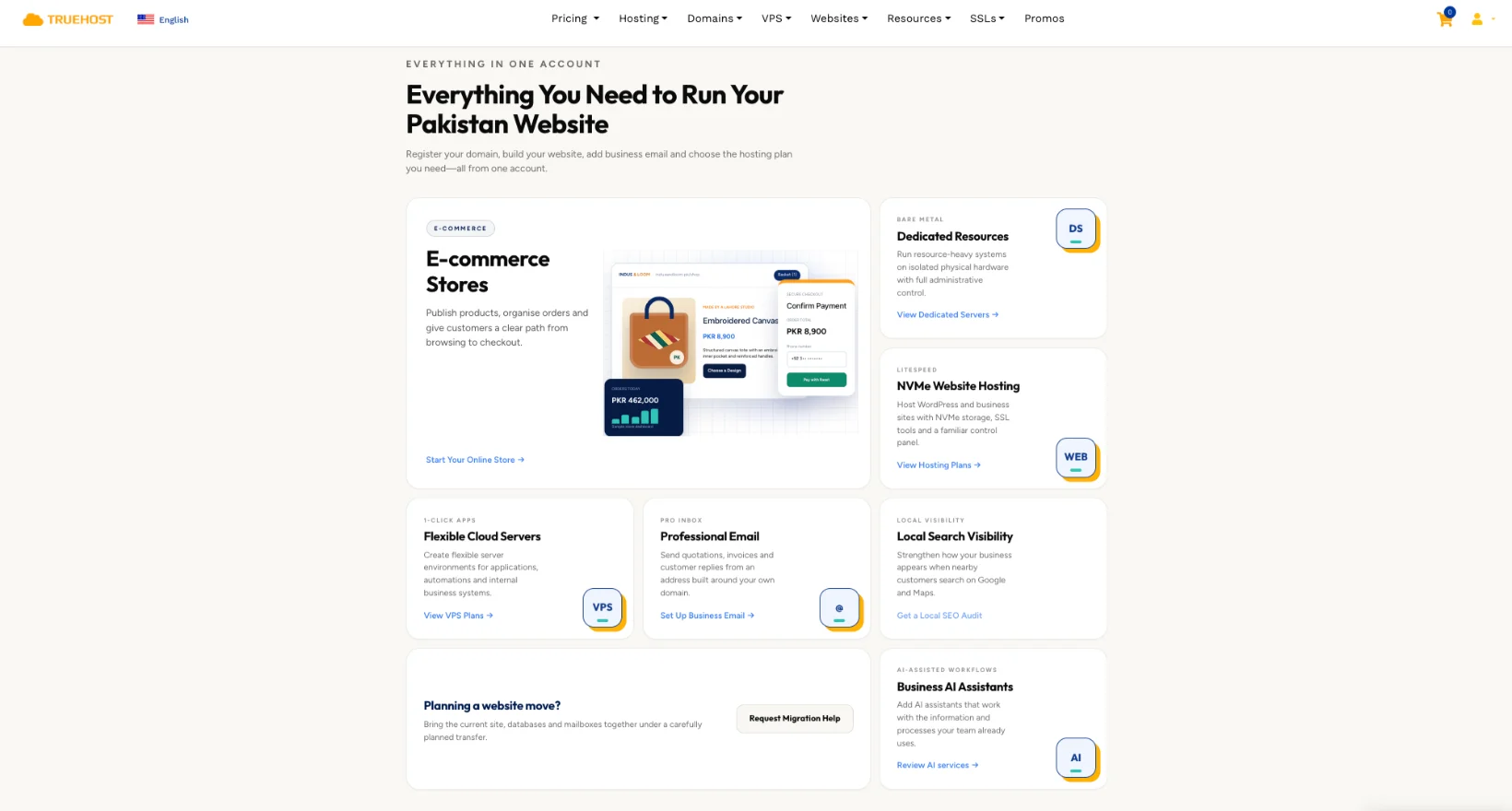
Shared hosting is enough for most new business websites. Our WordPress and business hosting plans at Truehost include everything you need to launch quickly, and they are built specifically for Pakistani users.
If your business grows into something heavier, a busy online store, a custom booking system, or an app that needs dedicated resources, a VPS or dedicated server from Truehost gives you that extra room without starting over on a new provider.
Local versus international hosting is worth a quick word too.
- Local hosting (servers based closer to Pakistan, or providers with local infrastructure and support) usually means faster load times for Pakistani visitors and easier PKR billing.
- International hosting can suit you if most of your customers are abroad, but expect payment in foreign currency and support hours that may not match yours.
For a business selling mainly to Pakistani customers, local hosting with PKR billing is almost always the simpler, faster choice.
Step 3: Choose a Website Building Platform
You do not need advanced coding skills to build a business website.
- WordPress is the most recommended option for Pakistani businesses. It is free, flexible, and works excellently with Truehost hosting.
- Add WooCommerce if you plan to sell products online.
- Simple drag-and-drop builders can work for very basic sites, but WordPress gives you better long-term control and plugin support.
WordPress still runs a large share of the internet. W3Techs data from 2026 shows it powering roughly 4 in 10 of all websites, and close to 60% of sites that use any identifiable content management system. That kind of scale means a huge community, endless tutorials, and no shortage of developers if you ever need one.
Once your hosting is ready, install WordPress with one click from your Truehost control panel.
If you would rather skip the setup work entirely, our AI Website Builder at Truehost can generate a working WordPress site for you in minutes, based on your business type. It is a fast starting point you can still customize fully afterward.
Step 4: Select a Theme and Customize the Design
A theme controls the overall look of your website.
- Choose a clean, mobile-responsive theme that matches your brand.
- Customize colors, logo, fonts, and images.
- Free themes are available inside WordPress. Premium themes offer more polished designs if you need them.
Focus on a professional, uncluttered layout.
This point is worth repeating: most Pakistani visitors browse on mobile. Your site must look good and load quickly on a phone, not just on a desktop screen.
Step 5: Create Essential Pages
Every business website needs a core set of pages. Skip any of these and you leave visitors with unanswered questions.
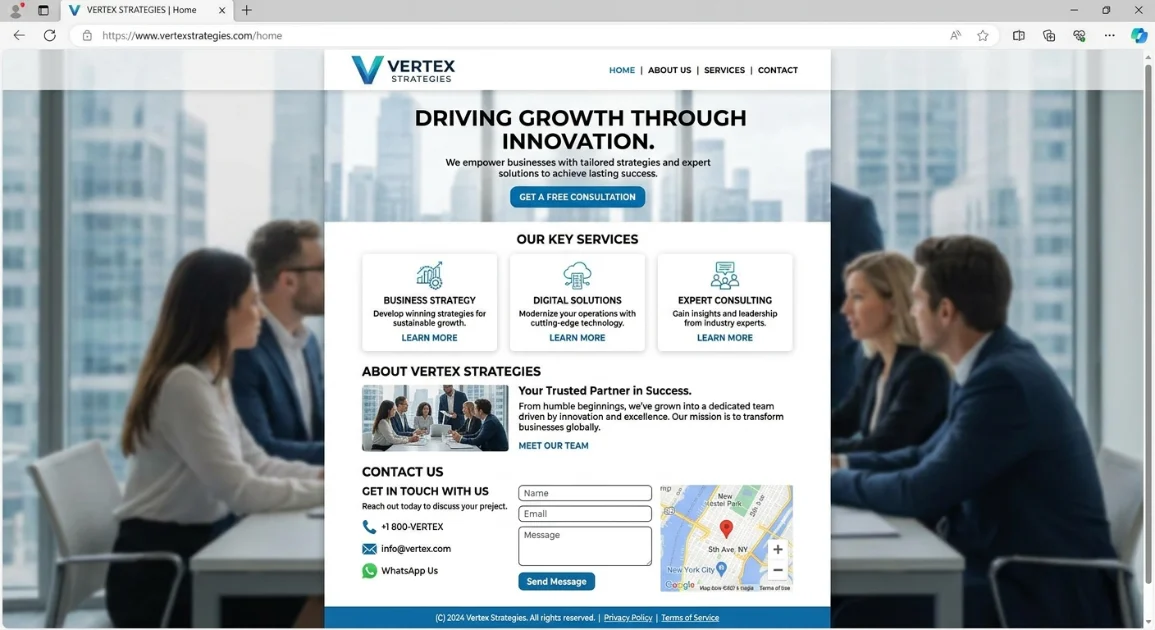
- Home: A clear introduction, your main services or products, and a strong call-to-action.
- About Us: Your story, your mission, and your team, to build trust.
- Services or Products: Clear descriptions, benefits, and images.
- Contact: Phone number, email, a WhatsApp button, a contact form, and a Google Maps embed if you have a physical location.
- Privacy Policy and Terms: Simple versions still help with trust and professionalism.
These five pages cover almost everything a first-time visitor needs before they decide to buy or call.
Step 6: Install Useful Plugins (WordPress)
Plugins add features without any coding. A handful of them cover most business needs.
- An SEO plugin, for better Google visibility
- A contact form plugin
- A caching plugin, for faster loading
- A security plugin
- A WhatsApp or live chat plugin
Install only what you need, and keep every plugin updated. Outdated plugins are one of the most common ways small business sites get hacked.
Step 7: Optimize for Search Engines
Getting found on Google is what separates a live website from a working one. A few habits make the biggest difference.
- Use clear page titles and descriptions that include your main services, and your city if that is relevant.
- Compress your images so the site loads quickly.
- Add internal links between your pages.
- Submit your website to Google Search Console after launch.
- Keep your page titles and headings free of stuffing. One clear keyword per page beats five crammed into one sentence.
- List your business on Google Business Profile so local searches can find you alongside your website.
Good mobile speed and clear content already give you a strong starting advantage. With smartphone use in Pakistan now above 71% of mobile connections, according to the government’s Economic Survey 2025-26, a fast mobile experience is not optional. It is where most of your traffic will come from.
Step 8: Launch the Website
Launch day comes down to a short checklist.
- Double-check all pages on mobile and desktop.
- Confirm the SSL certificate is active, so your address shows https.
- Point your domain to the Truehost nameservers. Our support team can guide you through this if needed.
- Publish the site and test every link and form.
Your website is now live.
Step 9: Promote and Maintain the Site
Share your website link on WhatsApp, Facebook, Instagram, business cards, and your Google Business Profile.
After launch, keep a simple routine going:
- Keep content updated.
- Back up the site regularly.
- Update WordPress, themes, and plugins.
- Monitor basic performance with free tools like Google Analytics.
A website is not a one-time project. Regular small updates keep it professional and effective, month after month.
If your business later grows into automation, think auto-replies on WhatsApp, lead follow-ups, or connecting your site to other business tools, our N8n Hosting and AI Workers at Truehost can handle that layer without needing a separate developer setup.
A website that is live, current, and easy to pay through puts you in a good position to catch that growth, instead of watching it pass you by.
Ready to Start Your Business Website?
Get your domain and reliable hosting in one place with Truehost.
Enjoy local support, PKR pricing, PayPal and Stripe payments, free SSL, and one-click WordPress installation. Everything you need to launch quickly and professionally.
Want to skip straight to a working site? Try our AI Website Builder and have a draft ready before your tea gets cold.
Start a Business Website FAQs
How much does it cost to start a basic business website in Pakistan?
A basic setup covers three costs: your domain, your hosting, and your theme, if you choose a premium one. Domain and shared hosting bundles from Truehost are priced in PKR, so there is no currency guesswork. Most small business owners can launch a simple five-page site for far less than a single month of traditional advertising.
Do I need technical skills to build a website?
No. WordPress is built for non-developers, and one-click installation from your Truehost control panel removes the hardest technical step entirely. If you want to skip setup altogether, the AI Website Builder at Truehost builds a working WordPress site for you from a short description of your business.
Should I choose a .pk or .com domain?
Choose .pk or .com.pk if most of your customers are inside Pakistan. It signals local trust and can help with local search visibility. Choose .com if you also plan to serve customers outside the country, or if your brand name is already tied to that extension.
Can I sell products online with this setup?
Yes. Add WooCommerce to your WordPress site, and you can list products, manage orders, and accept payments through the same local gateways your customers already use.
What if I need help after launching?
Our support team at Truehost is available for nameserver setup, hosting issues, and general guidance after you go live. You are not left to manage the technical side alone.