Domain SearchInstantly check and register your perfect .pk or international domain
 Web HostingGet a .pk domain for as low as PKR 467
 cPanel HostingUser-friendly hosting powered by cPanel
 Reseller HostingLaunch your own hosting business with minimal technical requirements
 Windows HostingOptimized for Windows-based applications and websites
 Affiliate ProgramEarn referral commissions by promoting our services
 WordPress HostingFast & Reliable WordPress Hosting
 Domain TransferMigrate your existing domain seamlessly with zero downtime.
 All DomainsAccess 324+ top-level domains (TLDs) worldwide from a single platform
 Whois LookupIdentify the owner of any domain using our whois and rdap lookup tool
 Managed VPS Hosting
 AI Website BuilderCreate beautiful websites effortlessly using intuitive drag-and-drop features
 Online ShopLaunch a professional online shop with no technical skills required
 BlogDiscover expert guides on hosting, websites, SEO, and digital growth strategies
 ContactGet instant assistance via live chat or email
 SupportAccess help articles, tutorials, and service documentation
 SSL CertificatesEncrypt data, build trust, and boost SEO.
Choosing the right VPS hosting plan affects your website’s performance, reliability, scalability, resource availability, and overall hosting costs. Get it right and your site has room to run and grow. Get it wrong and you’re either paying for resources you don’t use or fighting a plan that’s too small for your traffic.
Different VPS plans offer different levels of CPU, RAM, storage, bandwidth, flexibility, management, and support. What works well for a small business brochure site may be completely inadequate for an ecommerce store, a custom web application, a high-traffic blog, or a resource-intensive tool. Hosting requirements also change as a website grows, so the plan that fits today might not fit in a year.
This means it’s worth looking past the advertised starting price and comparing resources, server location, security, support, management options, and upgrade flexibility before you commit. Here are eight practical tips for choosing a VPS hosting plan that actually fits what you’re building.
Want to start comparing real plans as you read? See VPS Hosting Plans from Truehost Pakistan
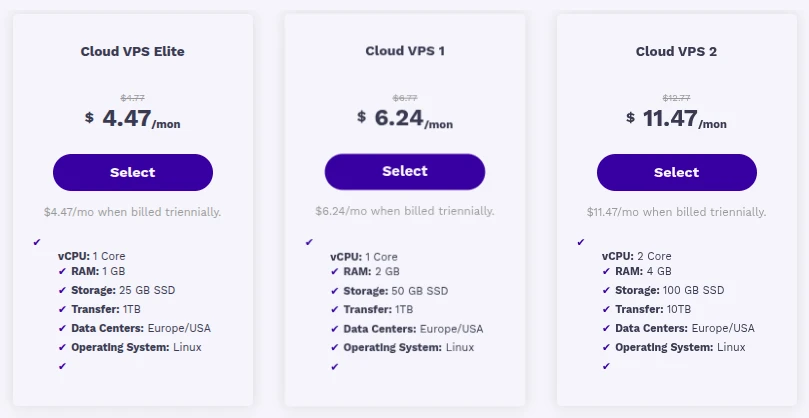
8 Tips to Help You Choose the Right VPS Hosting Plan
Evaluate a VPS based on what your specific website or application actually needs, not based on price alone or a single impressive-sounding spec.
1) Check the CPU and RAM
CPU and RAM are two of the most important resources to look at when comparing VPS plans, since they directly affect how much your server can handle at once.
- Number of CPU cores included in the plan
- Amount of RAM available
- The actual resource requirements of your website and applications
- Expected traffic and workload, not just current numbers
- Room for reasonable future growth, not just today’s needs
CPU and RAM matter more for dynamic websites, database-driven sites, ecommerce stores, web applications, and any VPS hosting multiple websites at once, since all of that activity draws from the same pool of resources. There’s no single CPU or RAM number that suits every website. A simple blog and a busy online store with hundreds of daily transactions have very different requirements, even if their visitor counts look similar. If your current site is still comfortably within shared hosting limits, it may be worth confirming you’ve actually outgrown it before paying for a VPS you don’t yet need.
2) Consider Your Storage Requirements
Storage is about more than just checking how many gigabytes come with a plan.
- Total amount of storage included
- Whether it’s SSD or NVMe storage (these are not the same thing, and NVMe generally offers faster read and write speeds than standard SSDs, though actual results depend on the rest of the server setup)
- Space needed for website files and databases
- Space needed for email and application storage
- Room to grow as your website expands
It helps to separate storage capacity (how much space you get) from storage technology (how fast that storage performs). Before choosing a plan, look at your current storage usage, database size, media files, backup needs, and application files, then factor in expected growth. Storage requirements tend to increase over time, especially for ecommerce sites and media-heavy websites, so leave yourself some headroom rather than sizing exactly to today’s usage.
3) Check the Bandwidth and Traffic Limits
Bandwidth is easy to overlook when comparing VPS hosting plans, but it matters more than it might seem.
- Monthly bandwidth allowance included in the plan
- Your expected website traffic
- Network speed and any connection limits
- Whether you serve large files, images, videos, or downloads
- How your bandwidth needs might grow as traffic increases
Website traffic and bandwidth are related but not the same thing. Traffic is how many visitors come to your site. Bandwidth is how much data moves between your server and those visitors. A website with relatively few visitors can still use significant bandwidth if it serves large files, video content, or high-resolution images, while a text-heavy site with more visitors might use comparatively little.
If a plan advertises “unmetered” or “unlimited” bandwidth, don’t assume that means there are no limits at all. Providers can still have acceptable use policies or network-level restrictions, so it’s worth checking the actual terms rather than taking the label at face value.
4) Choose the Right Operating System
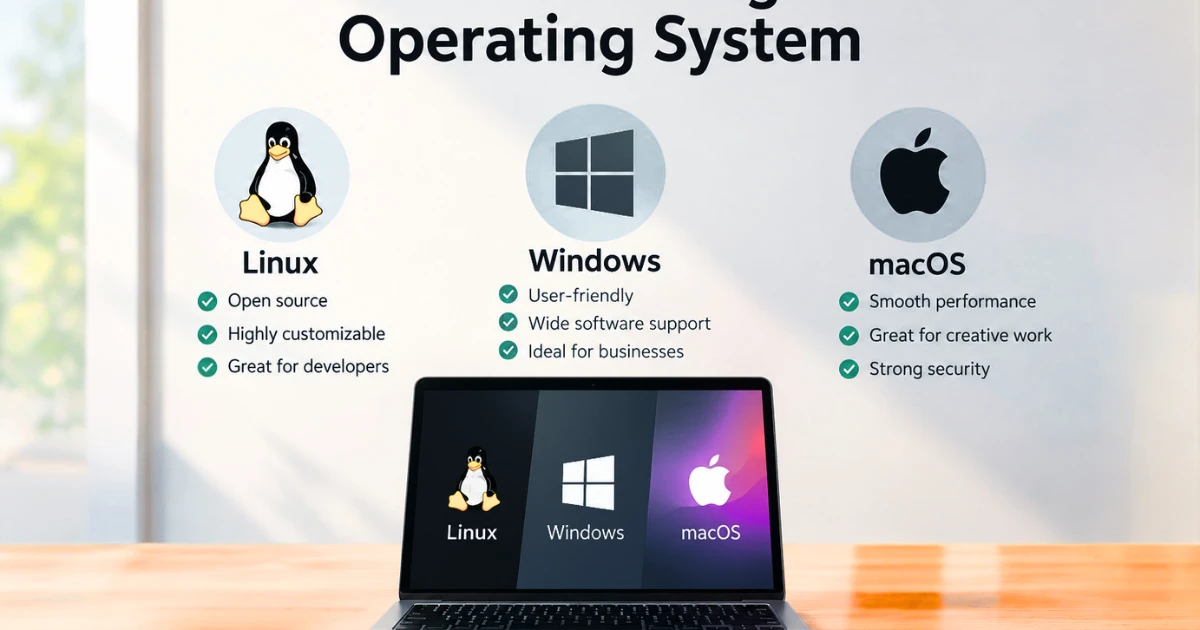
Your operating system choice affects what you can install and run on your VPS, so it’s worth settling before you buy rather than after.
- Linux or Windows options, depending on the provider
- Compatibility with your website and applications
- Supported software and server tools
- Control panel compatibility
- How familiar you or your team already are with the operating system
Linux is the more common choice across many web hosting environments, largely because so much open source web software is built around it. Windows VPS hosting becomes relevant when your applications specifically require Microsoft technologies, such as .NET applications or certain enterprise software. Microsoft’s own Windows Server documentation is a useful reference if you’re evaluating whether your application genuinely needs a Windows environment. Neither operating system is universally better. The right choice comes down to what your specific applications and tools actually require.
5) Consider the Server Location
Where your VPS data centre is physically located can affect network latency, which is the delay between a visitor’s request and your server’s response.
- Where your main website visitors are located
- Distance between the server and your target audience
- How that distance affects network latency
- Which data centre locations your provider actually offers
- Any future markets your business plans to serve
Server location is only one factor in overall website performance, not a guarantee on its own. Choosing the geographically closest server to your audience doesn’t automatically mean the fastest possible website. A CDN (content delivery network), overall network quality, how well your website is optimised, and your application’s own performance all play a role too, sometimes a bigger one than server location alone.
6) Compare Security Features
Security should be part of your VPS buying decision from the start, not something you figure out after something goes wrong.
- Firewall options included or available
- Security monitoring tools
- DDoS protection, where available on the plan
- How security updates are handled
- User access controls
- Backup options
Before choosing a plan, work out which security responsibilities the provider actually handles and which ones fall on you. There’s a real difference between provider-level protection, such as network-level DDoS mitigation, and server or application-level security, such as keeping your own software patched. Cloudflare’s own explanation of DDoS attacks is a useful primer if you’re unfamiliar with what this kind of protection actually defends against.
A VPS does not automatically secure your website just because you’ve signed up for one. Strong passwords, proper access controls, regular software updates, correctly configured firewalls, reliable backups, and secure server configuration all still matter regardless of which plan or provider you choose.
7) Check the Provider’s Support and Reliability
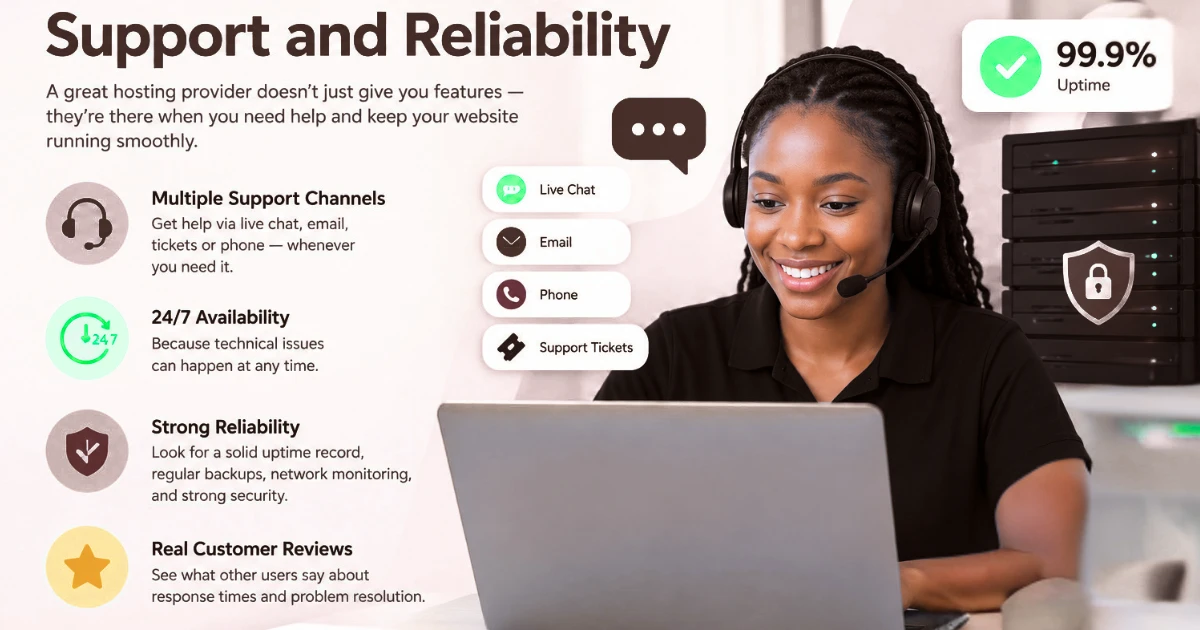
The provider behind a VPS plan matters just as much as the technical specifications on paper.
- Whether technical support is actually available, and how
- Which support channels are offered (live chat, tickets, email, phone)
- The provider’s server uptime record
- Quality of documentation and troubleshooting resources
- Typical response times for technical issues
- General provider reputation and reliability
Check whether support is available 24/7 or only during specific hours, and whether the support you get depends on choosing a managed or unmanaged VPS plan. Managed plans generally include more hands-on support for server issues, while unmanaged plans usually leave more of that responsibility with you. Rather than taking any single review or claim at face value, check the provider’s current service information and terms directly before purchasing, since support levels and policies can change.
8) Compare Pricing and Upgrade Options
The advertised starting price shouldn’t be the only number you look at when comparing VPS plans.
- Monthly versus annual pricing
- What resources are actually included at that price
- Any additional charges beyond the base plan
- Renewal pricing after any introductory period ends
- Available upgrade options
- Overall value compared with similar plans elsewhere
Look at the total cost of running the VPS over time, not just the first invoice. Extra costs can come from backups, control panel licensing, managed service add-ons, additional storage, extra IP addresses where applicable, software licensing, and additional bandwidth beyond what’s included.
Upgrade flexibility matters more than it seems for a growing website. Some providers let you upgrade CPU, RAM, or storage with minimal disruption, while others may require a restart, a migration to different hardware, or even a full plan change, depending on their infrastructure. It’s worth understanding which situation you’re in before you actually need to upgrade under pressure.
Ready to Choose the Right VPS Hosting Plan?
The right VPS hosting plan gives your website enough resources to perform well today while leaving reasonable room for growth. The cheapest plan available isn’t automatically the best choice if it limits your website or makes upgrading difficult down the line, and the most expensive plan isn’t automatically the right one either if it gives you far more than you actually need.
Before deciding, weigh CPU, RAM, storage, bandwidth, operating system, server location, security, support, pricing, and upgrade options together as a full picture rather than focusing on any single factor in isolation. If you’re also setting up a new site alongside your VPS, it’s worth sorting your domain registration and SSL certificate at the same time.
If your current setup has genuinely outgrown what a VPS can offer, it’s also worth knowing that dedicated server hosting exists as a next step, though most growing websites have plenty of room to work with on a well-chosen VPS plan first.