Domain SearchInstantly check and register your perfect .pk or international domain
 Web HostingGet a .pk domain for as low as PKR 467
 cPanel HostingUser-friendly hosting powered by cPanel
 Reseller HostingLaunch your own hosting business with minimal technical requirements
 Windows HostingOptimized for Windows-based applications and websites
 Affiliate ProgramEarn referral commissions by promoting our services
 WordPress HostingFast & Reliable WordPress Hosting
 Domain TransferMigrate your existing domain seamlessly with zero downtime.
 All DomainsAccess 324+ top-level domains (TLDs) worldwide from a single platform
 Whois LookupIdentify the owner of any domain using our whois and rdap lookup tool
 Managed VPS Hosting
 AI Website BuilderCreate beautiful websites effortlessly using intuitive drag-and-drop features
 Online ShopLaunch a professional online shop with no technical skills required
 BlogDiscover expert guides on hosting, websites, SEO, and digital growth strategies
 ContactGet instant assistance via live chat or email
 SupportAccess help articles, tutorials, and service documentation
 SSL CertificatesEncrypt data, build trust, and boost SEO.
Does hosting affect SEO? Not directly. Google doesn’t rank a website higher just because of which hosting company or plan it uses. But hosting still shapes the technical conditions your website runs on: how fast your server responds, how often your site stays up, how secure it is, and how reliably search engines can actually reach your pages. Those conditions can influence the experience visitors have and how well search engines can crawl and index your content, which is where hosting’s real, indirect connection to SEO shows up.
Poor hosting can create technical problems: slow server response, frequent downtime, misconfigured servers, limited resources, or security issues. None of these are ranking factors by themselves, but each one can make a website harder to access and use, and that has knock-on effects worth understanding. These problems tend to become more noticeable as a website grows and starts receiving more traffic than it did when you first chose your hosting plan.
Choosing hosting should involve more than comparing prices. It’s worth looking at performance, uptime, server location, security, available resources, scalability, and technical support, since these are the factors that actually connect hosting to how your website performs for real visitors and search engines.
Already comparing plans? See Web Hosting and VPS Options from Truehost Pakistan
Ways Hosting Can Affect Your Website’s SEO
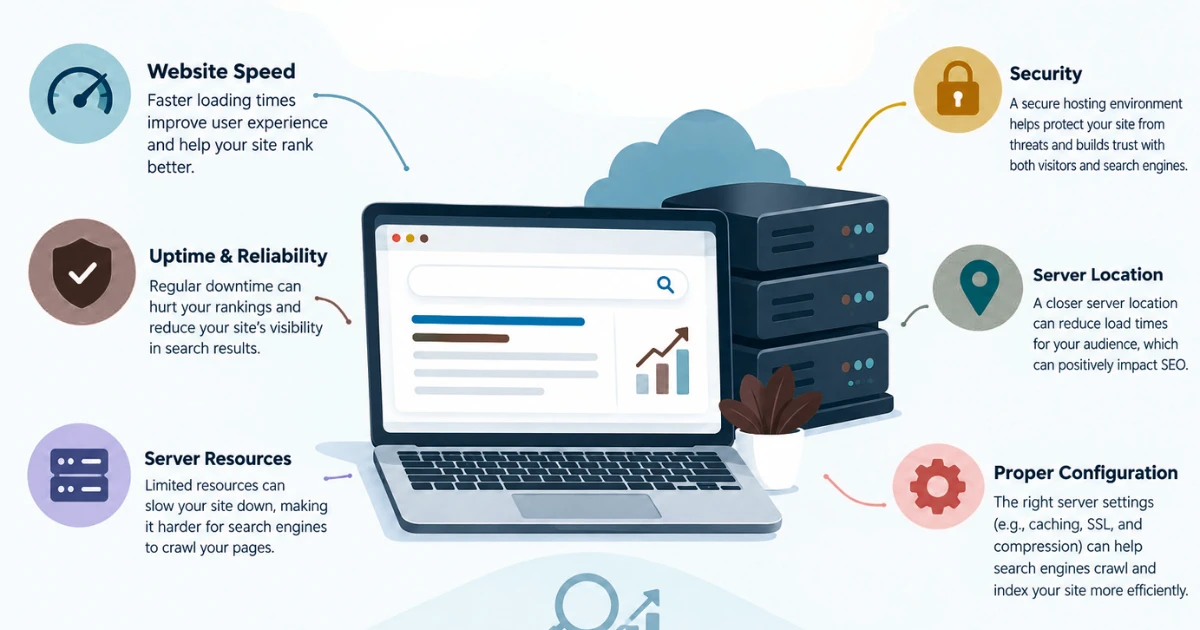
1) Website Loading Speed
Hosting infrastructure plays a role in loading performance, mainly through server response time: how long your server takes to start delivering content once a request comes in. Slower server response can drag down overall page performance, and consistent server performance matters more than a single fast result on one good day.
That said, hosting is only one part of website speed. Your theme, plugins, images, scripts, caching setup, database queries, and any third-party services you load in can all affect how fast a page actually loads, sometimes more than the server itself. Moving to faster hosting on its own doesn’t guarantee better rankings. It can remove one bottleneck, but a bloated, unoptimised website on excellent hosting can still load slowly. If your current shared hosting plan is genuinely the bottleneck, VPS hosting is worth comparing once you’ve ruled out the site-side causes first.
2) Website Uptime and Availability
When your server goes down, visitors can’t reach your pages, and neither can search engines. Repeated outages create a real problem: content that’s inconsistently available is harder for anyone, human or crawler, to rely on.
Reliable hosting helps keep your content consistently accessible, which is why monitoring uptime matters rather than just assuming everything’s fine. There’s a real difference between an occasional short outage, which happens even with good providers, and a persistent pattern of downtime that needs investigating. A single brief outage isn’t going to cause a ranking penalty on its own, but a recurring pattern of unavailability is worth taking seriously and addressing at the hosting level.
3) Core Web Vitals and Hosting Performance
Core Web Vitals measure real-world user experience around loading, interactivity, and visual stability, and Google’s own documentation confirms these metrics factor into its ranking systems as part of overall page experience. Server performance contributes here mainly through the initial delivery of a page, including time to first byte, the time it takes your server to send back the very first piece of a response.
Hosting is one component of this picture, not the whole thing. Better hosting can reduce server-side delays, but it can’t fix poorly optimised pages by itself. Website code, image sizes, JavaScript, CSS, font loading, and caching strategy all still shape your actual Core Web Vitals scores. Upgrading hosting alone won’t solve a page that’s genuinely bloated with unoptimised assets. It works best paired with real website optimisation, not as a substitute for it.
4) Server Location and Website Performance
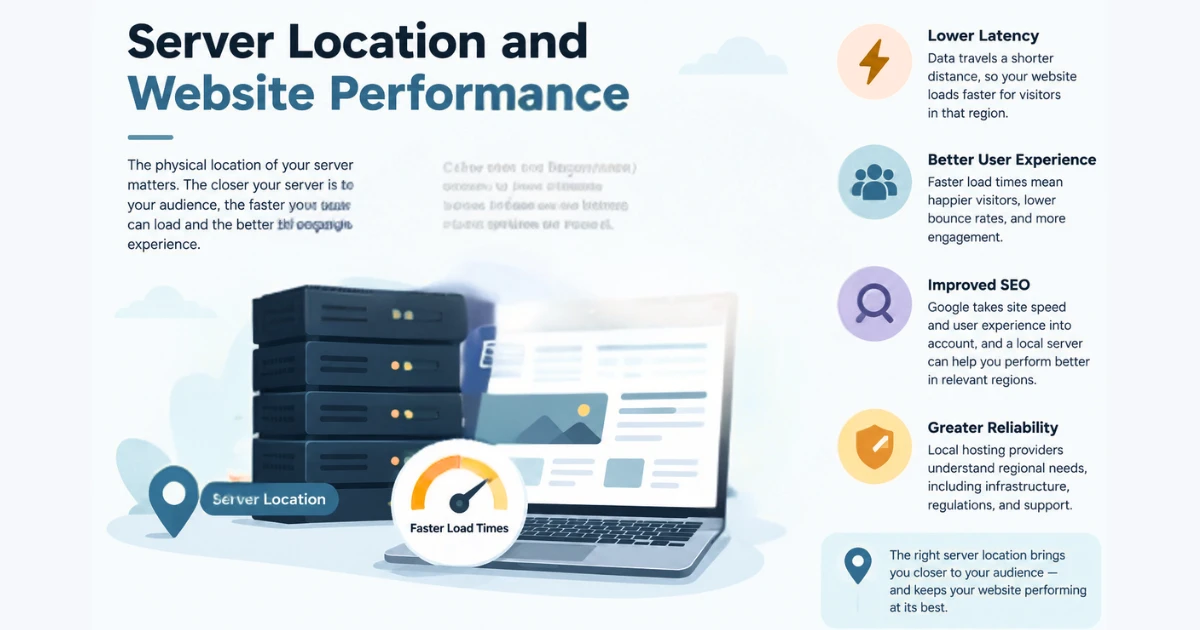
The physical location of your hosting data centre affects network latency, the delay caused by distance between your server and the person requesting your page. A data centre reasonably close to your main visitor base generally means faster response times for those visitors.
Server location doesn’t directly determine search rankings. It’s a performance and latency consideration, not a ranking signal Google evaluates on its own. If you’re serving visitors across multiple regions, a CDN (content delivery network) can help deliver content closer to users regardless of where your main server sits, which reduces how much server location matters for things like images, scripts, and static files.
5) Security and SEO
Website and server security belongs in your hosting decision because a compromised website creates real problems, for visitors, for your reputation, and for how search engines see your site. Malware, defacement, or a hijacked website can quickly turn a working site into one that’s flagged as unsafe or simply unusable.
This is where secure connections, active security monitoring, keeping server software and applications updated, and having reliable backups all matter. Having SSL is part of running a secure, trustworthy website, but it doesn’t meaningfully move rankings on its own the way some hosting marketing suggests. Its real value is protecting the connection between your server and your visitors and helping prevent your website from being compromised in the first place, which is what actually protects your SEO in the long run.
6) Hosting Resources and Website Growth
Available CPU, RAM, and storage affect how well your website holds up as traffic and complexity increase. Resource limitations tend to show up as performance problems exactly when you can least afford them, during a traffic spike or a busy sales period, for example.
A website doesn’t automatically need VPS or dedicated hosting just because SEO matters. The right hosting should match your actual workload and realistic growth, not an assumption that more resources always means better SEO. A small informational website with modest, steady traffic can run perfectly well on shared or web hosting for years. A growing business site might start feeling shared hosting’s limits as it adds more pages and traffic. An ecommerce website with dynamic pages and a busy database usually needs more consistent resources sooner. A site experiencing sudden traffic spikes needs hosting that can absorb that without falling over. Upgrading hosting makes sense when resource limitations are causing measurable performance or reliability problems, not simply because a bigger plan exists.
7) Hosting Quality and Crawlability
Search engines need to reach your website reliably to crawl and index it. Server errors, connection failures, and unstable server responses can make pages temporarily inaccessible to both visitors and crawlers. Google’s own documentation on HTTP status codes and network errors explains how different server responses affect what happens during crawling, worth a look if you want the specifics behind status codes like 4xx and 5xx errors.
Not every hosting error results in lost rankings. A brief, one-off error is very different from a recurring or persistent availability problem that keeps interrupting access to important pages. The practical takeaway is to monitor for patterns rather than panicking over an isolated blip, while still taking a repeated problem seriously enough to investigate at the server level.
FAQs
Does changing your website affect SEO?
Changing your website (content, structure, URLs, or design) can affect SEO depending on exactly what changes, since search engines have to re-evaluate that content. Changing your hosting is a different thing: it can create temporary technical issues, like DNS propagation delays or misconfigured redirects, if the migration isn’t handled carefully, even though the hosting change itself isn’t a ranking factor.
Which hosting is best for SEO?
There’s no single hosting type that’s universally best for SEO. What’s suitable depends on your website’s size, traffic, technical requirements, resource needs, target audience location, security needs, reliability expectations, and budget. A shared hosting plan can be entirely appropriate for a small site, while a growing ecommerce store will usually need more dedicated resources, regardless of hosting “type” labels. If your site runs on WordPress specifically, WordPress hosting built around that platform’s requirements is worth comparing against a generic plan.
Can I move my website without losing my SEO settings?
Generally, yes. Your SEO settings (metadata, structured content, internal links, and so on) can be preserved during a migration as long as your website files, database, URLs, redirects, and configuration are all transferred correctly. Most problems during migrations come from something being missed in that transfer, not from the act of moving hosts itself.
How can I avoid SEO problems during a hosting migration?
Back up your website fully before starting, and test the new hosting environment before pointing your domain at it. Where possible, keep your existing site available during the transition. Check your DNS configuration, test your important pages on the new server, verify redirects and canonical tags are intact, and monitor for indexing issues or errors after the switch is live.
Do I need to update my DNS records when changing web hosts?
Usually, yes, though what exactly changes depends on your setup. If you’re moving to a completely different provider, you’ll typically update your domain’s nameservers to point to the new host. If you’re staying with the same provider but changing server details, you might only need to update specific records, like an A record pointing to a new IP address, without touching nameservers at all.
How long should I monitor my website after moving to a new host?
Monitoring shouldn’t stop the moment your site loads correctly after migration. Keep checking uptime, page loading performance, server errors, your important URLs, DNS resolution, Search Console for new issues, and any unusual traffic or indexing changes for a reasonable stretch afterward. There’s no fixed number of days that guarantees problems will or won’t show up, so continued attention matters more than a specific deadline.
Ready to Choose Hosting That Supports Your SEO Goals?
Good hosting gives your website a stronger technical foundation: faster server response, more reliable uptime, better security, consistent accessibility, and room to grow. What it doesn’t do is act as a ranking shortcut. Better hosting can’t replace good SEO, and faster hosting alone can’t fix pages that are poorly optimised to begin with. The right hosting environment is the one that matches your website’s current needs and realistic future growth, not necessarily the most expensive option on the page.
Poor hosting, on the other hand, can create technical problems that make your SEO efforts genuinely harder to sustain, no matter how good your content or optimisation work is. When you are evaluating hosting, weigh performance, uptime, resources, security, server location, scalability, and support together, rather than choosing on price alone.