Domain SearchInstantly check and register your perfect .pk or international domain
 Web HostingGet a .pk domain for as low as PKR 467
 cPanel HostingUser-friendly hosting powered by cPanel
 Reseller HostingLaunch your own hosting business with minimal technical requirements
 Windows HostingOptimized for Windows-based applications and websites
 Affiliate ProgramEarn referral commissions by promoting our services
 WordPress HostingFast & Reliable WordPress Hosting
 Domain TransferMigrate your existing domain seamlessly with zero downtime.
 All DomainsAccess 324+ top-level domains (TLDs) worldwide from a single platform
 Whois LookupIdentify the owner of any domain using our whois and rdap lookup tool
 Managed VPS Hosting
 AI Website BuilderCreate beautiful websites effortlessly using intuitive drag-and-drop features
 Online ShopLaunch a professional online shop with no technical skills required
 BlogDiscover expert guides on hosting, websites, SEO, and digital growth strategies
 ContactGet instant assistance via live chat or email
 SupportAccess help articles, tutorials, and service documentation
 SSL CertificatesEncrypt data, build trust, and boost SEO.
Your site has been running fine for months. Then traffic picks up, or you add a bigger plugin, or a sale goes better than expected, and suddenly things aren’t fine anymore. Pages load slower. You get a resource-limit warning. Someone asks if you should “just get a VPS.”
Here’s the problem: nobody explains what that actually means before you are stuck making the decision under pressure.
Shared hosting and VPS hosting both keep your website online. One costs a fraction of the other. That doesn’t make it worse, and it doesn’t make VPS automatically better.
It means they are built for different jobs. This guide breaks down what each one actually gets you, so you can pick the right one instead of the more expensive one.
Not sure which hosting option fits your site? Compare your options, then explore Truehost hosting plans to find a plan that fits your website and budget.
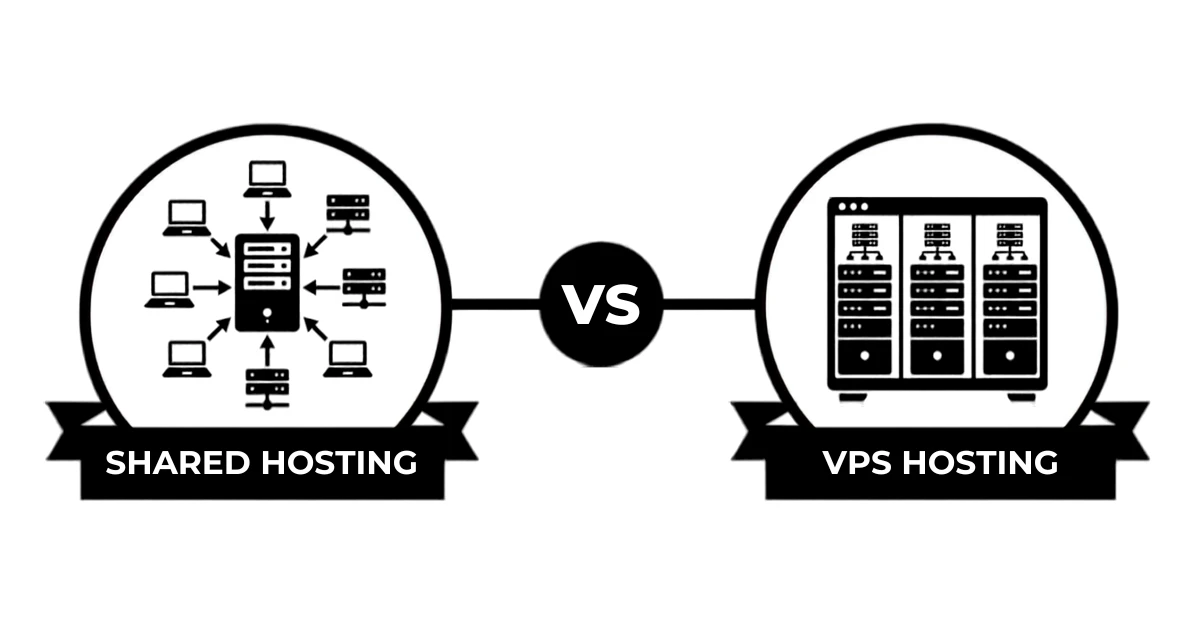
Shared Hosting vs VPS Hosting: Key Differences
| Feature | Shared Hosting | VPS Hosting |
|---|---|---|
| Cost | More affordable | Higher |
| Resources | Shared with other sites | Allocated to you |
| Performance | Fine for lighter workloads | Built for demanding workloads |
| Control | Limited | Greater |
| Scalability | Limited | Easier to scale |
| Management | Simple | Managed or self-managed |
| Best for | Small websites | Growing websites |
Tip: Shared hosting is an apartment building. You get your own unit, but the water heater, the elevator, and the parking lot are shared with everyone else in the building. VPS is a townhouse. You still share the neighbourhood (the physical server), but the CPU, RAM, and storage inside your walls are yours and nobody else’s.
Which One Should You Choose?
Choose Shared Hosting If:
- You’re running a small or new website.
- Your traffic and resource needs are modest.
- You want to keep costs down.
- You don’t need advanced server control.
- You want something simple, with no learning curve.
Pros
- Cheap
- Easy to set up, no technical skill required
- Provider handles the server side entirely
Cons
- Limited resources during traffic spikes
- Less control over configuration
- A busy neighbour on the same server can slow you down
Best For
- Blogs, portfolios, and small business sites
- Anyone who isn’t hitting resource limits right now
- Websites where “good enough” is genuinely good enough
If that’s you, Truehost’s Shared Hosting plans are built for exactly this stage. Affordable, beginner-friendly, ready in minutes.
Choose VPS Hosting If:
- Your site is outgrowing shared hosting.
- You’re regularly hitting resource limits.
- You need more CPU, RAM, or storage.
- You need root access or custom configurations.
- Your ecommerce store is growing.
- You expect your resource needs to keep climbing.
Pros
- Dedicated resources, no noisy neighbours
- Root access and real configuration control
- Scales with you instead of against you
Cons
- Costs more
- Unmanaged plans need real technical skill
- Overkill if your traffic doesn’t justify it yet
Best For
- Sites past the point shared hosting can comfortably handle
- Growing ecommerce stores
- Anyone who needs control shared hosting won’t give them
If several of those sound like you, look at Truehost’s VPS Hosting for Beginners guide before you commit.
When Is Shared Hosting Enough?

Shared hosting isn’t a starting point you’re supposed to be embarrassed by. Plenty of healthy sites stay on it for years. It’s enough for:
- New websites still finding their footing
- Blogs and personal sites
- Portfolios
- Small business websites
- Sites with modest, steady traffic
- Anything not currently hitting resource or performance problems
If your site loads fine and nobody’s complaining, don’t upgrade. Paying more for capacity you’re not using doesn’t improve your website. It just raises your bill.
When Is It Time to Move to VPS?

Some signs are hard to argue with. It’s time to consider VPS when:
- Resource-limit warnings show up regularly.
- Your site is consistently slower than it should be.
- CPU or RAM usage keeps climbing.
- Your database or applications keep getting heavier.
- Your store is growing and orders are picking up.
- You need real control over the server, custom software, specific configurations, root access.
Speed isn’t just about visitor patience, either. Google has said that page experience signals, including load speed, factor into search rankings. A slow, overloaded shared plan can cost you traffic twice: once when visitors bounce, and again in search results.
Shared Hosting vs VPS for WordPress
WordPress runs on either. What decides the answer is what you’re asking it to do.
When shared hosting is enough for WordPress: Blog, portfolio, small business site, a handful of plugins, modest traffic. Shared hosting handles that without breaking a sweat. Most WordPress sites never get close to maxing out a decent shared plan.
Signs a WordPress site may need VPS: Resource-heavy plugins, page builders, a database getting hit constantly. A membership site, a busy forum, or an install carrying several large plugins starts eating into shared resources fast. Visitors feel that in slower load times before you do.
WooCommerce and growing WordPress stores are their own case. More products, more orders, more plugins means more load on the database. WooCommerce’s own server requirements documentation is blunt about it: resource needs scale with store size. That’s exactly the pattern that eventually pushes a store toward VPS.
If you’re managing a WordPress site and want hosting built around it, check Truehost’s WordPress Hosting before assuming VPS is the only answer.
Shared Hosting vs VPS for Ecommerce
Why small online stores can start with shared hosting: A new store with a small catalog and modest daily visitors doesn’t need a dedicated server. Shared hosting covers the basics fine: product pages, cart, payment processing, all while keeping costs down at the stage when every shilling matters.
Why growing stores need more resources and consistency: As a store scales, everything gets heavier at once:
- Product catalogues grow, adding more database entries and images.
- Payment systems need to process transactions without lag.
- Plugins and extensions for shipping, inventory, and marketing pile up.
- Databases get queried more, and grow bigger.
- Traffic spikes, sales, promotions, seasonal shopping, put sudden pressure on shared resources.
When VPS becomes the better option: Once your store’s revenue depends on uptime and fast checkouts, shared resources stop being a way to save money and start being a risk. VPS gives your store its own capacity, so a traffic spike on someone else’s site doesn’t take yours down mid-sale.
Mistakes to Avoid When Choosing Hosting
- Choosing on price alone. The cheapest plan today can cost more once you’re paying for downtime or a rushed migration.
- Deciding by traffic numbers alone. Two sites with the same visitor count can have wildly different resource needs depending on what’s running behind the scenes.
- Paying for resources you don’t use. VPS doesn’t help a site that was never straining shared hosting in the first place.
- Assuming VPS is automatically better because it’s more powerful. More power you don’t need is just a bigger bill.
- Ignoring renewal prices. The signup price and the renewal price are often two very different numbers.
- Choosing unmanaged VPS without the skills to run it. Root access is only useful if someone on your team actually knows what to do with it.
- Switching hosts without checking backup and migration requirements. Find out what moves and what doesn’t before you commit, not after.
- Assuming storage is the only resource that matters. CPU and RAM run out just as easily, and usually cause bigger problems when they do.
- Skipping the fine print on support, security, backups, and management. “Included” means different things at different hosts. Ask.
- Upgrading to VPS before ruling out the real cause. Slow performance is often a bloated theme, a missing cache, or messy code, not a hosting problem. A tool like Google PageSpeed Insights can show you which one you’re actually dealing with before you spend more.
FAQs
Will switching to VPS affect my domain?
No. Your domain and your hosting are separate. Moving to VPS moves your files and database to a new server. The domain name doesn’t change, though you may need to update DNS settings during the move.
Can I host several websites on one VPS?
Yes. That’s one of the appeals. Dedicated resources you can split across multiple sites, as long as the combined load stays within your plan.
Do I need technical skills to manage a VPS?
Depends on the type. Unmanaged means server administration is entirely on you: updates, security, configuration, everything. Managed means your host handles most of that, which suits anyone who’d rather run their business than their server.
Can I upgrade my VPS resources later?
Usually, yes. Most VPS plans are built to scale, so you can add CPU, RAM, or storage as you grow without a full migration.
Can I switch back to shared hosting?
Technically yes, though it’s rare in practice. Moving back means trimming your site’s resource use back down to shared hosting limits.
Ready to Choose Your Hosting Plan?
You don’t need a VPS just because it offers more power.
If your website is small and running smoothly, shared hosting can give you everything you need without adding unnecessary hosting costs.
But if your site is consistently hitting resource limits, growing quickly, becoming harder to manage, or requiring more control, VPS hosting may be the better next step.
Whichever option fits your needs, comparing real hosting plans side by side can help you make the right choice.