Domain SearchInstantly check and register your perfect .pk or international domain
 Web HostingGet a .pk domain for as low as PKR 467
 cPanel HostingUser-friendly hosting powered by cPanel
 Reseller HostingLaunch your own hosting business with minimal technical requirements
 Windows HostingOptimized for Windows-based applications and websites
 Affiliate ProgramEarn referral commissions by promoting our services
 WordPress HostingFast & Reliable WordPress Hosting
 Domain TransferMigrate your existing domain seamlessly with zero downtime.
 All DomainsAccess 324+ top-level domains (TLDs) worldwide from a single platform
 Whois LookupIdentify the owner of any domain using our whois and rdap lookup tool
 Managed VPS Hosting
 AI Website BuilderCreate beautiful websites effortlessly using intuitive drag-and-drop features
 Online ShopLaunch a professional online shop with no technical skills required
 BlogDiscover expert guides on hosting, websites, SEO, and digital growth strategies
 ContactGet instant assistance via live chat or email
 SupportAccess help articles, tutorials, and service documentation
 SSL CertificatesEncrypt data, build trust, and boost SEO.
Choosing the right hosting control panel can make managing websites, domains, email accounts, databases, and server settings much easier. The wrong fit adds friction to every routine task.
Plesk and cPanel are two of the most widely used hosting control panels, and they are built around different ideas. Plesk centers on websites and subscriptions and runs on both Linux and Windows Server. cPanel is a Linux-only panel with a feature-based layout that many hosting users already know. They also differ in server management, WordPress tools, and everyday user experience.
This article compares Plesk vs cPanel to help you understand the differences and choose the option that fits your website and hosting requirements.
Already know what you need? Run your own server with full root access: Explore VPS Hosting with Truehost Pakistan
Quick Comparison: Plesk vs cPanel
| Factor | Plesk | cPanel |
|---|---|---|
| Interface | Centralized website-focused interface | Feature-based interface |
| Operating Systems | Linux and Windows Server | Linux-based servers |
| Website Management | Manage websites and subscriptions | Manage websites through individual hosting tools |
| WordPress Management | Strong WordPress management tools | WordPress tools and integrations |
| Server Management | Suitable for different server environments | Popular for Linux server management |
| Ease of Use | Beginner-friendly and organized | Familiar and widely used |
| Best For | Agencies, developers, and mixed server environments | Linux hosting users and website owners |
Plesk vs cPanel: Which Hosting Control Panel Should You Choose?

1) User Interface and Ease of Use
Plesk puts the website at the center. You pick a domain or subscription and find its files, databases, mail, SSL, and settings together. That suits people who think in terms of what needs changing on a particular site.
cPanel organizes its dashboard by function. Tools are grouped into sections such as domains, files, databases, email, and security, and you open the one that matches the task. Anyone who has used a cPanel host before will recognize the layout. cPanel is also paired with WHM, the server-level interface used by administrators and resellers.
For beginners, either can work. Plesk’s site-first view can feel more guided, while cPanel’s tool-first layout can feel more direct, and many hosting tutorials are written with it in mind. With several websites, Plesk’s per-site grouping reduces jumping between tools. cPanel works well when you repeat one task across accounts. Ease of use depends on what you are doing and what you have used before.
2) Operating System Compatibility
Plesk runs on Linux and Windows Server. The Plesk system requirements list supported Linux distributions, including Ubuntu, Debian, and Red Hat family systems, along with recent Windows Server releases for Plesk on Windows.
cPanel & WHM is a Linux panel. The cPanel installation documentation has separate requirement pages for AlmaLinux, CloudLinux, Rocky Linux, and Ubuntu, and there is no Windows version.
This makes your server’s operating system one of the first things to check. If your applications depend on ASP.NET or Microsoft SQL Server, Windows Server is likely part of the plan, and Plesk is the only one of the two that fits. On Linux, both remain possible and other factors decide. Confirm the exact OS version as well, because each panel supports specific releases and older ones drop off over time.
3) Website and Domain Management
In Plesk, domains live inside subscriptions. Each has its own view for hosting settings, files, DNS, SSL certificates, PHP settings, and subdomains. Providers can also use service plans to apply consistent limits across customers.
cPanel gives you separate tools for common jobs. One interface handles domains and subdomains, another handles files, and SSL status has its own area. A single cPanel account can hold several domains, but resources and many settings are shared at the account level.
If you manage many sites, Plesk’s approach can save clicks because you move between sites rather than between tools. cPanel’s approach is quick when you know which tool you need. Either way, features vary by provider and plan. Limits on domains, subdomains, and SSL options are set by the host, so two cPanel or two Plesk installations can behave differently. If you still need a domain, you can handle domain registration separately and point it to whichever panel you choose.
4) Email Management

Both panels let you create domain-based email accounts, manage mailboxes, set up forwarders and autoresponders, and open webmail. Spam filtering is available where the server has it enabled, and both show the settings needed to connect a mail client.
The practical differences are small. Plesk keeps mail settings near the related domain, while cPanel has a dedicated email section. What matters more is the plan behind the panel. Check mailbox limits, sending limits, storage, and whether email is hosted on the same server at all, since some providers route mail through an external service.
Deliverability depends on DNS records and server reputation, which both panels can help you configure but neither guarantees. Neither panel is automatically better for email.
5) Database Management
Both panels create MySQL or MariaDB databases, add database users, and assign permissions, and both offer web-based tools such as phpMyAdmin for day-to-day work. cPanel provides a MySQL Databases area and a wizard that walks through creating a database and user. Plesk places databases under each website or subscription, so they sit next to the site that uses them. On Windows, Plesk can also work with Microsoft SQL Server when it is installed and configured.
For WordPress sites, ecommerce stores, and other database-driven websites, the workflow is similar. You create a database and user, then add the credentials to the application’s configuration. The difference is where you find each step. Available database types and management options depend on the server environment and hosting configuration.
6) WordPress Management
Both panels can use WP Toolkit, a WordPress management tool. Whether you get it, and in which edition, depends on the provider.
In Plesk, WP Toolkit handles installing, configuring, and managing WordPress from a single interface. The Plesk WP Toolkit documentation covers updates, backups, and Smart Updates. It also explains that WP Toolkit can back up an individual site, while Plesk’s Backup Manager covers a whole subscription. Availability follows the Plesk edition, and some features sit in the Deluxe package. That makes it useful for anyone running many WordPress sites from one dashboard.
On cPanel, WP Toolkit is an add-on that a server administrator installs and enables. Some cPanel hosts also offer auto-installers such as Softaculous, or their own WordPress dashboards.
Keep the bigger picture in mind. Server hardware, caching, PHP version, resource limits, and support quality shape WordPress performance at least as much as the panel. Whichever you choose, compare the web hosting plans on offer and see what each includes for WordPress. The panel alone does not decide how fast or reliable your site will be.
7) Security and Backups
Both panels handle SSL certificates. Plesk includes the SSL It! extension for issuing certificates, and cPanel offers AutoSSL where the host enables it. For access controls, both support separate user accounts and two-factor authentication. Both offer backup tools, and cPanel administrators can configure backups through WHM. Beyond that, security extensions, malware scanners, and firewall tools vary by edition, version, and provider.
Hosting providers often add their own protection on top, such as server firewalls, malware scanning, monitoring, DDoS protection, and off-server backup systems. That is why you should read your plan’s actual features instead of assuming the panel supplies them. Ask how often backups run, where they are stored, how long they are kept, and who can restore them.
Neither panel guarantees website security. Keeping websites, plugins, themes, applications, and server software updated does more for security than the choice between them.
8) Server and Resource Management
The level of server management depends on your hosting type. On shared hosting, you usually get a user-level view. You manage your own sites, email, and databases within limits, while the provider controls the server. On a VPS or dedicated server with root access, you can also manage services, updates, PHP versions, firewall settings, and hosting accounts.
At the server level, cPanel uses WHM for creating accounts, defining packages, and configuring services. Plesk uses one interface with different views depending on the user’s role. Advanced users may want the command line, and a VPS control panel does not remove the need for basic Linux or Windows administration.
Technical experience should influence your choice. A comfortable administrator may want either panel for its server-level controls. Someone less experienced may prefer a managed plan. The control you get depends on permissions, server type, and the provider as much as the panel.
Plesk vs cPanel: Which Is Better for Different Users?
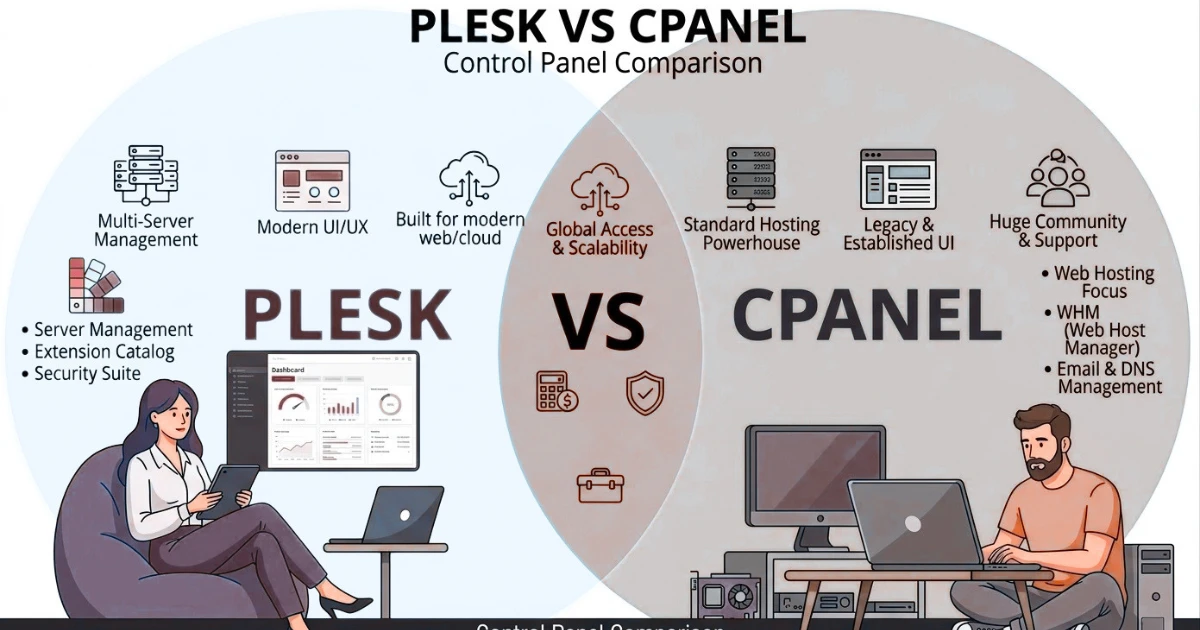
Neither panel fits everyone. These scenarios show where each one tends to align.
Plesk for Agencies and Multiple Websites
Plesk’s subscription model and site-first layout suit agencies and developers who manage many projects in one environment. Service plans help apply consistent limits, and WP Toolkit helps with many WordPress sites. If organization and multi-site management drive your decision, Plesk deserves a look. It is not the right choice for every agency, though, especially if your provider or team already works well with cPanel.
cPanel for Linux Hosting Users
cPanel makes sense for Linux hosting when you want a familiar environment. It is widely offered across Linux hosting services, so many people already know how it works, and providers often have documentation and support built around it. A practical example is cPanel hosting. Familiarity and provider availability are good reasons to choose it, but popularity alone is not a reason.
Plesk for Windows Server Hosting
When your project needs Windows Server, Plesk becomes the relevant option. This applies to businesses and developers running ASP.NET, Microsoft SQL Server, or other Windows-based technologies. Before choosing, confirm your application and hosting requirements. If you are looking at Windows hosting, check which control panel the plan includes. If a site is built only on WordPress, Linux hosting is often the simpler route, so avoid assuming Windows is required.
How to Choose Between Plesk and cPanel
- Check your server operating system. The panel must support the OS your hosting environment uses. Windows Server narrows the choice to Plesk.
- Consider your technical experience. Pick an interface that makes everyday management comfortable for you, and try a demo if your provider offers one.
- List the features you need. Write down the website, email, database, WordPress, security, and server tools you actually use, then check them against your plan.
- Consider the number of websites. Think about how easily you can manage several sites from the same dashboard.
- Check hosting compatibility. Make sure your provider supports the panel you want. On shared hosting, the provider usually decides.
- Compare licensing costs. On your own VPS or dedicated server, the panel may add a separate license. Check current pricing from the official sources.
- Think about future needs. Choose a panel that can support your websites and server as they grow.
The right answer depends on your environment and requirements, not on a universal winner.
FAQs
Can I switch from cPanel to Plesk without changing my hosting provider?
Only if your provider offers Plesk. On shared hosting, the provider decides the panel. On a server you control, the two panels are not designed to run together, so switching usually means a fresh OS install or new server, migrating accounts, and buying a license. Check OS compatibility, migration tools, and cost first.
Can I use Plesk or cPanel without a VPS?
Yes. On shared hosting, the provider installs and manages the panel and you get a user-level view. Installing a panel yourself needs a server with root access, such as a VPS or dedicated server, plus a license.
Do Plesk and cPanel come with web hosting?
It depends on the provider and plan. Many shared plans include a panel in the price. On a VPS or dedicated server, the panel may be an optional add-on with its own license.
Can I manage more than one website from cPanel or Plesk?
Yes, in both. Plesk manages several domains and subscriptions from one dashboard. cPanel can host additional domains under one account, or separate accounts through WHM. Plan limits and provider settings affect the experience. Agencies may also compare reseller hosting for separate client accounts.
Do I need a control panel if I use managed hosting?
Managed hosting often covers server tasks such as updates, security patching, and monitoring. A control panel is still useful for managing websites, domains, email, and databases day to day. Some managed plans use a custom dashboard, so check what you get.
Can I install a control panel on an existing VPS?
Sometimes. Check OS compatibility, the panel’s server requirements, existing software, licensing, and backups. cPanel’s installer expects a fresh operating system, and a web stack or another panel already on the server can cause conflicts. A clean server is often the safer route.
Ready to Choose Your Hosting Control Panel?
Plesk vs cPanel is not a contest with one winner. Both can make hosting easier to manage, and the better choice depends on your server environment, website requirements, technical experience, number of websites, management tools, compatibility with your provider, overall cost including licensing, and future requirements. Write down your operating system, site count, and must-have features before you decide.
If you plan to run your own server, a VPS gives you the root access these panels need, and you can choose the operating system and control panel that fit your project. Check which options each plan supports before you order.