Domain SearchInstantly check and register your perfect .pk or international domain
 Web HostingGet a .pk domain for as low as PKR 467
 cPanel HostingUser-friendly hosting powered by cPanel
 Reseller HostingLaunch your own hosting business with minimal technical requirements
 Windows HostingOptimized for Windows-based applications and websites
 Affiliate ProgramEarn referral commissions by promoting our services
 WordPress HostingFast & Reliable WordPress Hosting
 Domain TransferMigrate your existing domain seamlessly with zero downtime.
 All DomainsAccess 324+ top-level domains (TLDs) worldwide from a single platform
 Whois LookupIdentify the owner of any domain using our whois and rdap lookup tool
 Managed VPS Hosting
 AI Website BuilderCreate beautiful websites effortlessly using intuitive drag-and-drop features
 Online ShopLaunch a professional online shop with no technical skills required
 BlogDiscover expert guides on hosting, websites, SEO, and digital growth strategies
 ContactGet instant assistance via live chat or email
 SupportAccess help articles, tutorials, and service documentation
 SSL CertificatesEncrypt data, build trust, and boost SEO.
If you are running OpenClaw and want it available around the clock, you need somewhere reliable to run its Gateway, the always-on process that connects to your messaging apps, runs your agent, and keeps everything working while your laptop is closed. Two options come up constantly: a VPS (a virtual server hosted by a provider) or a Mac Mini (a small, energy-efficient physical computer you own and control).
The fundamental difference is straightforward. A VPS gives you a remotely hosted computing environment that a hosting provider manages at the infrastructure level, while a Mac Mini gives you physical ownership and direct control over the actual hardware sitting in your home or office. Neither one is automatically the right answer for every OpenClaw user. The better choice depends on your workload, your technical comfort level, your budget, how important uptime is to you, your remote-access needs, your security and privacy priorities, whether you specifically need physical hardware, and how much you expect your setup to grow.
This comparison walks through both options across the factors that actually matter for running OpenClaw day to day, so you can weigh them against your own situation rather than someone else’s.
Already leaning toward a VPS? Compare Linux VPS Plans with Truehost Pakistan
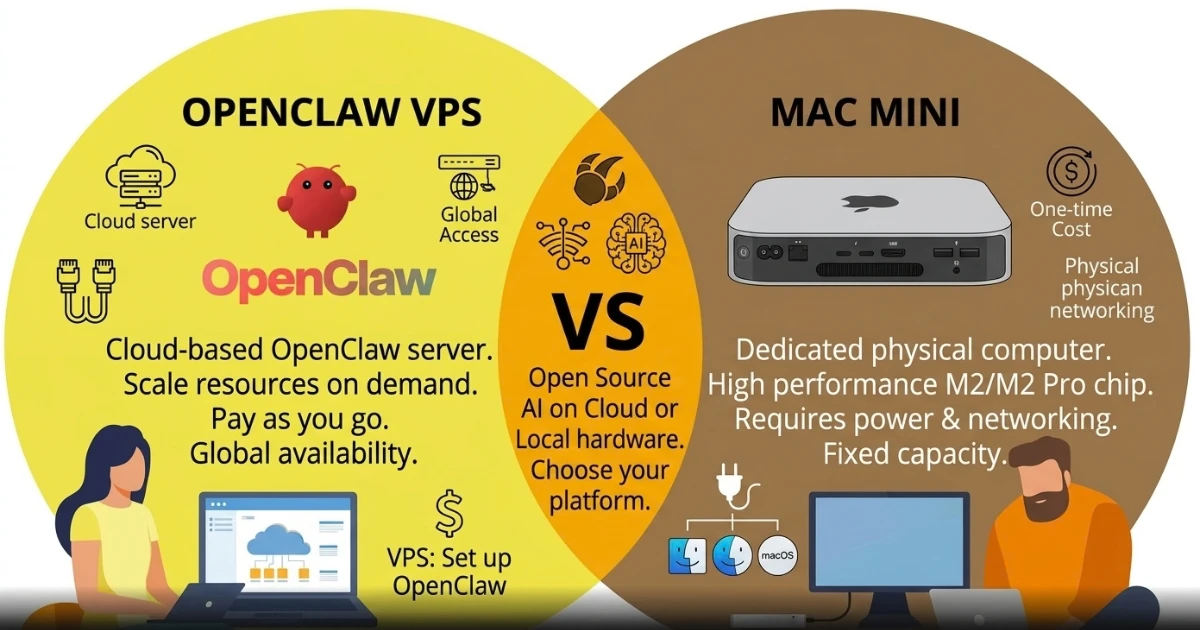
Quick Comparison: OpenClaw VPS vs Mac Mini
| Factor | OpenClaw VPS | Mac Mini |
|---|---|---|
| Initial Cost | Lower upfront cost | Higher upfront hardware cost |
| Performance | Depends on VPS resources | Depends on Mac Mini model |
| Remote Access | Available remotely | Requires remote-access setup |
| Maintenance | Provider handles physical infrastructure | You manage the physical device |
| Uptime | Designed for continuous hosting | Depends on power and internet connection |
| Scalability | Easy to upgrade resources | Requires hardware replacement or additional devices |
| Physical Control | No physical access | Full physical access |
| Best For | Always-on remote hosting | Users who want local hardware control |
OpenClaw VPS vs Mac Mini: Key Differences
1) Performance and Computing Resources
OpenClaw’s resource needs depend entirely on the workload. A lightweight Gateway handling one channel needs far less than a setup running multiple channels, browser automation, or several concurrent agent tasks. Community guidance treats around 2 vCPUs and 4 GB RAM as a reasonable starting point for a single-user API-based Gateway, with more headroom (commonly 4 vCPUs and 8 GB or more) recommended for browser automation or heavier concurrency. These are practical starting points, not official fixed requirements.
A VPS gives predictable, dedicated resources sized to your plan, useful for long-running workloads. A Mac Mini’s performance depends on the specific model and configuration you own. Neither is inherently faster; it comes down to matching resources to your actual workload.
2) Cost of Running OpenClaw
The financial shape differs fundamentally: paying for infrastructure as a service versus owning it yourself. A VPS means a recurring monthly cost tied to your chosen resources, plus possible extras like backups or bandwidth. A Mac Mini means an upfront hardware purchase, ongoing electricity, internet, possibly backup power, and eventual hardware replacement.
Neither option is always cheaper. It depends on how long you will run OpenClaw, whether you already own a suitable Mac Mini, your electricity costs, and how much maintenance you’re willing to handle yourself. An already-owned Mac Mini can be genuinely low-cost; buying one specifically for this purpose is a real expense a modest VPS plan may undercut for a while.
3) Reliability and Uptime
A VPS runs inside a data centre, so it doesn’t depend on your home electricity or broadband. A Mac Mini’s reliability depends entirely on your own power, internet, and router. That said, a VPS isn’t immune to downtime either: providers still have maintenance windows, outages, and configuration issues of their own.
If you need strict always-on availability, evaluate the whole chain, power, internet, router, and machine, rather than just the computer’s specs. A Mac Mini with a UPS, a stable connection, and correct power settings can run reliably for a long time; it just takes active upkeep rather than relying on a provider’s infrastructure.
4) Remote Access and Availability
On a VPS, remote access is standard: SSH into the server directly, and OpenClaw’s own Gateway can be reached remotely once configured. A Mac Mini needs more deliberate setup. OpenClaw’s Gateway binds to loopback by default, so it only listens locally unless you set up an SSH tunnel, Tailscale, or similar private networking. Exposing it directly to the public internet without proper authentication isn’t something to do carelessly.
Worth clarifying: the Gateway is where your agent lives, owning sessions and credentials, while a node is a connected device providing local capabilities (camera, screen) without being the Gateway itself, relevant later in the hybrid setup.
5) Security and Privacy
Both setups put real responsibility on you, just in different places. On a VPS, that’s OS updates, firewall configuration, SSH security, access controls, and monitoring, on top of what the provider handles physically. On a Mac Mini, that’s macOS updates, user accounts, remote access security, local network security, and physical access control.
Either way, you’re protecting the same things: credentials, API keys, tokens, personal data, and browser sessions if using automation. OpenClaw’s own security guidance treats the Gateway host as a trust boundary, since a compromised Gateway can reach anything connected to it. Neither option is automatically more secure; it comes down to configuration. On a VPS, it’s worth reviewing your provider’s server security options from the start.
6) Maintenance and Technical Management
A VPS provider manages the physical server and data centre, but depending on your plan, you may still handle OS updates, OpenClaw updates, backups, monitoring, and troubleshooting yourself. A managed plan shifts more of this to the provider; unmanaged leaves most of it with you.
A Mac Mini puts all of this on you: macOS updates, hardware upkeep, power and network maintenance, backups, and physical troubleshooting, since there’s no provider layer involved. Owning the hardware means more direct control, but genuinely more day-to-day responsibility. If you’re weighing managed and unmanaged VPS options, it’s worth being honest about how much of this you actually want to take on.
7) Scalability and Future Growth
A VPS usually offers a more straightforward growth path: upgrading CPU, RAM, storage, or bandwidth, or moving to a larger VPS plan, without replacing hardware. What’s actually available depends on your provider, and upgrades aren’t always instant or unlimited.
A Mac Mini has fixed capabilities from day one. Outgrowing it means replacing it, adding a second device, or shifting to a hybrid setup, all more friction than clicking upgrade on a VPS panel.
8) Internet and Power Requirements
A VPS relies on the data centre’s power and connectivity, maintained by the provider. A Mac Mini relies on your own electricity, internet, router, and cooling, with power cuts, router failures, and ISP outages all directly affecting it in ways they don’t affect a properly configured VPS.
A UPS, a reliable internet plan, and sensible sleep settings can meaningfully improve a local setup’s uptime. None of this means a Mac Mini needs a static public IP for normal use; that depends on how you’ve configured remote access or DNS, not on running OpenClaw itself.
When Should You Choose an OpenClaw VPS?
A VPS tends to make sense when you:
- Want OpenClaw running continuously without babysitting local hardware
- Want it remotely accessible without extra setup
- Travel often and need reliable access from wherever you are
- Want predictable infrastructure you’re not personally responsible for maintaining
- Expect your workload to grow over time
- Want to keep OpenClaw separate from your personal computer
- Specifically need a dedicated always-on Gateway
OpenClaw’s own documentation lists a small Linux VPS as its recommended default for an always-on Gateway, citing low cost as one of the main reasons, which lines up with why so many users start here.
When Should You Choose a Mac Mini for OpenClaw?
A Mac Mini tends to make more sense when you:
- Want to physically own the hardware
- Already have a suitable Mac Mini sitting around
- Want direct local hardware access
- Need macOS-specific capabilities
- Want your setup on a residential or local network for specific tasks
- Need direct access to local files or hardware
- Are comfortable managing a physical device yourself
If you go this route, plan around reliable electricity, a stable internet connection, adequate cooling, backup power if needed, secure remote access, and ongoing security upkeep.
OpenClaw doesn’t require a Mac Mini in general. Current documentation confirms it runs on macOS, Linux, and Windows, and a Mac becomes specifically useful mainly for macOS-only tools such as iMessage, which requires being signed into the Messages app on that machine. OpenClaw’s own documentation also notes that dedicated hardware, whether a Mac Mini or a Linux box, can be worth it for a residential IP address in certain browser-automation scenarios, since a number of websites restrict or block traffic coming from known data centre IP ranges, something a VPS’s IP address will typically fall into. This is a real, documented reason to consider local hardware, not a universal rule that applies to every OpenClaw use case.
OpenClaw VPS vs Mac Mini: Which One Is Better?
There isn’t a universal winner here, and treating this as a contest with one correct answer misses the point. The right choice comes down to matching the setup to what you’re actually trying to do.
A VPS tends to suit people who prioritize always-on remote access, general convenience, avoiding physical hardware maintenance entirely, easier resource upgrades as needs change, and infrastructure specifically built for continuous hosting.
A Mac Mini tends to suit people who prioritize physical ownership of their hardware, direct local control, macOS-specific capabilities like iMessage, easy access to local files, a residential or local network presence for certain automation tasks, or who already own suitable Mac hardware and would rather use it than pay for something new.
FAQs
Can OpenClaw run continuously on a Mac Mini?
Yes, provided the machine has stable power and internet, and its sleep and restart settings are configured so it doesn’t drop offline unexpectedly. Preventing the Mac from sleeping and making sure it restarts the Gateway automatically after a reboot matters more than the hardware itself for keeping it genuinely always-on.
Can I access my OpenClaw VPS from my phone?
Yes, typically through OpenClaw’s Control UI dashboard once you’ve set up secure remote access, such as an SSH tunnel or a private networking tool like Tailscale, rather than exposing the dashboard directly to the public internet without authentication. Exactly how you reach it depends on how you’ve configured the Gateway’s binding and authentication settings.
Do I need a static IP address to run OpenClaw on a Mac Mini?
Not universally. Whether you need a static IP depends on how you’ve set up remote access, any domains pointing at the device, and whatever other services you’re layering on top, not on running OpenClaw itself. Plenty of Mac Mini setups run fine on a regular home internet connection without one.
Can I move my OpenClaw setup from a Mac Mini to a VPS later?
Yes. Moving between machines generally involves copying OpenClaw’s state directory and workspace (which together hold your configuration, credentials, sessions, and agent files) after stopping the Gateway on the old machine first, then restoring them on the new one. Back up your state, workspace, configuration, and credentials before starting, and check OpenClaw’s current documentation for the exact steps, since the specifics can change between releases.
Can I run other applications alongside OpenClaw on a VPS or Mac Mini?
Yes, both environments can run other software, but available CPU, RAM, and storage, along with how well-isolated your processes are from each other, determine how well that actually works in practice. Running unrelated, resource-heavy applications on the same machine as a production OpenClaw Gateway can create resource contention or, in the worst case, security conflicts between applications. For anything production-critical or handling sensitive data, dedicated resources or a separate environment are generally worth the extra cost.
What should I back up when running OpenClaw on either setup?
At minimum, back up OpenClaw’s state directory (configuration, authentication, and session data) and your workspace (the files your agent actually works from). Depending on your specific setup, this may also include channel-specific login state and any application-specific data your integrations depend on. Store these backups securely rather than in plain, easily accessible locations, since they can contain credentials and authentication tokens.
Ready to Host OpenClaw on a VPS?
Choosing between an OpenClaw VPS and a Mac Mini really comes down to how you want to operate your setup day to day. A VPS gives you a remotely hosted environment without requiring you to maintain physical hardware yourself. A Mac Mini gives you direct ownership and physical control, along with macOS-specific capabilities a VPS can’t offer on its own.
Before deciding, weigh your budget, your actual workload, how strict your uptime requirements are, your remote-access needs, your comfort with server administration, your security and privacy priorities, whether you genuinely need local hardware, how much growth you’re expecting, and whether you have any macOS-specific requirements like iMessage. And remember the hybrid option exists for anyone whose needs span both worlds: a VPS running the Gateway, with a Mac connected as a node for the local capabilities only a physical Mac can provide.
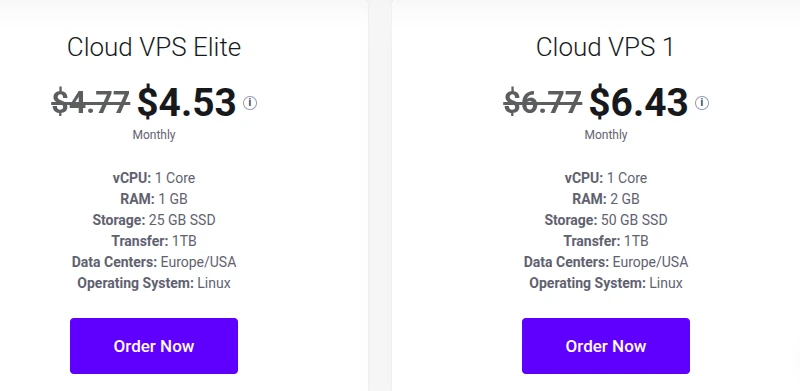
If remote server management and Linux VPS hosting sound like the right fit for your OpenClaw Gateway, it’s worth comparing plans against your actual resource needs rather than guessing.
Explore VPS Hosting with Truehost Pakistan