Domain SearchInstantly check and register your perfect .pk or international domain
 Web HostingGet a .pk domain for as low as PKR 467
 cPanel HostingUser-friendly hosting powered by cPanel
 Reseller HostingLaunch your own hosting business with minimal technical requirements
 Windows HostingOptimized for Windows-based applications and websites
 Affiliate ProgramEarn referral commissions by promoting our services
 WordPress HostingFast & Reliable WordPress Hosting
 Domain TransferMigrate your existing domain seamlessly with zero downtime.
 All DomainsAccess 324+ top-level domains (TLDs) worldwide from a single platform
 Whois LookupIdentify the owner of any domain using our whois and rdap lookup tool
 Managed VPS Hosting
 AI Website BuilderCreate beautiful websites effortlessly using intuitive drag-and-drop features
 Online ShopLaunch a professional online shop with no technical skills required
 BlogDiscover expert guides on hosting, websites, SEO, and digital growth strategies
 ContactGet instant assistance via live chat or email
 SupportAccess help articles, tutorials, and service documentation
 SSL CertificatesEncrypt data, build trust, and boost SEO.
Once you find a domain you want to buy, or want to research a competitor, or even are checking an existing domain and want to know how old it is, a domain age checker is the tool for the job.
A domain name age checker retrieves a domain’s registration or creation date and uses it to calculate the domain’s age.
Depending on the tool, you may also get other registration details, such as the expiry date, registrar, nameservers, domain status, and last update.
This can be useful if you’re planning to start a web hosting business in Pakistan, considering an existing domain, researching a competitor, or checking a domain before registering it.
A quick lookup can tell you when the domain was first registered without having to guess from the age of the website itself.
We’ve rounded up 16 domain name age checkers worth trying, starting with our own Truehost Domains WHOIS Lookup.
Domain Name Age Checkers
1) Truehost Domains WHOIS Lookup
Our Truehost Domains WHOIS Lookup lets you check available WHOIS/RDAP information for a domain, including its registration date, expiry date, registrar, nameservers, and domain status.
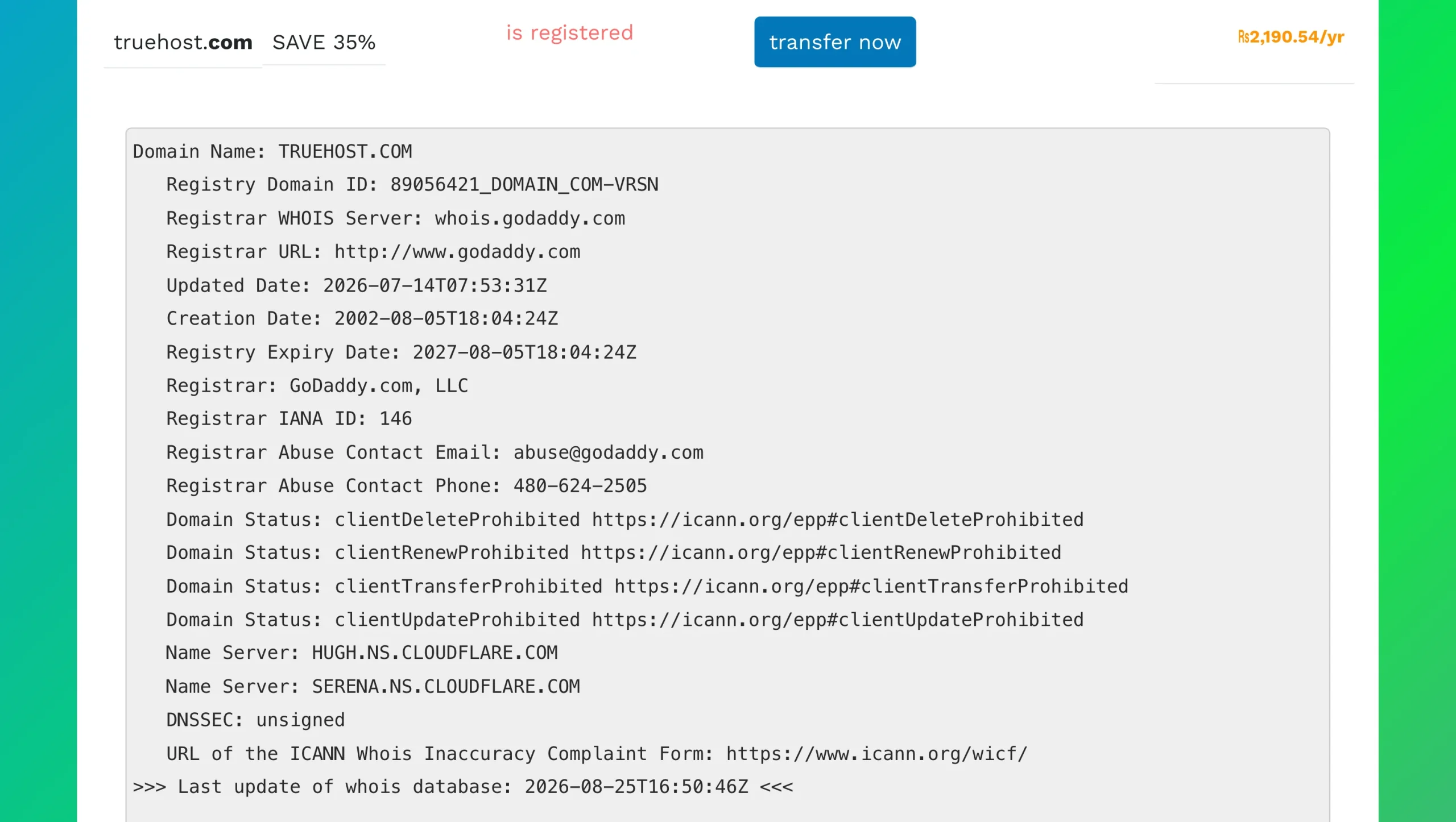
That means you can check the domain’s age while also seeing the registration information behind it.
This can be useful if you’re researching a domain you want to buy, register, manage, or simply learn more about.
If you are in Pakistan, it also gives you a convenient way to check available registration information for domains you’re considering. You can check your domain with our Truehost Domains WHOIS Lookup and review the available registration details.
2) WhatIsMyDNS Domain Age Checker
WhatIsMyDNS provides a quick domain-age lookup showing the creation date and calculated age.
It also displays information such as the expiry date, registrar, nameservers, DNSSEC, and other WHOIS-related details. So, if you only need a quick answer to a domain age, you can get it without sorting through a long registration record.
That way, WhatIsMyDNS becomes a handy option for fast, straightforward domain-age checks.
3) Zoho Domain Age Checker
Zoho shows domain registration information, including creation and expiry dates.
The tool can also provide details such as recent updates, registrar information, and nameservers. That makes it useful if you want to see more than just the age of a domain while doing some basic registration research.
You can also use the basic checker without creating an account, which is convenient if you only need to check a domain occasionally.
4) SE Ranking Domain Age Checker
SE Ranking combines domain-age information with additional SEO data, making it more useful for competitor and website research.
You can check details such as a domain’s creation date, expiration date, registrar, and last-update date. The tool also supports checking multiple domains (up to 5 domains), which is handy when you’re comparing several competitors or potential domain names.
It can also connect domain-age research with estimated organic and paid traffic information.
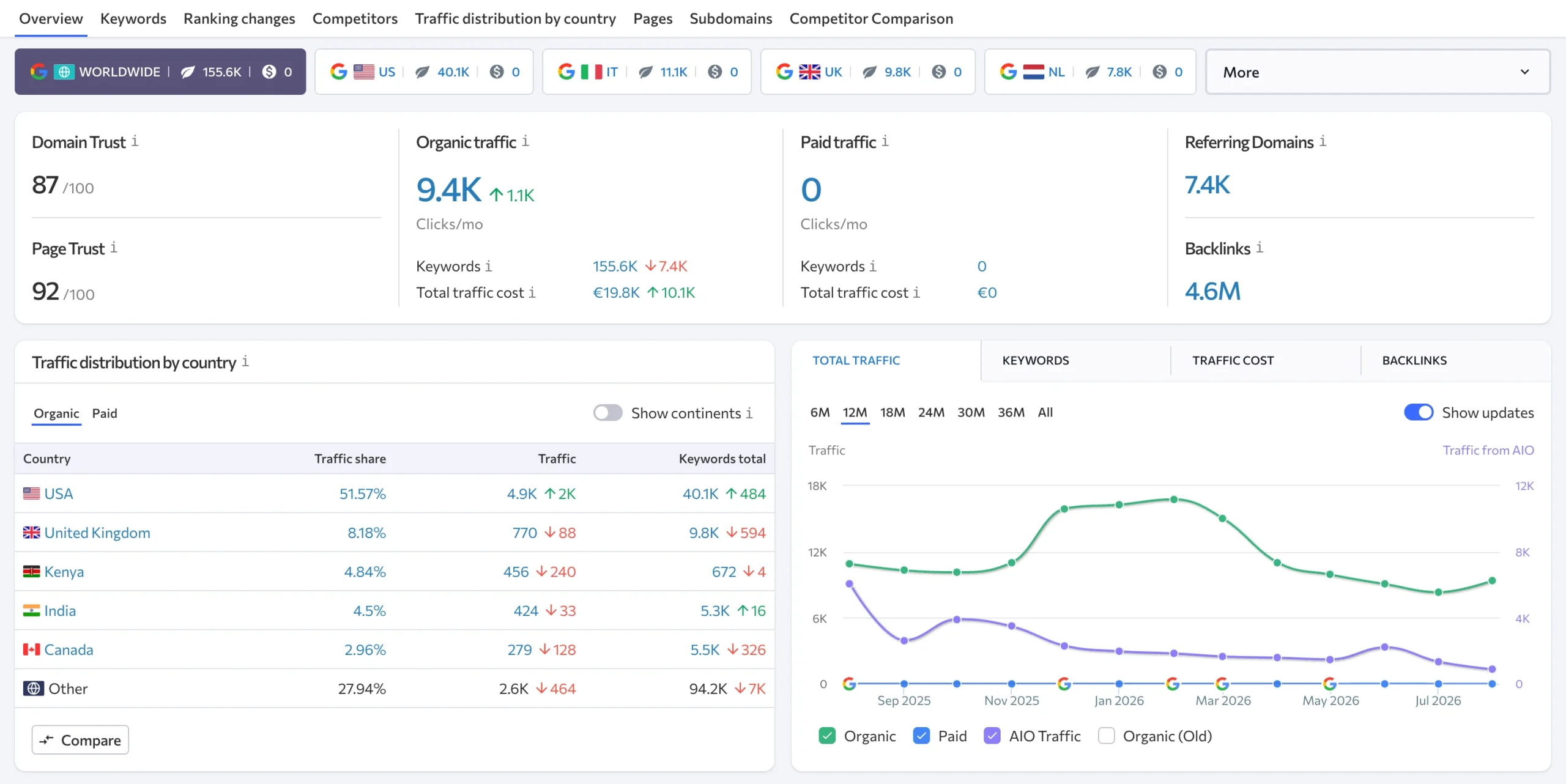
If you’re already doing SEO research, having these details together can save you from running separate searches.
5) Apify Domain Age & WHOIS Checker
Apify takes domain-age checking in a more technical direction.
Its Domain Age & WHOIS Checker uses RDAP data to retrieve domain registration details and calculate the domain’s age. Depending on the available information, you can get details such as the registration date, expiry date, registrar, and nameservers.
The tool also supports bulk processing and structured data extraction. If you have a large list of domains to check, you can automate the process instead of entering them individually.
So, Apify is particularly useful for developers, agencies, and anyone carrying out automated or large-scale domain research.
6) Domainyze Domain Age Checker
Domainyze calculates a domain’s age and presents it using maturity categories, making the result easy to read at a glance.
Along with the calculated age, the tool can place domains into categories such as Brand New, Young, Established, and Aged.
These categories can make a quick comparison easier, but they shouldn’t be treated as a measure of a domain’s quality. An old domain can still have a poor history or weak backlink profile.
For a quick look at how long a domain has been around, Domainyze keeps the result easy to interpret.
7) NextGrowth Labs Domain Age Checker
NextGrowth Labs combines registration dates with additional information such as traffic estimates.
The tool can show registration and expiry information and supports checking multiple domains. This can save time if you’re comparing several competitor websites or looking through a list of domains for a new project.
Having traffic estimates alongside domain age can also give you another data point for your research, particularly if you’re comparing several domains rather than checking just one.
8) DupliChecker Domain Age Checker
DupliChecker offers a simple and direct lookup for checking a domain’s registration and age information.
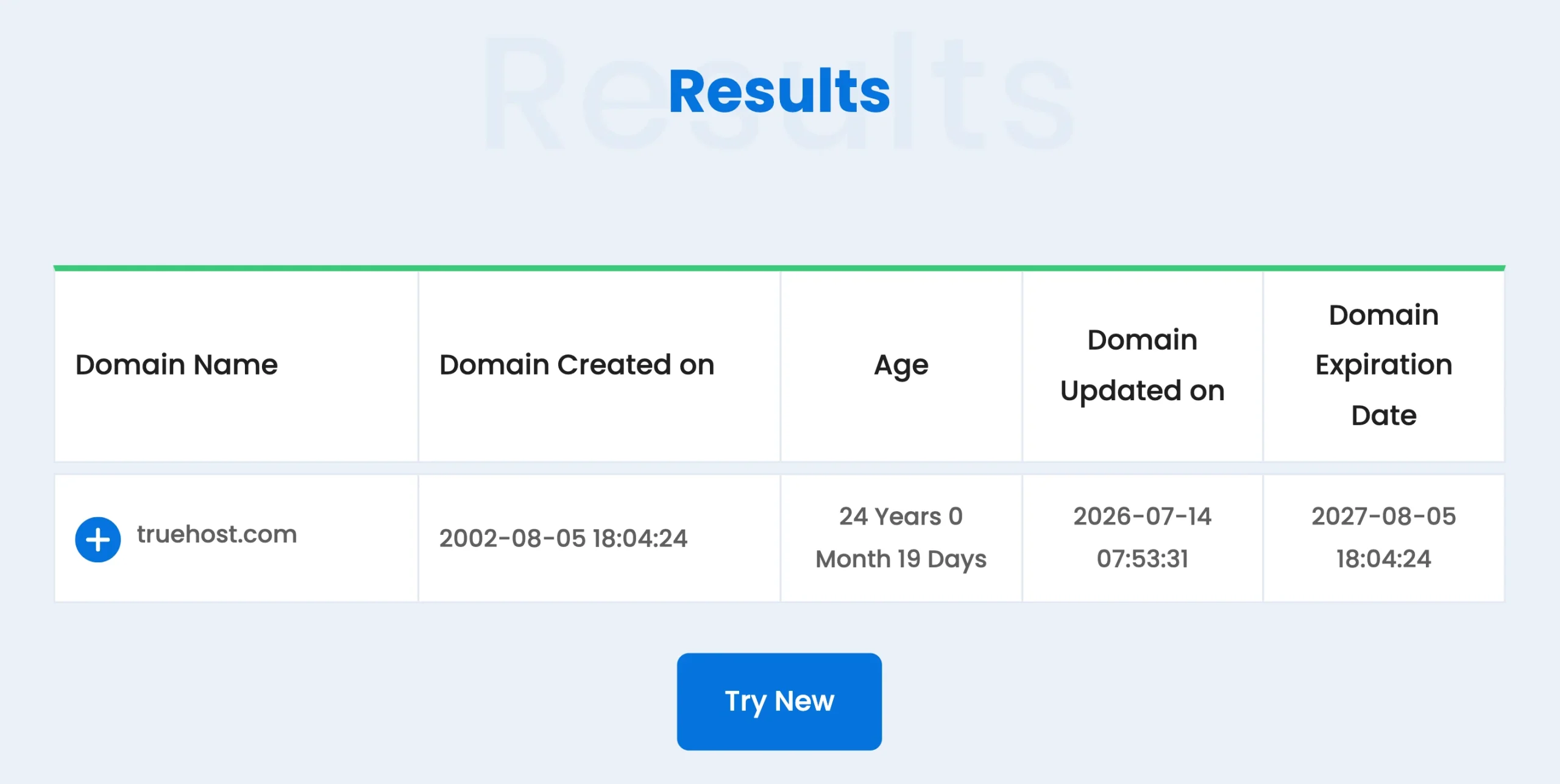
It’s aimed at people who want to enter a domain name and quickly retrieve registration-related details without using a technical WHOIS command or a larger SEO platform.
If you’re only checking a domain occasionally, that simple approach can be enough. You can use it for basic domain-age research without needing a more specialized tool.
9) Website SEO Checker Domain Age Checker
Website SEO Checker provides domain-age information as part of its wider collection of SEO tools.
This way, it’s useful if you’re already researching a website’s SEO performance and want to include domain age among the information you’re collecting.
Instead of using a standalone age checker and then moving to another SEO tool, you can keep this part of the research within the same platform.
10) SaaSKevin Domain Age Checker
SaaSKevin presents domain registration dates and age in a visual timeline.
The tool can show the registration date, domain age, last update, and expiration date. The timeline gives you a quick visual view of the domain’s registration period, which can be easier to scan than a standard list of dates.
If you prefer seeing registration information visually rather than reading through a block of dates, SaaSKevin offers a useful alternative.
11) UpVPN Domain Age Checker
UpVPN provides a simple way to look up a domain’s age and related registration information.
It’s useful when you already have a domain name and want a quick answer without going through a full SEO platform or a technical registration lookup.
For a one-off check, a lightweight tool like this can be enough to find the registration age and related information you need.
12) DomainAide Domain Age Checker
DomainAide focuses on calculating a domain’s exact age, including the years, months, and days since registration.
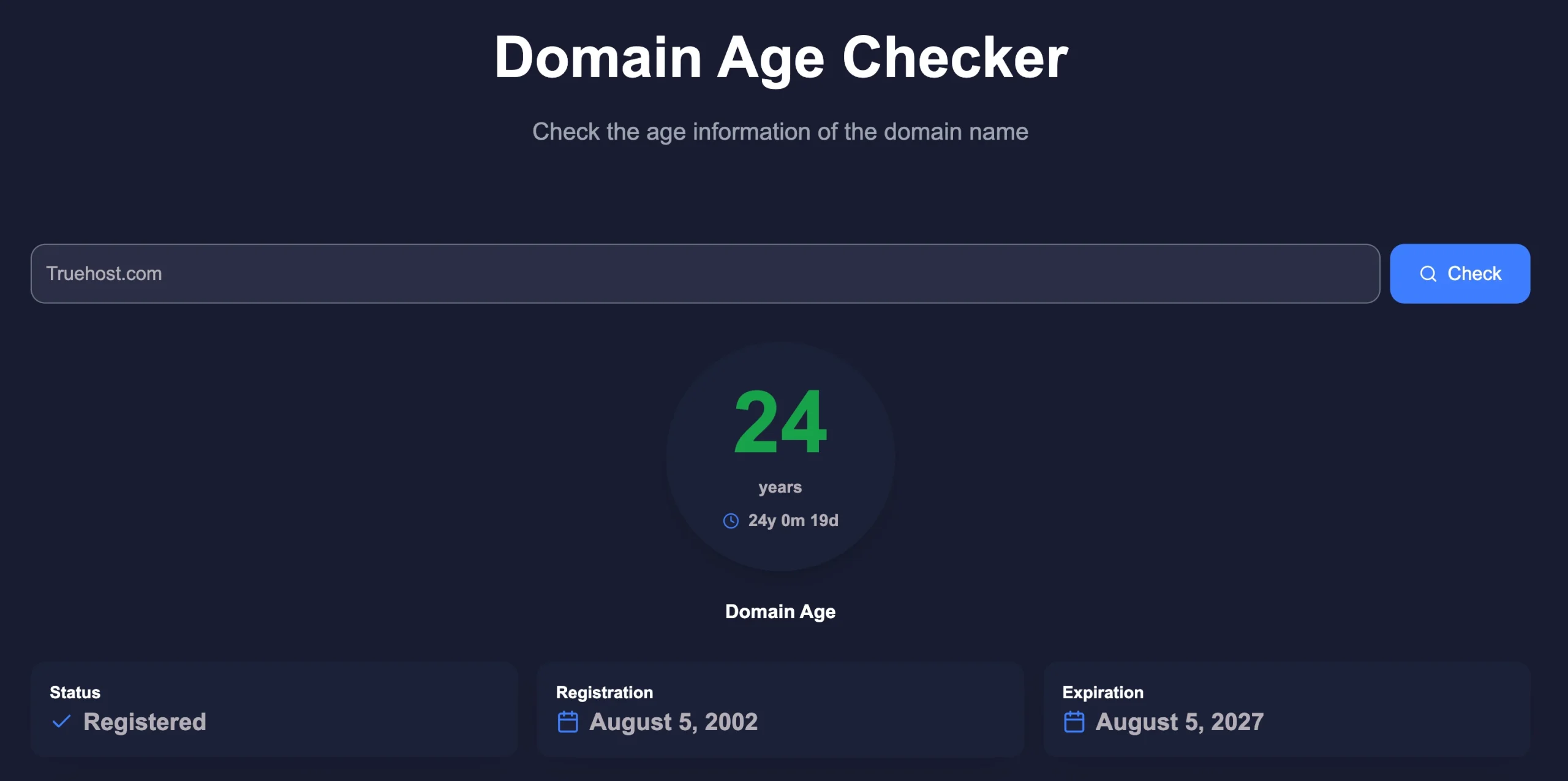
Instead of leaving you to work out the difference between the creation date and the current date yourself, the tool gives you the elapsed age directly.
That can be useful when a precise age is more helpful than simply knowing that a domain is “old” or “new.”
13) Tenet Domain Age Checker
Tenet provides domain-age and registration information through a simple online lookup.
The tool is designed for quick domain research and can help you find when a domain was registered and how long it has been registered.
It’s a useful first step if you’re doing preliminary research and plan to check the domain’s history in greater detail later.
14) Whois.is
Whois.is is a broader WHOIS lookup service rather than an age calculator alone.
It can provide registration, registrar, nameserver, and other available domain information. That makes it useful if you want to look beyond the age figure and inspect the registration record itself.
For someone researching a domain before buying it, those additional details can be useful alongside the creation date.
15) SeekaHost WHOIS Lookup
SeekaHost provides a WHOIS lookup that can help you find a domain’s registration date and other registration details.
It is useful when your research has moved beyond the basic question of how old a domain is and you want to inspect the available registration information.
A WHOIS lookup can give you a better starting point for further domain research, particularly if you need information beyond the calculated age.
16) ICANN Lookup
ICANN Lookup provides access to domain registration information through RDAP, the modern successor to WHOIS for gTLD registration data.
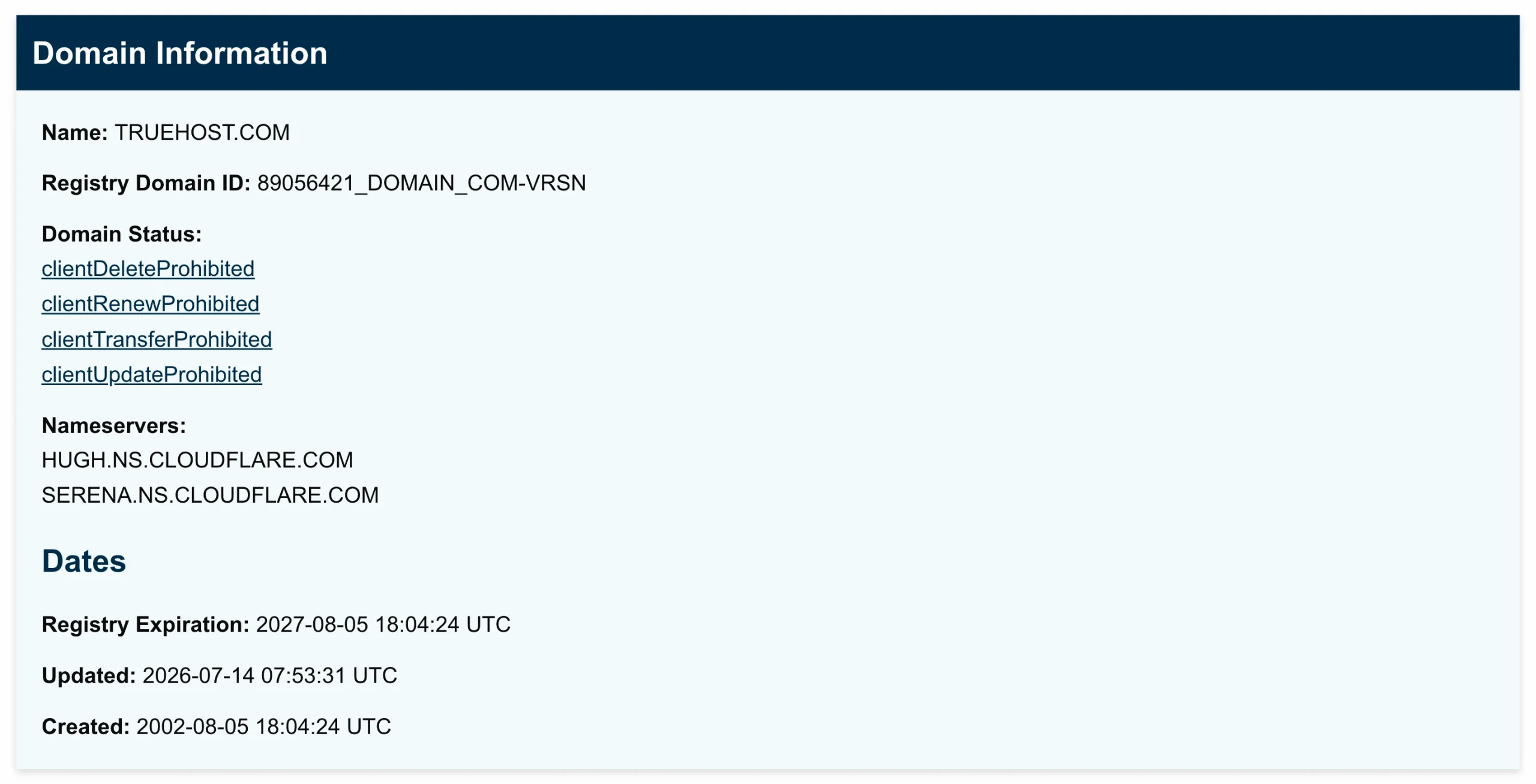
ICANN’s RDAP lookup service provides access to current registration data through an ICANN-provided service. It is free to use through a web browser.
It may be more than you need for a quick age check, but it can be useful when you want to check registration information through an official ICANN service.
What Does a Domain Name Age Checker Really Tell You?
This is what the data shows:
- Creation Date: The exact calendar day the URL was purchased.
- Lifespan Duration: The total time passed since registration in years, months, and days.
- Expiration Date: When the current registration period ends.
- Update Records: When ownership or nameservers last changed.
- Registrar Info: The company that manages the domain lease.
The most important result is the creation or registration date. This is the date used to calculate the domain’s age. Depending on the tool, you may also see the nameservers and domain status.
There is one point that’s easy to miss: domain age is not the same as website age.
A domain registered in 2010 could have been unused for several years. It could have been parked, hosted different websites, or changed owners during its lifetime.
The registration date tells you how long the domain has existed in the registration system, not how long the current website has been online.
The same applies to SEO.
An older domain isn’t automatically more authoritative or better for rankings. Age can give a domain more time to build useful signals, such as quality backlinks and relevant content, but those things aren’t guaranteed simply because the registration date is old.
If you’re evaluating a domain seriously, look beyond its age. Check its website history, backlink profile, previous use, and other available information before deciding to buy it.
Why Use Truehost Domain Name WHOIS Checker?
If you simply want to know how old a domain is, a basic domain name age checker may be enough.
But if you also want to inspect the registration details behind that age, a WHOIS/RDAP lookup is more useful.
If you’re in Pakistan and want to check a domain’s registration information, our Truehost’s Domains WHOIS Lookup provides a simple and direct way to look up available WHOIS/RDAP data.
You can check information such as the domain’s registration date, expiry date, registrar, nameservers, and domain status.
So, instead of looking at the age alone, you can see the registration details that help put that age into context.
Check your domain with Truehost’s Domains WHOIS Lookup.