Domain SearchInstantly check and register your perfect .pk or international domain
 Web HostingGet a .pk domain for as low as PKR 467
 cPanel HostingUser-friendly hosting powered by cPanel
 Reseller HostingLaunch your own hosting business with minimal technical requirements
 Windows HostingOptimized for Windows-based applications and websites
 Affiliate ProgramEarn referral commissions by promoting our services
 WordPress HostingFast & Reliable WordPress Hosting
 Domain TransferMigrate your existing domain seamlessly with zero downtime.
 All DomainsAccess 324+ top-level domains (TLDs) worldwide from a single platform
 Whois LookupIdentify the owner of any domain using our whois and rdap lookup tool
 Managed VPS Hosting
 AI Website BuilderCreate beautiful websites effortlessly using intuitive drag-and-drop features
 Online ShopLaunch a professional online shop with no technical skills required
 BlogDiscover expert guides on hosting, websites, SEO, and digital growth strategies
 ContactGet instant assistance via live chat or email
 SupportAccess help articles, tutorials, and service documentation
 SSL CertificatesEncrypt data, build trust, and boost SEO.
Linux VPS vs Windows VPS is the one decision that quietly shapes your server bill, your app’s speed, and how much control you get once you hit checkout.
It looks like a small dropdown menu. It isn’t.
Choose an operating system that doesn’t fit your app, and you could end up paying for a Windows license you never needed. Go with Linux for a Microsoft-based application, and you may hit a wall as soon as your developer mentions ASP.NET or Microsoft SQL Server.
If you’re probably about to checkout and need to choose an OS right now, better leave it at that first and go through this guide so you can make the best choice that will serve you long-term.
Linux VPS vs Windows VPS Comparison
| Feature | Linux VPS | Windows VPS |
|---|---|---|
| License cost | Free | Paid (Microsoft license) |
| Starts from | ₨1,913.54/mo | ₨450.12/mo |
| Best for | PHP, WordPress, Node.js, Python | ASP.NET, .NET Core, MSSQL |
| Managed via | Terminal (SSH), or a panel like cPanel | Remote Desktop (RDP), GUI |
| Control panel | cPanel, Webmin, or CLI-only | Plesk (standard) |
| Audience | Cost-conscious teams already comfortable with Linux | Windows-native teams, or apps tied to Microsoft tech |
The table gives you the quick answer, but your application’s technology stack should have the final say. Here’s how the two options compare across the areas you’re most likely to care about.
1) Ease of Use
Linux can take a little longer to get comfortable with if you’ve never managed a server or used a command line before.
A lot of everyday administration happens through SSH and the command line, although you can use a control panel such as cPanel or Webmin for a more visual experience.
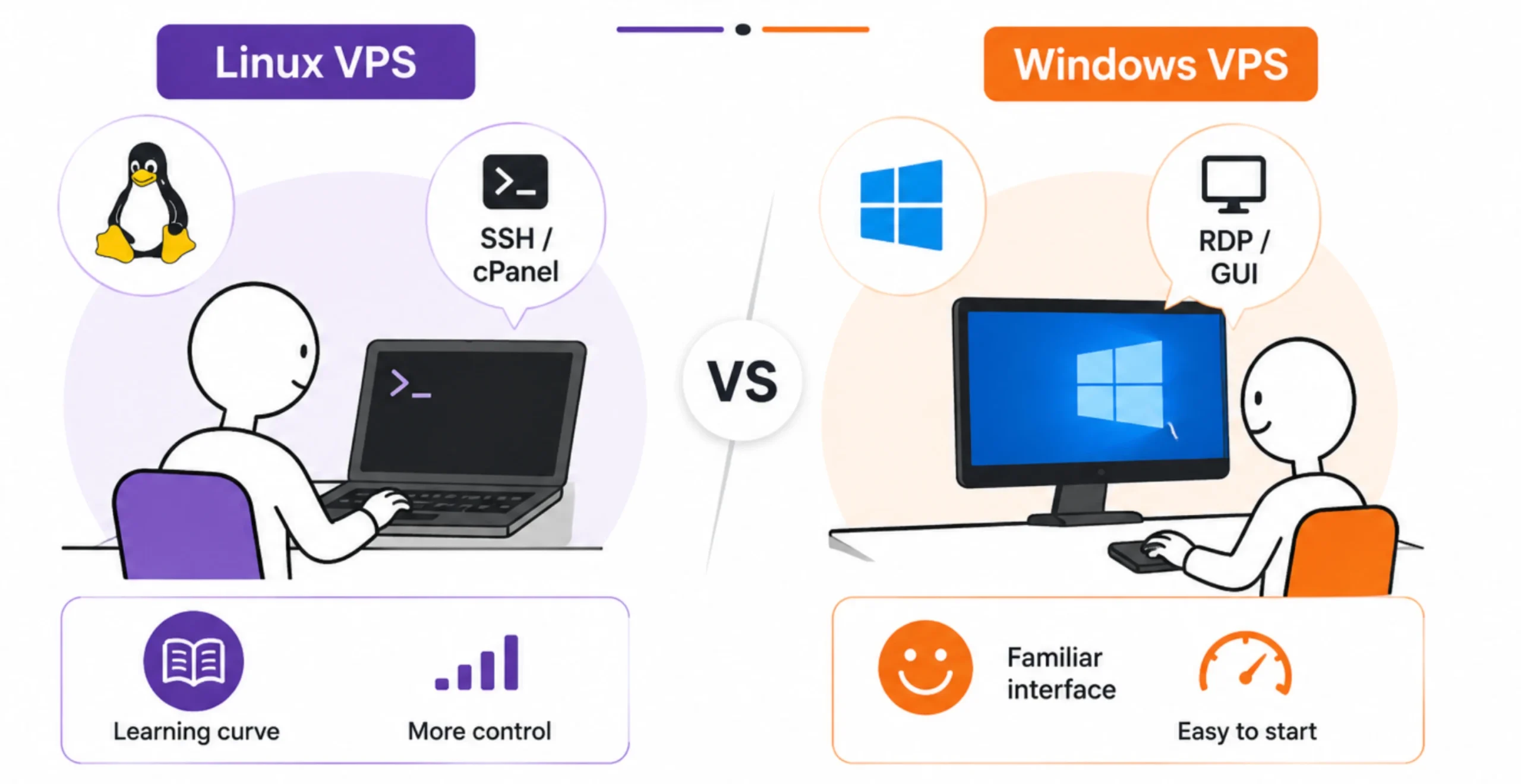
Once you get used to it, server commands become routine. But there is a learning curve at the beginning, particularly if you’re managing the VPS yourself.
Windows VPS is more familiar from the start for people who already use Windows computers.
You connect through Remote Desktop Protocol (RDP) and get a graphical desktop, so files, settings, and applications can be managed through a familiar point-and-click interface.
That can make Windows a simpler starting point for non-developers and a team that doesn’t have much Linux experience nor dedicated server admins.
2) Performance and Overhead
Your VPS has a fixed amount of CPU and RAM, so you want as much of those resources as possible available for your application.
Linux generally has a lighter resource footprint. Without a graphical desktop and with fewer background services running by default, more of the VPS resources can go toward your website, database, API, or other application.
Windows Server typically uses more resources for its operating environment, especially when a graphical interface is running. That doesn’t make Windows slow, but it can mean you need more RAM to achieve the same level of responsiveness for some workloads.
For smaller applications where every bit of RAM counts, Linux can therefore offer a practical performance advantage.
3) Software Compatibility
This is probably the biggest factor in your decision.
Linux is a natural fit for popular open-source stacks such as:
- PHP and Laravel
- Node.js
- Python and Django
- WordPress
- MySQL
- PostgreSQL
If your website or application uses one of these technologies, Linux is usually the direct choice. Most hosting documentation, development tools, tutorials, and deployment guides for these stacks also assume a Linux environment.
Windows VPS has its own strong use case. If your application depends on Microsoft’s ecosystem, Windows may be required.
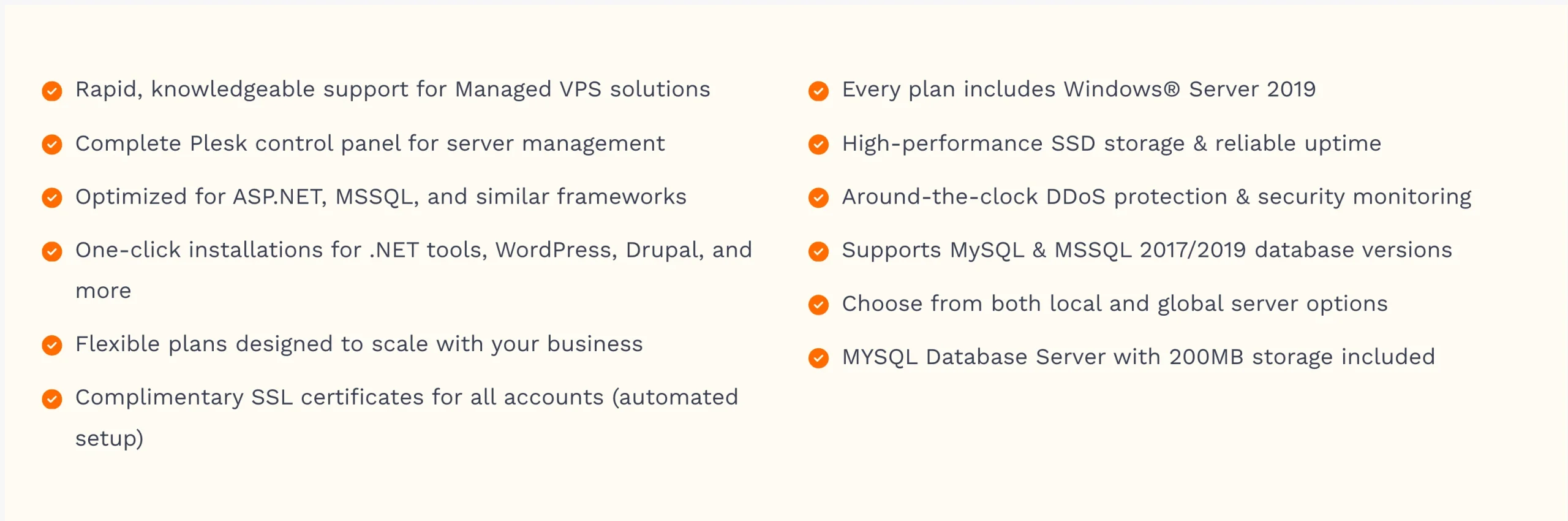
This includes:
- ASP.NET applications
- .NET Core applications running on IIS
- Microsoft SQL Server (MSSQL)
- Classic ASP
- Applications tied to Microsoft Exchange or Active Directory
In these cases, choosing Linux simply because it costs less can create more work later. The technology your application needs should come first.
4) Security and Patching
Security isn’t decided by the operating system name alone. Both Linux and Windows servers need regular updates, proper configuration, strong authentication, firewall rules, backups, and ongoing maintenance.
Linux distributions receive frequent security updates, and many offer tools that make automated patching easy.
Windows Server also receives regular security updates through Microsoft’s update system.
Some Windows updates require a scheduled reboot, which means you’ll need to plan maintenance windows to avoid unexpected disruption.
Linux can often go longer between reboots, although some kernel or system updates may still require one.
So rather than asking which OS is automatically secure, look at how the VPS will be managed after you deploy it. A well-maintained server on either platform is far safer than one left unpatched and poorly configured.
5) Community and Documentation
Linux has a huge developer and server administration community behind it.
You’ll find documentation for major distributions, extensive discussions on sites such as Stack Overflow, community forums, tutorials, and solutions to common server errors.
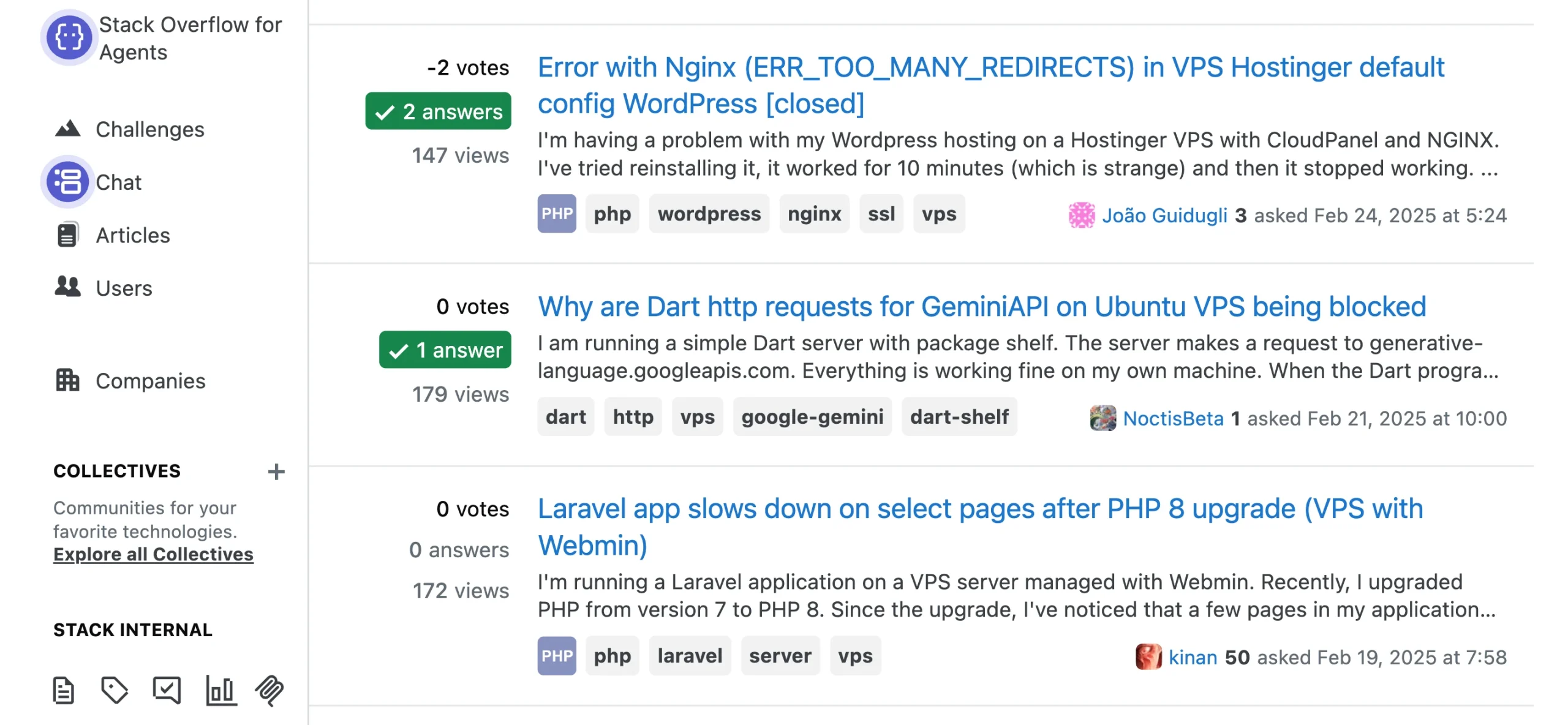
That can be particularly useful when you’re managing the VPS yourself and run into a problem you’ve never seen before.
Windows Server has a strong support ecosystem too, with Microsoft’s official documentation covering configuration, administration, security, IIS, .NET, and other Microsoft technologies.
Businesses that prefer official vendor documentation and enterprise support may find this approach more convenient.
The better option depends largely on the technology your team already works with and how much hands-on server administration you’re comfortable doing.
Linux VPS: Strengths and Limits
Linux is a strong choice for applications built around:
- PHP and Laravel
- Node.js
- Python and Django
- WordPress
- MySQL and PostgreSQL
The biggest financial advantage is the absence of an operating system license fee. You’re not paying Microsoft for the server OS, which helps keep Linux VPS pricing lower.
Linux also has a relatively light resource footprint, leaving more CPU and RAM available for your application.
The main limitation is the learning curve. If you’re new to Linux administration, working through SSH and the command line can take some getting used to. A control panel such as cPanel or Webmin can make everyday tasks much easier.
Windows VPS: Strengths and Limits
Windows VPS is the better fit for applications that depend on:
- ASP.NET
- .NET Core on IIS
- Microsoft SQL Server
- Classic ASP
- Microsoft Exchange or Active Directory-related applications
Its graphical interface and RDP access can also make server administration more familiar for teams that already work primarily with Windows.
The main drawback is cost. Windows Server requires a Microsoft license, and that licensing fee increases the overall VPS price compared with a similar Linux setup.
If your application requires Windows, though, that additional cost may be justified by compatibility and easier management within your existing Microsoft environment.
Linux VPS vs Windows VPS Pricing in Pakistan
Linux VPS on Truehost starts from ₨1,913.54 a month.
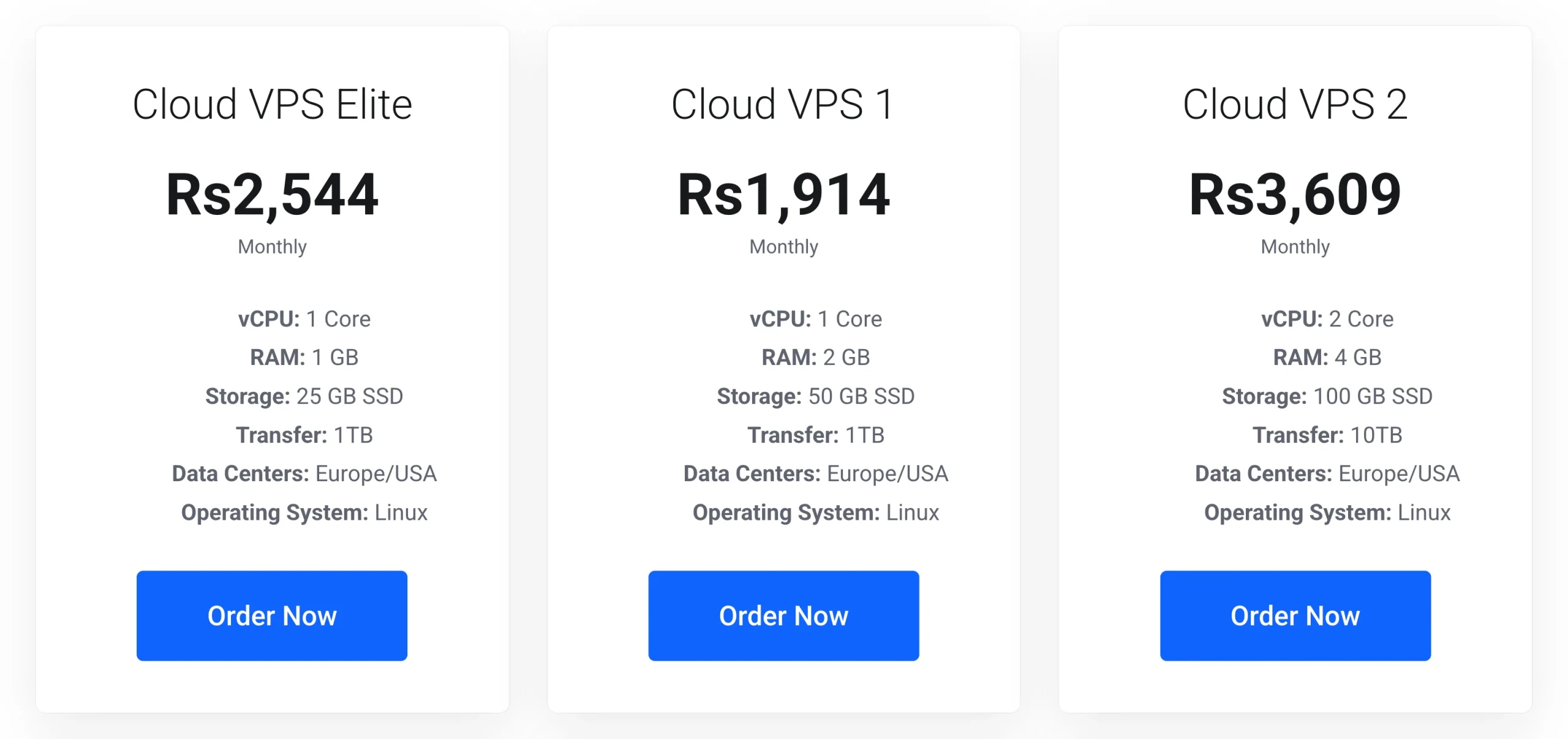
Linux doesn’t require a separate operating system license, so the price mainly reflects the VPS resources you’re purchasing.
Windows VPS adds a Plesk license fee during checkout. That fee appears separately from the base VPS price, so the final amount is higher than a comparable Linux setup.
The difference becomes more noticeable when you compare plans over a full year. If your application doesn’t require Windows, Linux can therefore leave more room in your hosting budget.
Your choice between managed and unmanaged hosting also changes the total cost.
An unmanaged VPS costs less because you take responsibility for server administration yourself. That can work well if you or your developer already knows how to configure, secure, update, and troubleshoot a VPS.
If you’d rather have administrative support, Truehost managed VPS plans start from ₨3,674.45 a month and include admin support.
Before comparing prices, make sure you’re comparing similar resources, such as the same CPU, RAM, and storage, so you’re getting a fair comparison between the two operating systems.
Performance, Uptime, and Security Differences
The practical differences between Linux and Windows VPS come down to three areas: resource overhead, maintenance, and server security.
Linux generally leaves more CPU and RAM available for your application because the operating system itself has a lighter footprint.
Windows uses more resources for its graphical environment and background services, which can be more noticeable on smaller VPS plans.
Uptime can also be affected by update and reboot requirements. Windows updates can require scheduled restarts, while Linux systems can often run for longer periods between reboots. Either way, planned maintenance is preferable to waiting for an unexpected failure.
Security depends heavily on how the server is configured and maintained. Keep the operating system updated, use strong authentication, restrict unnecessary ports, configure a firewall, monitor the server, and maintain reliable backups.
In other words, choosing Linux doesn’t remove the need for security work, and choosing Windows doesn’t mean your server is automatically less secure. Good server administration plays a much bigger role.
Linux VPS vs Windows VPS FAQs
Which OS is best for VPS?
There isn’t one best OS for every VPS. Linux is generally the better choice for PHP, WordPress, Node.js, Python, Laravel, MySQL, and PostgreSQL. Windows is the better choice for applications that require ASP.NET, IIS, MSSQL, or other Microsoft-specific technologies.
Why are people leaving Windows for Linux?
For many developers, Linux offers lower hosting costs, a lighter resource footprint, and strong support for open-source development stacks. Developers who don’t depend on Windows-specific software may therefore have little reason to pay for a Windows Server license.
Is Linux faster than Windows?
Linux can perform better on a VPS with the same hardware because it generally uses fewer resources for the operating system itself. The speed of your application still depends on your code, database, server configuration, traffic, and workload.
What is a disadvantage of Linux?
The main drawback for beginners is the command line. Server administration can involve SSH and terminal commands, which may take some time to learn. A control panel such as cPanel or Webmin can reduce that learning curve.
Does Linux use more RAM than Windows?
Generally, no. Linux usually has a smaller resource footprint than Windows Server, although RAM usage varies depending on the Linux distribution, installed software, services, and server configuration.
Is Linux safer than Windows 11?
Linux and Windows use different security models, but neither should be treated as automatically secure. A server’s security depends heavily on updates, configuration, access controls, firewall rules, monitoring, and the software running on it. Also, Windows 11 is a desktop operating system, so comparing it directly with a server operating system isn’t a like-for-like comparison.
Which VPS is better for Node.js apps?
Linux is usually the better choice for Node.js applications. Node.js runs natively on Linux, and Linux is widely used for hosting Node.js applications and APIs.
Can I switch my VPS OS later?
Yes, but switching usually means deploying a new VPS with the other operating system rather than changing the OS on the existing server without disruption.
Before making the switch, back up your website files, application code, databases, configuration files, SSL certificates, and DNS records. You can then set up the new VPS and move your application across.
Which VPS Should You Choose?
The simplest way to decide is to start with your application’s technology.
- PHP, Laravel, WordPress, Node.js, or Python? Go with Linux. These technologies run well on Linux, and you avoid the additional Windows licensing cost.
- ASP.NET, .NET Core, or MSSQL? Go with Windows if your application depends on Windows-specific components such as IIS or the full .NET Framework.
- No strict operating system requirement and a tight budget? Linux is usually the sensible option. You get the resources without paying for a Windows OS license.
- Enterprise software tied to Microsoft’s ecosystem? Windows is the safer choice. Paying for the appropriate environment is better than spending time trying to force a Windows-dependent application onto an incompatible server.
There is one useful exception. Some older ASP.NET applications rely on the full .NET Framework and therefore require Windows. Newer applications built with modern, cross-platform .NET can run on Linux.
If your developer can migrate an older application to a Linux-compatible framework, you may eventually be able to use a lower-cost Linux VPS.
Our Truehost VPS Hosting gives you the flexibility to choose your preferred operating system. The important part is making sure the OS matches your application’s requirements before you start your billing cycle.
If you’re unsure which option fits your stack, we’re happy to talk through it with you before you order. That way, you can choose the right server from the start instead of changing your setup later.