Domain SearchInstantly check and register your perfect .pk or international domain
 Web HostingGet a .pk domain for as low as PKR 467
 cPanel HostingUser-friendly hosting powered by cPanel
 Reseller HostingLaunch your own hosting business with minimal technical requirements
 Windows HostingOptimized for Windows-based applications and websites
 Affiliate ProgramEarn referral commissions by promoting our services
 WordPress HostingFast & Reliable WordPress Hosting
 Domain TransferMigrate your existing domain seamlessly with zero downtime.
 All DomainsAccess 324+ top-level domains (TLDs) worldwide from a single platform
 Whois LookupIdentify the owner of any domain using our whois and rdap lookup tool
 Managed VPS Hosting
 AI Website BuilderCreate beautiful websites effortlessly using intuitive drag-and-drop features
 Online ShopLaunch a professional online shop with no technical skills required
 BlogDiscover expert guides on hosting, websites, SEO, and digital growth strategies
 ContactGet instant assistance via live chat or email
 SupportAccess help articles, tutorials, and service documentation
 SSL CertificatesEncrypt data, build trust, and boost SEO.
Your business has outgrown shared hosting. Traffic keeps climbing, the database is getting heavier, and one slow checkout page during a sale is enough to cost you real money. So you’ve settled on a dedicated server.
Then a second decision shows up right behind the first one: managed, or unmanaged?
It sounds like a small detail. It isn’t. Pick wrong and you either overpay for support you never use, or you end up short-staffed the night a security patch needs installing at 2am.
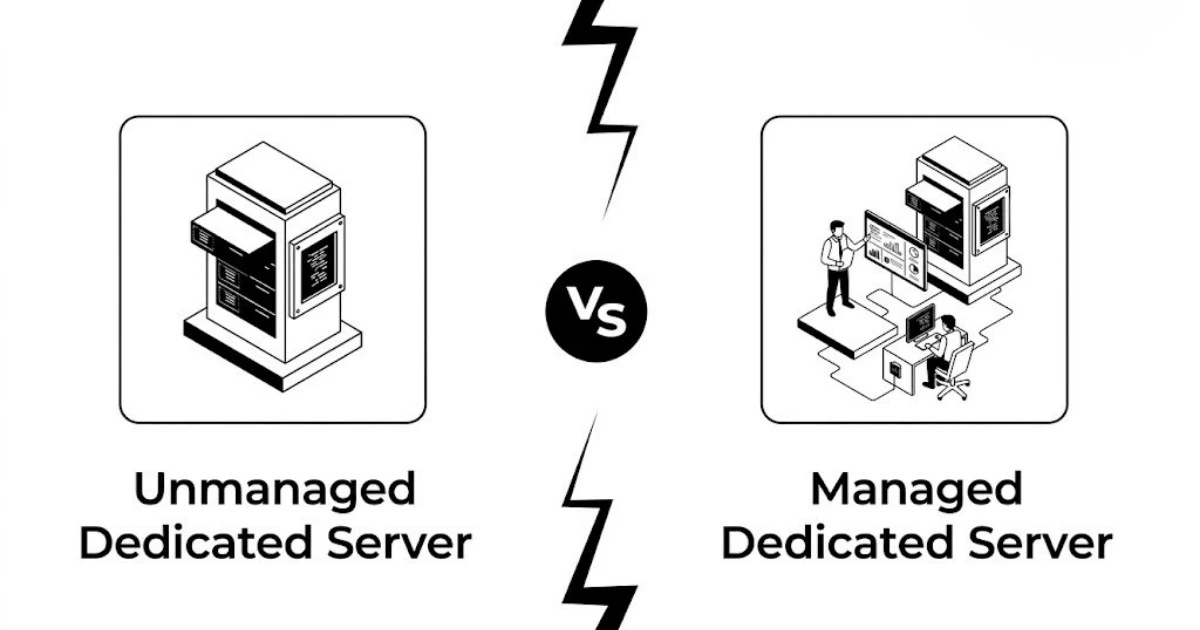
The difference comes down to who’s holding the pager. With a managed dedicated server, your provider handles most of the technical upkeep: setup, patching, monitoring, backups, troubleshooting. With an unmanaged server, the provider keeps the hardware and network running, and everything above that, the operating system, the security, the configuration, is on you.
This article breaks down what that split actually looks like in practice, where the costs go, and how to figure out which side of the line your business belongs on.
Key Differences at a Glance
| Feature | Managed Dedicated Server | Unmanaged Dedicated Server |
|---|---|---|
| Server Setup | Provider handles most setup | Customer handles setup |
| Operating System Updates | Provider-managed where included | Customer-managed |
| Security Patches | Provider-managed where included | Customer-managed |
| Performance Tuning | Provider assistance | Customer responsibility |
| Backups | Often included or assisted | Customer responsibility |
| Monitoring | Often included | Customer-managed |
| Technical Support | More hands-on | Usually limited to infrastructure |
| Root Access | May depend on provider | Usually available |
| Customisation | High, but may have restrictions | Very high |
| Technical Skills Needed | Basic to moderate | Advanced |
| Monthly Cost | Generally higher | Generally lower |
| Best For | Businesses wanting support | Experienced technical teams |
Managed costs more because someone else is doing the work. Unmanaged costs less because that work lands on you.
Managed Dedicated Servers
You’re paying someone else to lose sleep over the server so you don’t have to.
Depending on the plan, that can cover:
- Initial server setup
- Operating system updates
- Security patches
- Server configuration
- Performance tuning
- Regular backups
- Server monitoring
- Security management
- Technical troubleshooting
Here’s the catch: “managed” isn’t a fixed standard across the industry. One provider’s managed plan might cover everything on that list. Another’s might stop at monitoring and leave patching to you. Always ask exactly what’s included before you sign anything.
Support and Monitoring
The better managed plans include 24/7 proactive monitoring, not just a support ticket queue you email into the void. Proactive monitoring catches a memory leak or a failing service before it takes your site down, instead of after.
Pros
- Saves your team’s time
- Removes (or reduces) the need for an in-house system administrator
- Professional support when something breaks
- Updates and patches stay current without you chasing them
- Frees you up to run the business instead of the server
Cons
- Costs more every month
- Some providers restrict custom software or configurations
- Bigger changes may need provider sign-off
- “Managed” means different things depending on who you ask
Best For
- Growing businesses without a dedicated ops team
- Ecommerce sites that can’t afford downtime
- Anyone who’d rather pay for support than build a team to replace it
- Businesses running something mission-critical
Unmanaged Dedicated Servers

You get the keys and the responsibility that comes with them.
The provider generally keeps the physical hardware and network alive. Everything else, the OS, patches, firewall, monitoring, backups, application configuration, is yours to run.
Control and Customisation
This is the whole appeal. Root access (where offered), full OS control, custom software stacks, whatever configuration your application actually needs instead of whatever the provider is willing to support. If you’ve ever fought with a managed provider over a restricted config, you already know why this matters.
Pros
- Lower monthly cost
- Full control over the server
- Freedom to build exactly what you need
- No waiting on provider approval for changes
Cons
- You need real technical skill on staff
- Maintenance eats real hours
- Security is entirely your problem
- Patching and updates don’t happen unless you make them happen
- Troubleshooting requires someone who actually knows servers
Best For
- Experienced sysadmins and developers
- Technical teams that already run their own infrastructure
- Enterprises with an internal IT department
- Anyone who needs a genuinely custom server environment
The Comparison That Actually Matters
1) Security
Patches, firewalls, access controls, SSH hardening, malware protection, monitoring: managed hosting shifts most of this off your plate, unmanaged hosting leaves it there. Neither option is automatically more secure. A managed server with a lazy patch cadence is worse off than an unmanaged server run by someone who takes patching seriously. If your team is configuring a firewall for the first time, CISA’s firewall primer is a decent starting point.
| Security Task | Managed | Unmanaged |
|---|---|---|
| Patch cadence | Provider-scheduled | Set and applied by you |
| Firewall configuration | Usually pre-configured | You build the ruleset |
| Malware/intrusion monitoring | Often included | Requires your own tooling |
| SSH hardening | Provider default, sometimes adjustable | Fully your call |
| Incident response | Provider-led, faster turnaround | You diagnose and fix it |
2) Backups
Managed plans may include scheduled backups. Unmanaged plans usually don’t, which means you’re responsible for creating them, storing them, testing them, and actually being able to restore from them when something breaks. Before you commit either way, confirm: how often backups run, where they’re stored, how long they’re kept, and whether anyone helps you restore. CISA’s guidance on backing up business data is a solid reference if you are building this from scratch.
| Backup Question | Managed | Unmanaged |
|---|---|---|
| Backup frequency | Often daily, provider-set | Whatever schedule you configure |
| Storage location | Usually provider-managed | Your choice (local, offsite, cloud) |
| Retention period | Plan-dependent | Fully your decision |
| Restore assistance | Often included | Rare, usually a paid extra |
3) Performance
Having dedicated resources doesn’t mean they’re being used well. Someone still has to tune the database, configure the web server, set up caching, and keep an eye on resource usage. Managed hosting can include that tuning. Unmanaged hosting hands you the freedom to do it yourself, along with the responsibility of actually doing it.
| Performance Factor | Managed | Unmanaged |
|---|---|---|
| Database tuning | Provider assistance available | Customer responsibility |
| Caching setup | Often pre-configured or guided | You configure it |
| Resource monitoring | Included on better plans | Requires your own tooling |
| Scaling response | Provider can advise or act | You decide and execute |
4) Support
Managed support tends to extend into your server: configuration, troubleshooting, performance issues, security incidents. Unmanaged support usually stops at the hardware and network, the stuff outside your OS. Read the fine print on where that line falls before you assume help is coming.
5) Control
If you need root access, custom software stacks, or configurations most providers won’t touch, unmanaged wins. Managed hosting can still flex here, but providers set limits to keep the environment something they can actually support.
6) Cost
The unmanaged price tag looks better on paper. It usually is lower. But factor in what it actually takes to run it: staff time, a system administrator’s salary if you need to hire one, the security expertise to keep things locked down, and the hours spent troubleshooting when something goes sideways. The cheapest invoice isn’t always the cheapest server.
| Cost Factor | Managed | Unmanaged |
|---|---|---|
| Monthly hosting fee | Higher | Lower |
| In-house admin time/salary | Minimal to none | Significant, or a hire |
| Security tooling & expertise | Usually bundled | Separate cost, your responsibility |
| Downtime risk | Lower, provider-monitored | Higher without dedicated staff |
| Year-one realistic estimate | Predictable, plan-based | Variable, easy to underestimate |
Matching the Server to the Job
- Ecommerce. No in-house tech team? Managed hosting covers uptime, security, backups, and traffic spikes without you needing to hire for it. Got an experienced IT team already? Unmanaged can still make sense.
- High-traffic sites. Reliable resources aren’t enough on their own, configuration matters just as much. Managed suits teams that want help optimising. Unmanaged suits teams that want to do it their own way.
- Web applications. Custom dependencies and configurations usually push developers toward unmanaged. If the dev team would rather build the app than babysit the server, managed takes that off their plate.
- Agencies and freelance developers. If server administration is already second nature, unmanaged saves money. If billable hours are better spent on client work, managed buys back that time.
Mistakes That Cost Businesses Later
- Picking unmanaged for the lower price alone. That price gap disappears fast once you’re hiring someone to maintain it.
- Assuming “managed” means everything’s covered. It doesn’t, not automatically. Confirm updates, security, backups, monitoring, root access, and restoration support before you buy.
- Overestimating your team’s skills. If nobody can configure a firewall, patch a server, or restore a backup under pressure, unmanaged is a risk, not a bargain.
- Ignoring software requirements. Running something unusual? Confirm it’s supported on a managed plan before you’re locked in.
- Not knowing who owns backup responsibility. Somebody needs to be accountable for creating them, storing them, and restoring them. Know who that is before you need them.
- Not planning for growth. The server that fits today’s traffic might not fit next year’s. Build in room to scale.
FAQs
Can I install my own software on a managed dedicated server?
Depends entirely on the provider. Some managed environments allow custom software, others restrict anything they can’t officially support. If you rely on something specific, confirm compatibility before you buy.
Do managed dedicated servers give you root access?
Sometimes. Some providers offer full root access even on managed plans, others restrict it to protect the supportability of the environment. If root access is non-negotiable for you, ask upfront.
Can I switch between managed and unmanaged hosting later?
Usually, yes, in either direction. Most providers let you upgrade to a fully managed environment as your needs change, or downgrade to unmanaged if you’re building out an in-house team. Before switching back to unmanaged, though, make sure your team actually has the skills to take over server management.
What skills does managing an unmanaged server actually require?
Linux or Windows administration, networking, firewalls, security fundamentals, SSH, backups, monitoring, software installation, and troubleshooting. The specifics shift depending on your OS and stack.
Can I run a dedicated server without a system administrator?
On a managed plan, often yes, that’s the point. On an unmanaged plan, you’ll generally need someone with real server administration experience.
What happens if my unmanaged server has a hardware failure?
The provider is still on the hook for the physical hardware and data centre infrastructure. Your OS, software, and configuration remain your responsibility unless the provider’s support policy says otherwise.
Ready to Choose Your Dedicated Server?
It comes down to four things: how much technical skill you have in-house, how much control you actually need, your budget, and how much of this you want to be doing yourself at 2am.
Got the team and want full control? Go unmanaged. Want the resources without becoming a part-time sysadmin? Go managed.
Managed gets you: professional support, maintenance handled, security and monitoring covered, backup assistance, less hands-on work.
Unmanaged gets you: maximum control, root access where offered, custom configurations, lower cost, and full ownership of the server.
Migrating an existing site over? It’s also a good time to double check your domain registration is pointed correctly before you move anything.
Whichever way you’re leaning, the fastest way to get a straight answer is to compare real plans side by side.