Domain SearchInstantly check and register your perfect .pk or international domain
 Web HostingGet a .pk domain for as low as PKR 467
 cPanel HostingUser-friendly hosting powered by cPanel
 Reseller HostingLaunch your own hosting business with minimal technical requirements
 Windows HostingOptimized for Windows-based applications and websites
 Affiliate ProgramEarn referral commissions by promoting our services
 WordPress HostingFast & Reliable WordPress Hosting
 Domain TransferMigrate your existing domain seamlessly with zero downtime.
 All DomainsAccess 324+ top-level domains (TLDs) worldwide from a single platform
 Whois LookupIdentify the owner of any domain using our whois and rdap lookup tool
 Managed VPS Hosting
 AI Website BuilderCreate beautiful websites effortlessly using intuitive drag-and-drop features
 Online ShopLaunch a professional online shop with no technical skills required
 BlogDiscover expert guides on hosting, websites, SEO, and digital growth strategies
 ContactGet instant assistance via live chat or email
 SupportAccess help articles, tutorials, and service documentation
 SSL CertificatesEncrypt data, build trust, and boost SEO.
A domain name is available if it hasn’t been registered by anyone else and can be purchased through a registrar.
Checking availability is usually the first step before buying a domain, and the process takes only a few seconds.
There are several ways to check a domain name:
- Registrar search bars: This is the most common option. You enter your preferred name, and the registrar tells you if it is available.
- Bulk domain checkers: This is useful when you have several name ideas or want to check multiple extensions at once.
- WHOIS lookup tools: It’s useful for finding more information about a domain that is already registered.
- Domain API integrations: Mainly used by developers who want to add domain availability checks to a website or application.
For most people, a registrar’s search bar is enough. If the domain is already registered, a WHOIS or RDAP lookup can help you find out more about its current status.
How It Works
When you search for a domain, the search tool checks registration information held by the relevant domain registry.
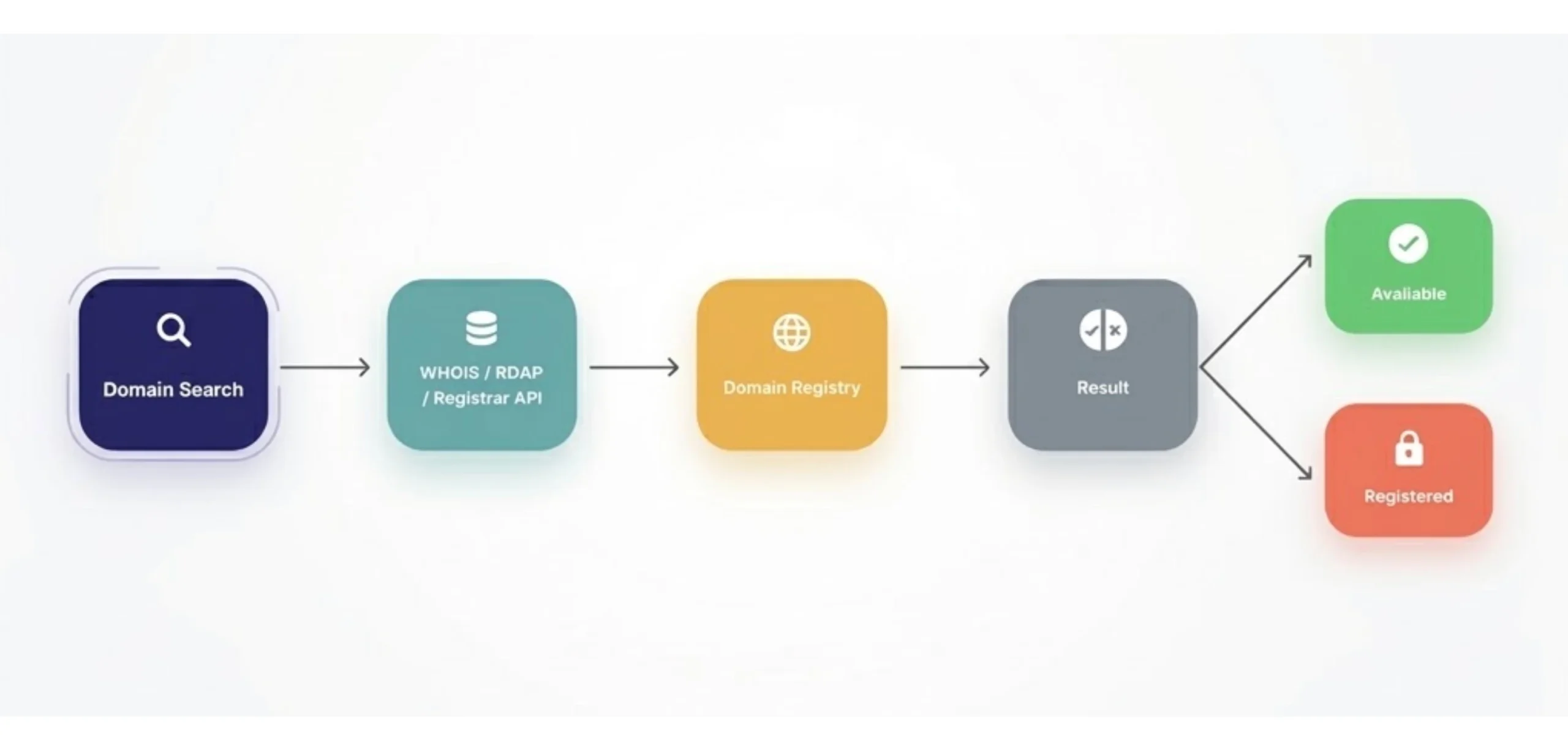
a. WHOIS Protocol: WHOIS is the traditional way of checking domain registration information. A domain query is sent to the relevant registry database. For example, Verisign operates the registry for .com and .net, while PKNIC manages .pk domains.
If the domain is registered, the lookup can return registration information. If there is no matching registration, the result indicates that the domain is available.
b. RDAP (Registration Data Access Protocol): RDAP is the modern replacement for WHOIS. It provides domain registration information in a structured format and is now the standard used by ICANN-accredited registries.
You do not need to use RDAP directly to check a domain. A registrar’s search or WHOIS tool can handle the lookup for you and present the result in a format that is easier to read.
c. Registrar APIs: Registrars such as Truehost, Namecheap, and GoDaddy, can also provide APIs for checking domains. These connect to registry systems and can return availability, pricing, and other registration information.
APIs are particularly useful for developers building domain registration systems, marketplaces, or websites where users can search for and register domains directly.
How to Check If a Domain Name Is Available on Truehost
At Truehost, you can check a domain using our registrar search bar or get additional registration information through our WHOIS lookup tool.
a) Using the Domain Search Tool
Step 1: Go to the Truehost Domain Search Page
Visit the Truehost domain search page.
You will see the main domain search bar, along with an AI Suggest option for generating domain ideas and a Transfer option for moving an existing domain to Truehost.
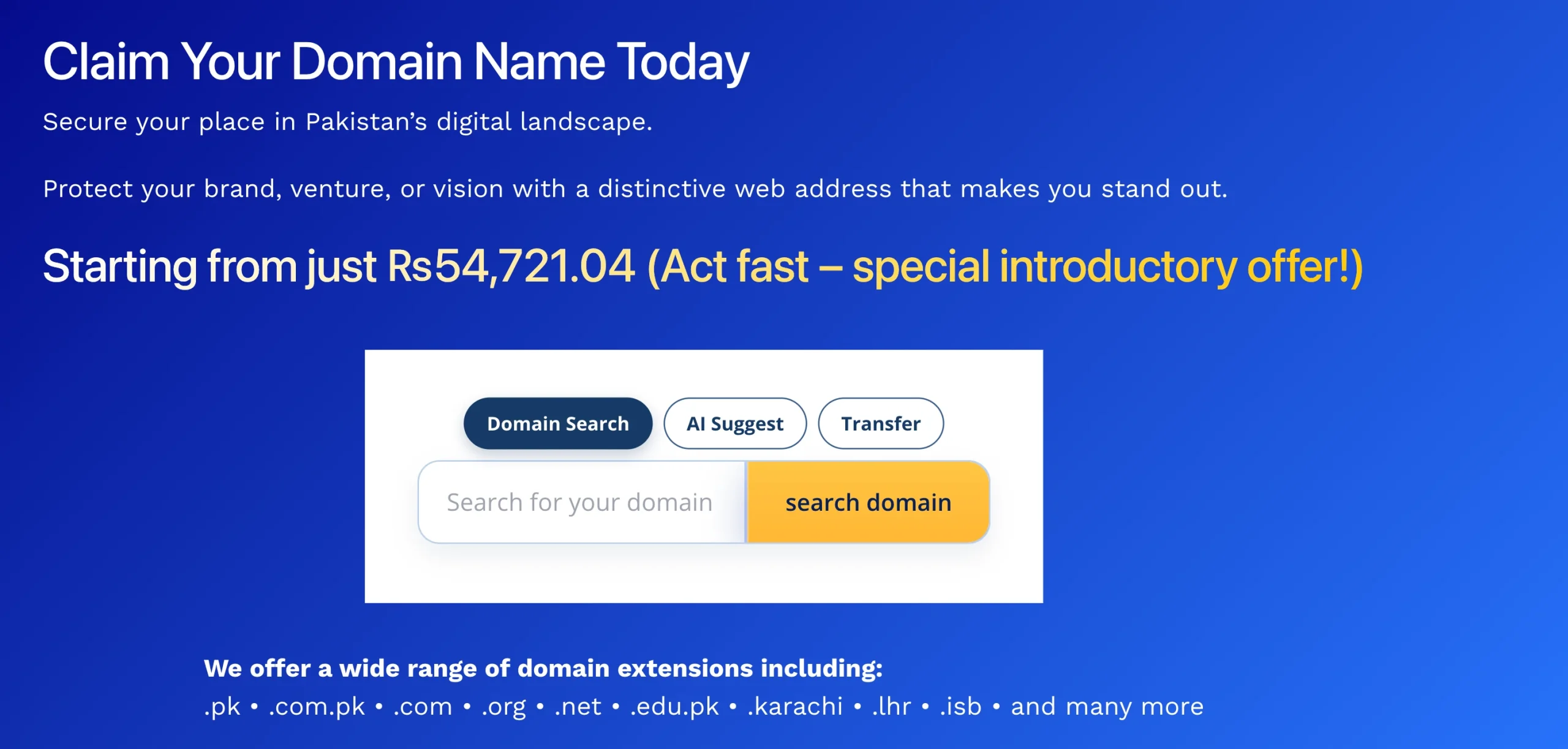
Step 2: Enter Your Domain Name and Choose an Extension
Enter the domain name you want to check. You can select an extension such as .pk, .com.pk, or .com, or enter the complete domain name if you already have one in mind.
For example, you can search for yourbrand.pk and submit the search.
Step 3: Read Your Results
The results will show you what is happening with the domain you searched.
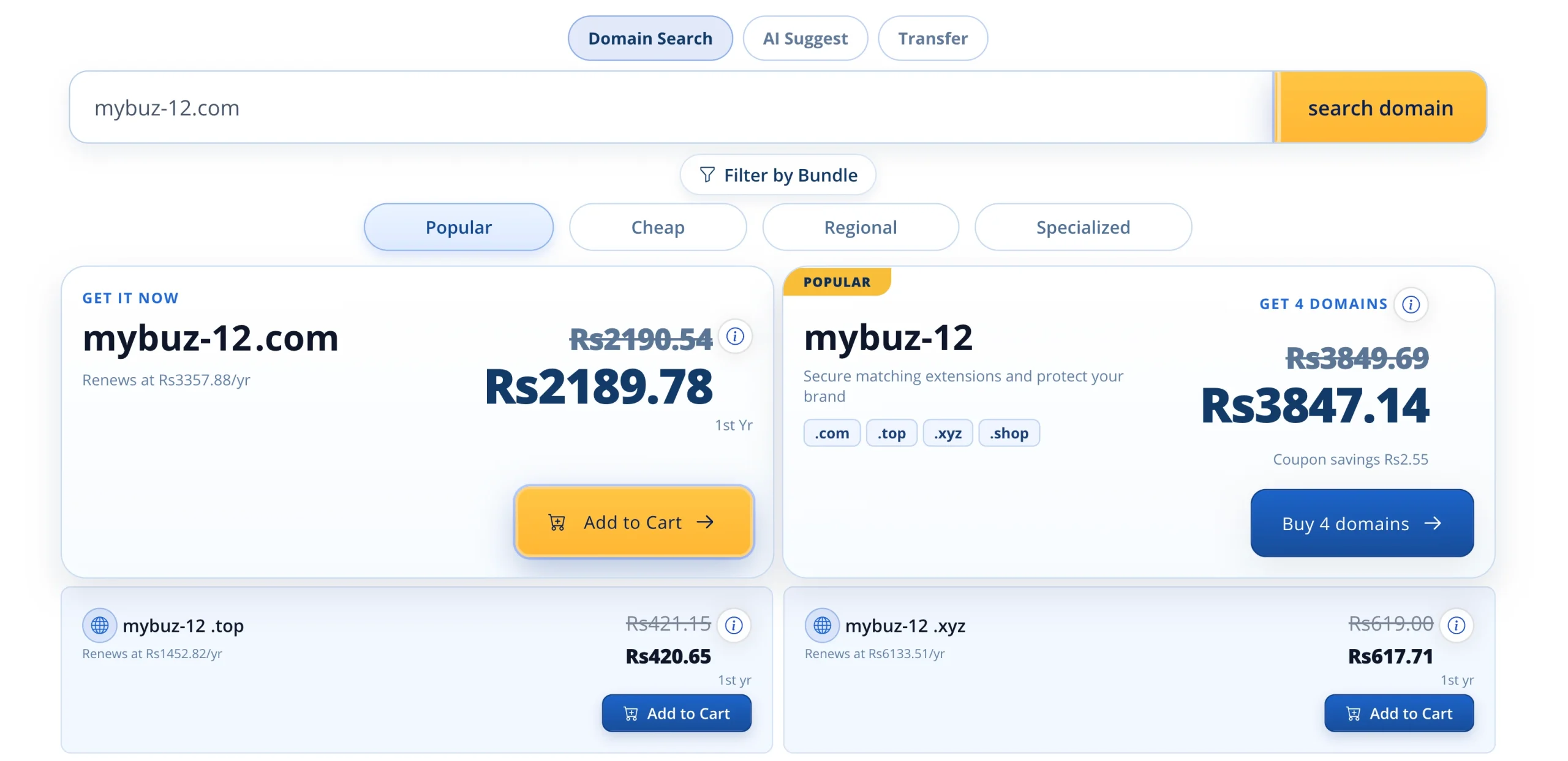
1. Available: The domain has not been registered and is ready to purchase. You will see the price and an option to add it to your cart.
2. Taken/Registered: Someone else already owns the domain. You cannot register that exact name and extension through a standard new registration.
3. Suggested alternatives: Truehost may show related domain options automatically. These can include another extension or variations of the name you searched.
Step 4: If Your First Choice Is Taken
A registered domain does not mean you have to abandon the business or brand name you had in mind.
First, try another extension. If yourbrand.com is taken, you could check yourbrand.pk or yourbrand.com.pk, depending on your audience and business needs.
You can also try backup names if you prepared some before starting the search. Having a few alternatives ready makes this part much easier.
Truehost’s suggested alternatives can give you more options too.
Avoid adding random numbers or unnecessary hyphens simply to force the name to become available. A domain such as yourbrand-123.pk may be available, but it can be harder for customers to remember and type correctly.
If none of the alternatives feels right, it is better to reconsider the name than register a domain you already know you are unlikely to keep.
No Name Yet? Use Truehost’s AI Domain Suggest
If you have a business idea but have not settled on a name, Truehost’s AI Domain Suggest can help you come up with options.
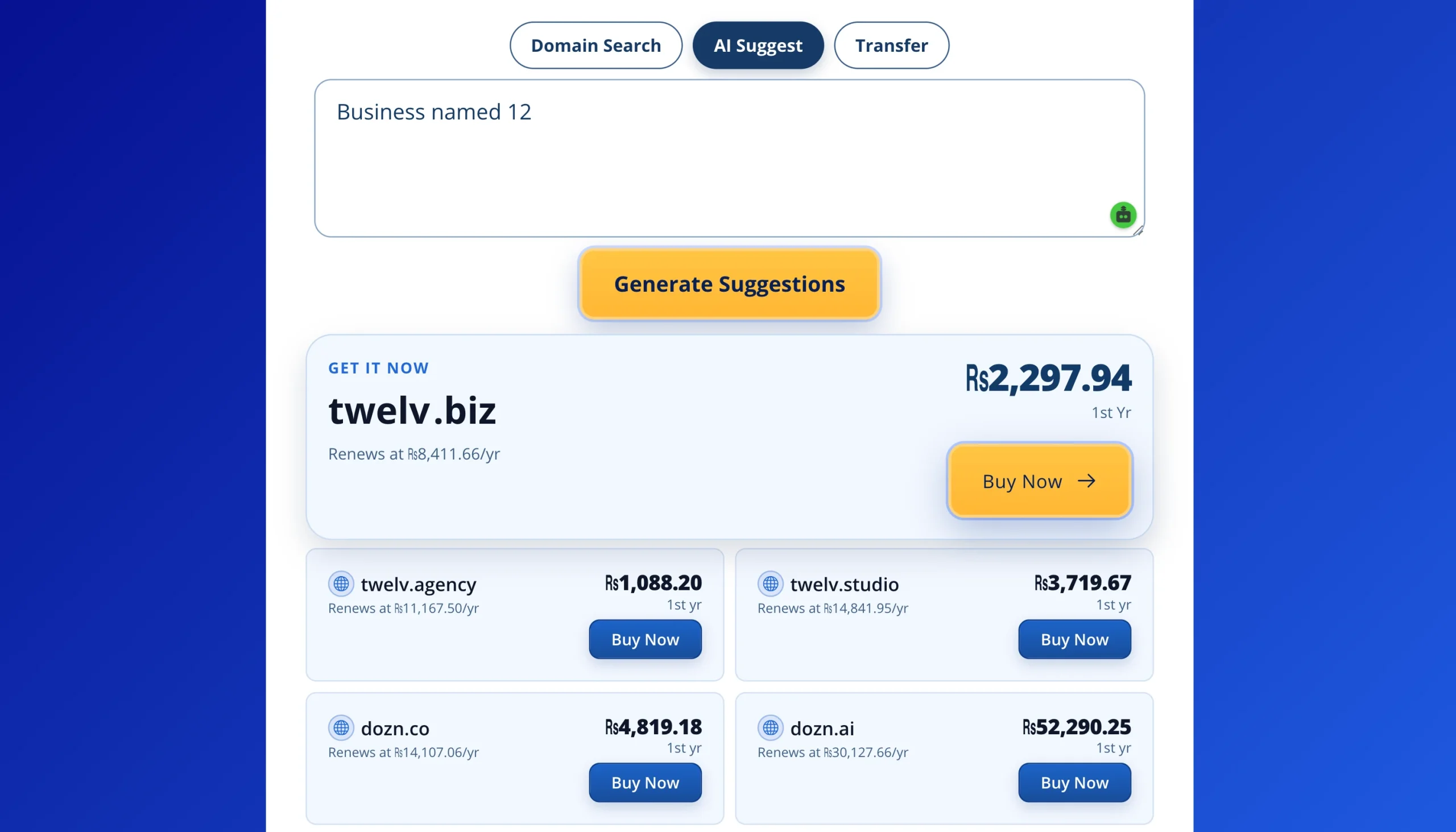
Describe your business or idea in a few words. Include what you offer, who you serve, or any other details that could help generate relevant names.
The tool will then provide domain name suggestions.
Look through the suggestions and see if each name is easy to remember and suitable for the business. A simple three-second test can help: if you saw the name briefly, would you remember it afterwards?
Once you find names you like, check their availability and compare the available extensions.
The tool can also be useful if your first choice is already registered. Instead of adding random characters to the original name, you can get new suggestions that still fit your business idea.
b) Using The Truehost WHOIS Lookup
Use the Truehost WHOIS lookup when you have confirmed that a domain is already registered and want to find out more about it before giving up on the name.
For example, you may want to check its expiry date, current registration status, registrar, or available registration information.
It can also be useful for brand protection research and checking domains connected to your business name.
- Go to the Truehost WHOIS lookup page.
- Enter the full domain name including the extension. For example:
example.com.pk - Click on the “Check” button to submit the domain and start the lookup.
- Review results. They will display the available registration information for the domain.
The Truehost WHOIS lookup is powered by RDAP, the modern structured system for retrieving domain registration data.
The information comes directly from the relevant registry and is designed to provide current registration information while respecting modern privacy requirements.
What the Checks Tell You
The result you see after checking a domain can tell you more than simply if you can register it.
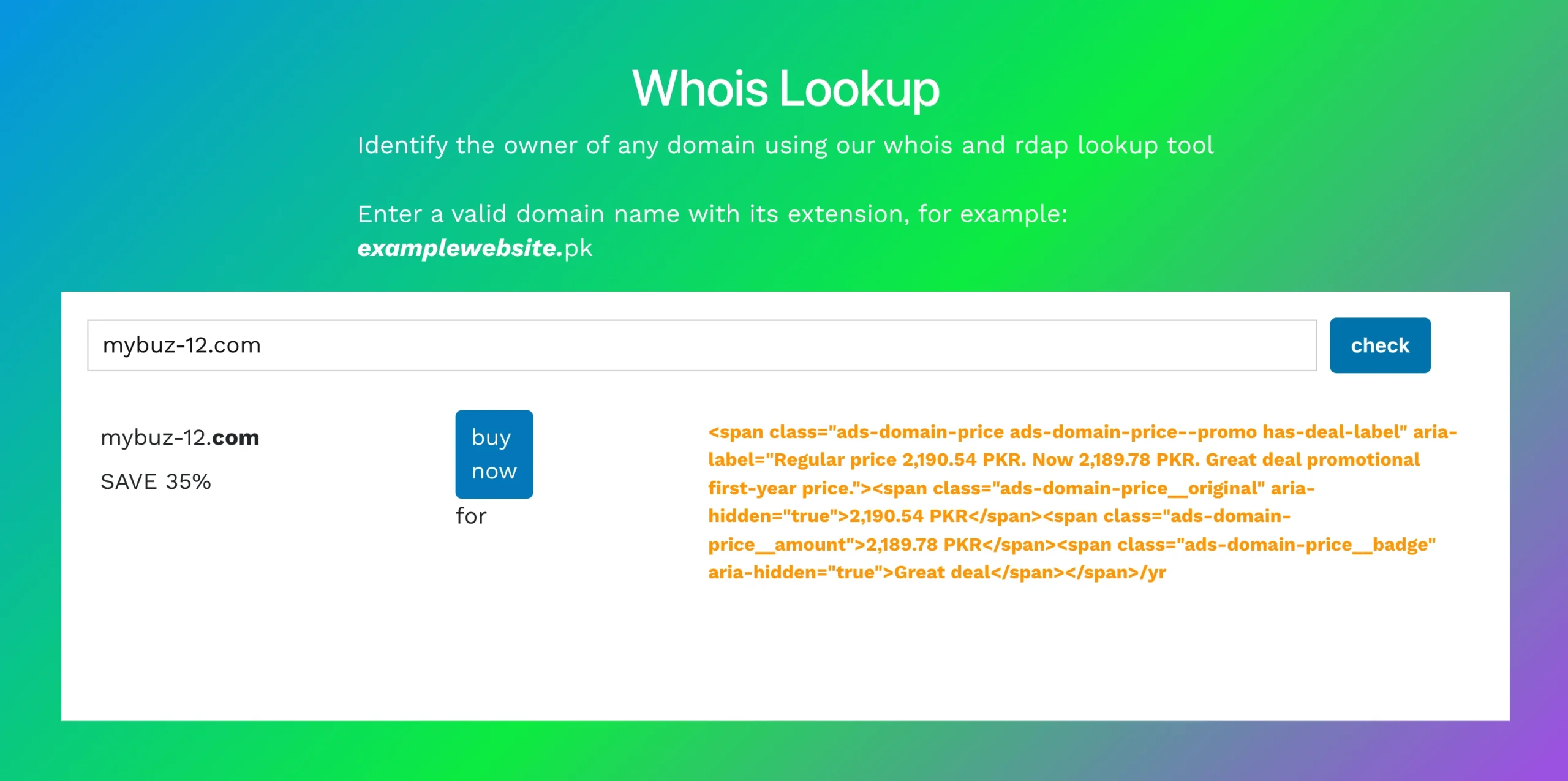
1. Available: The domain is unregistered and can be purchased through a registrar.
2. Registered/Taken: Someone has already registered the domain. Depending on the information available, a WHOIS or RDAP lookup may also show its expiry date and other registration details.
3. Pending Delete / Redemption Period: The domain has recently expired and is going through a deletion or redemption process. Depending on its status, it may become available for registration later.
4. Reserved: The registry has held the domain, so it cannot be registered through a normal domain purchase.
5. Premium: The domain is available, but it carries a higher price than a standard registration.
WHOIS or RDAP results can also show the domain’s registration date, registrar, name servers, and current domain status.
You may come across a status such as clientTransferProhibited. In simple terms, this means the domain has a transfer lock placed on it by the registrar, so it cannot be transferred to another registrar until the restriction is removed.
Contact information may also be shown where available, although domain privacy protection can prevent personal contact details from being displayed.
Before You Proceed to Buy, Confirm These Four Things
Before you complete your domain purchase, take a few seconds to check four things:
- Spelling is exactly right: Read the domain carefully, character by character. A single typo can leave you with the wrong domain.
- Extension is the one you intended: Check that you are buying
.pk,.com.pk,.com, or whichever extension you selected. - The full domain reads as intended: Look at the complete domain without spaces. Make sure the combination of words does not create an unintended reading.
- The price shown matches what you expected: Check the displayed registration price before completing checkout. Prices can differ between extensions and registration periods.
Domain registration is final, so a typo can cost you another year’s registration fee if you need to buy the correct domain afterwards.
And that’s all you need to know how to check if a domain name is available.
The next step takes less than a minute. Go to the Truehost domain search page, enter your name, and see what is available. If your first choice is waiting for you, great. If it is already taken, you have alternatives to try.
Your domain is one search away.