Domain SearchInstantly check and register your perfect .pk or international domain
 Web HostingGet a .pk domain for as low as PKR 467
 cPanel HostingUser-friendly hosting powered by cPanel
 Reseller HostingLaunch your own hosting business with minimal technical requirements
 Windows HostingOptimized for Windows-based applications and websites
 Affiliate ProgramEarn referral commissions by promoting our services
 WordPress HostingFast & Reliable WordPress Hosting
 Domain TransferMigrate your existing domain seamlessly with zero downtime.
 All DomainsAccess 324+ top-level domains (TLDs) worldwide from a single platform
 Whois LookupIdentify the owner of any domain using our whois and rdap lookup tool
 Managed VPS Hosting
 AI Website BuilderCreate beautiful websites effortlessly using intuitive drag-and-drop features
 Online ShopLaunch a professional online shop with no technical skills required
 BlogDiscover expert guides on hosting, websites, SEO, and digital growth strategies
 ContactGet instant assistance via live chat or email
 SupportAccess help articles, tutorials, and service documentation
 SSL CertificatesEncrypt data, build trust, and boost SEO.
Most small sites run fine on 16 GB; online stores and busy sites need 32 GB to 64 GB, and heavy workloads like large databases or virtualization often call for 128 GB or more. The table below breaks this down so you can see where your project fits at a glance.
| RAM | Suitable For |
|---|---|
| 8 GB | Very light workloads, testing, small applications |
| 16 GB | Small websites, basic applications |
| 32 GB | Multiple websites, ecommerce, databases |
| 64 GB | High traffic websites, larger databases, multiple applications |
| 128 GB+ | Resource-heavy applications, virtualization, large databases |
These numbers are starting points, not fixed rules carved in stone. The real amount of dedicated server RAM you need depends on the software you run and how your visitors use your site. A quiet blog and a busy store with the same visitor count can pull very different amounts of memory from the same box.
What Determines How Much RAM a Dedicated Server Needs?
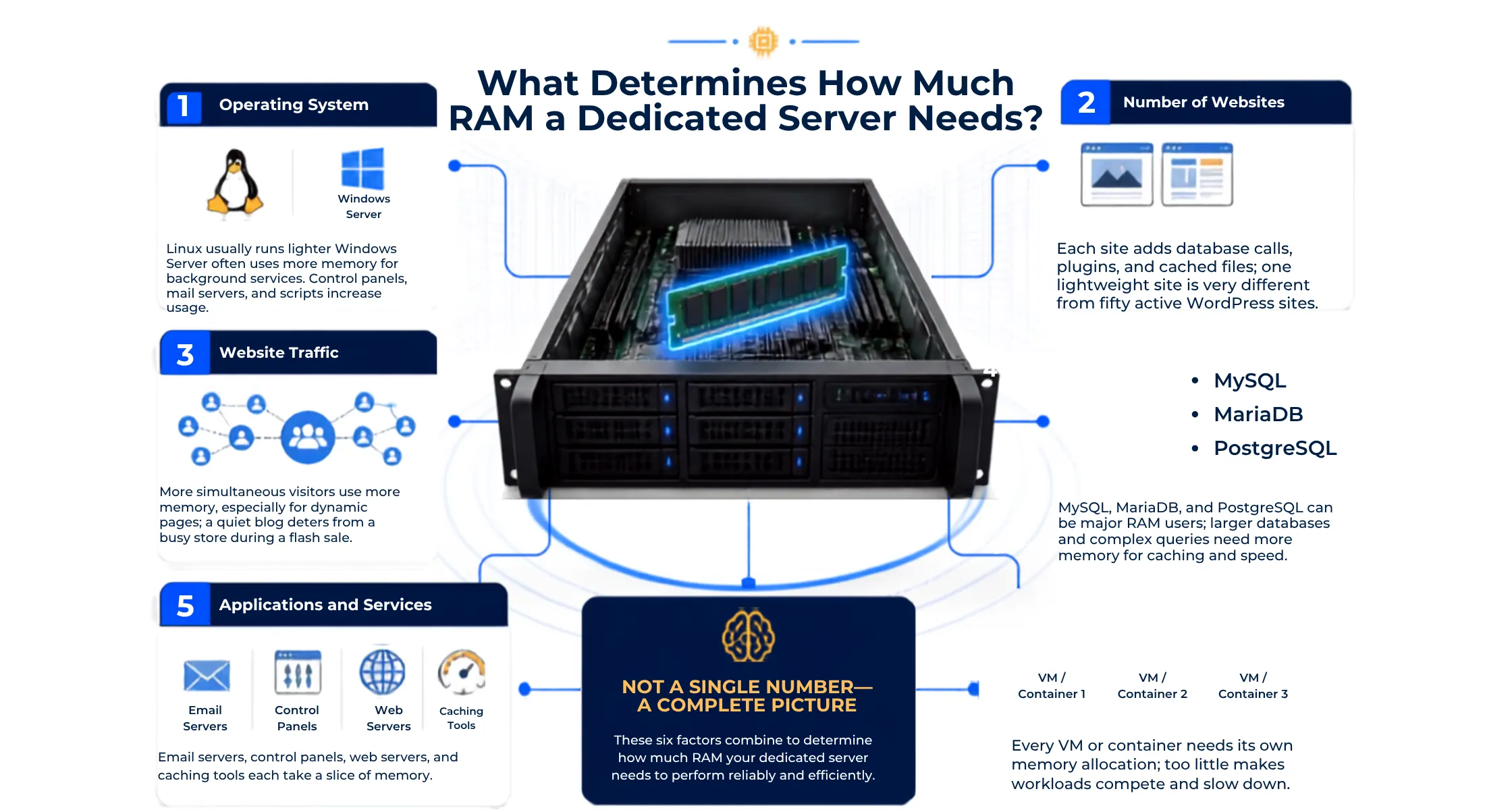
A few things quietly decide how much dedicated server RAM gets used every day. None of them work alone, so it helps to look at your setup as a full picture rather than one single number.
1) Operating System
Linux and Windows Server do not use memory the same way. Linux distributions tend to run lighter on their own, leaving more room for your apps and sites. Windows Server carries more background services by default, so it often needs a bit more dedicated server RAM just to feel smooth.
The apps you install on top also shape this. A bare Linux box running one small site barely touches its memory pool. Add a control panel, mail server, and a few background scripts, and that number climbs fast.
2) Number of Websites
One lightweight site and fifty WordPress sites are not close to the same job. Each extra site adds its own database calls, plugins, and cached files sitting in memory at once. The more sites sharing one server, the more memory they all pull from together.
This adds up quietly. A handful of small sites might barely register on your usage graph. Fifty active sites, even small ones, can push a server toward its limit during busy hours.
3) Website Traffic
More visitors browsing your site at the same time usually means more memory in use. This is especially true for sites that build pages fresh for every visitor instead of showing a saved copy. Dynamic pages pull from the database and app code each time, and that eats into your available memory.
A quiet blog with a hundred daily readers barely notices this. A store during a flash sale with thousands of shoppers browsing at once is a very different story, and its memory needs jump right along with the traffic.
4) Database Size and Workload
Databases like MySQL, MariaDB, and PostgreSQL can quietly become the biggest user of dedicated server RAM on your whole box. The bigger your database grows, and the more complex your queries get, the more memory it wants to hold for caching and speed.
A small product catalog with a few hundred entries barely stresses your database. A growing store with thousands of products and orders leans on memory much more, especially during checkout rushes.
5) Applications and Services
Every service running on your server takes its own slice of dedicated server RAM. Email servers, control panels, web servers, and caching tools all sit in memory at the same time, even when nobody is actively using them.
Stack a few of these together, and the usage adds up fast. A server running just a website feels light. The same server running a website, a mail service, and a control panel needs noticeably more room to breathe.
6) Virtual Machines and Containers
If your dedicated server hosts several virtual machines or containers, each one needs its own separate slice of memory. Think of it like splitting one apartment into several smaller units, where each tenant needs enough space to live comfortably.
Skimp on this and every virtual machine starts competing for the same limited pool. That is when things slow down for everyone sharing the box, even if each individual workload looks small on its own.
How Much RAM Does a Dedicated Server Need for Different Workloads?
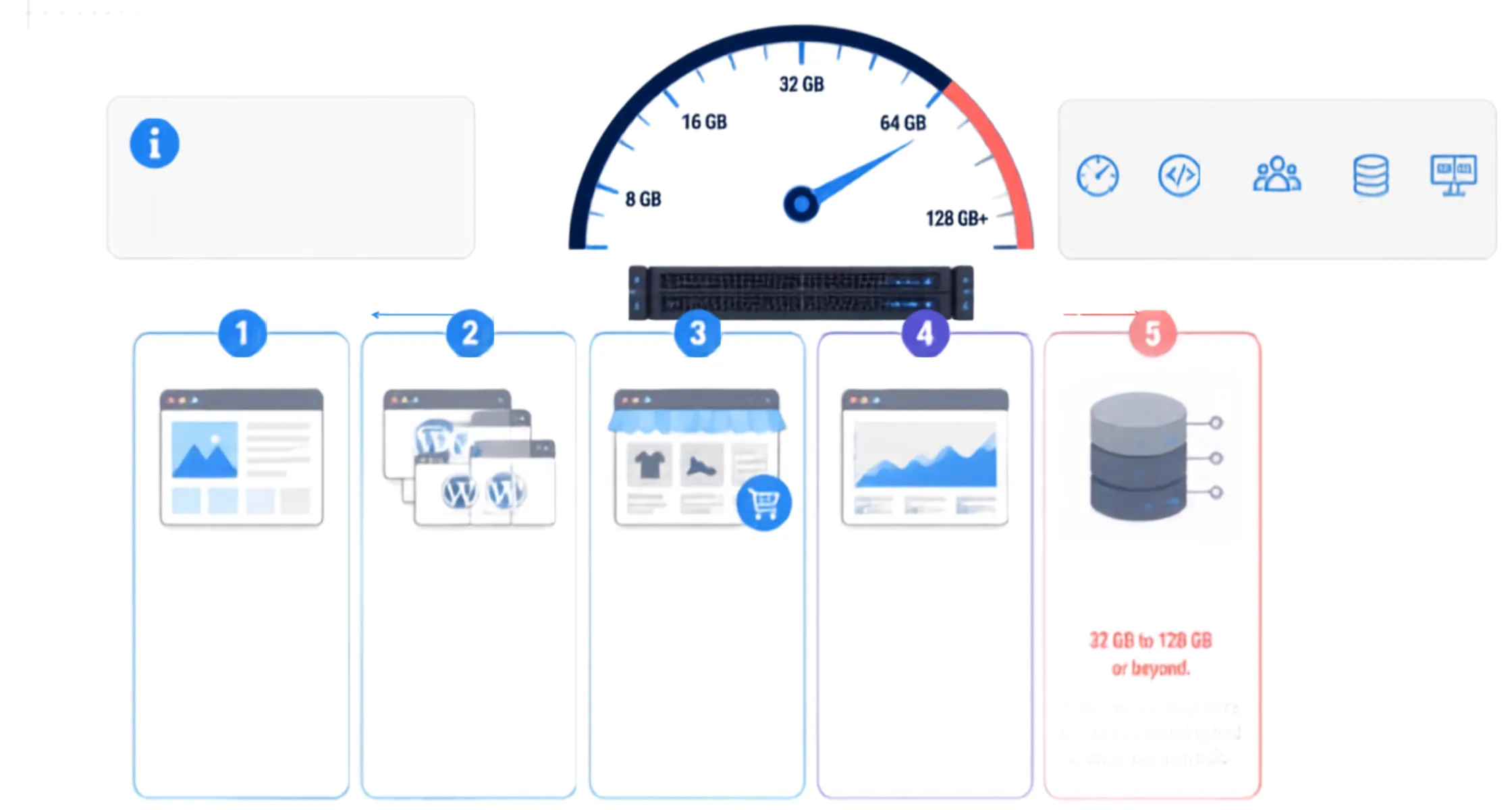
Different projects lean on memory in different ways, so it helps to look at real workloads rather than one blanket number. Here is how dedicated server RAM needs tend to shift depending on what you are running.
a) Small Business Website
A starting point of 16 GB usually covers a small business site or basic blog without any trouble. If your traffic stays modest and you are running one or two apps, this amount leaves comfortable breathing room.
Once you start layering in extra plugins, a busier contact form, or a second site on the same box, it may be time to move up. Watching your usage over a few months tells you when that point arrives.
b) Multiple WordPress Websites
Running several WordPress sites on one server pushes the starting point up to around 32 GB. Each site brings its own database, plugins, and traffic pattern, and those needs stack up quickly once you pass a handful of sites.
This becomes even more true if the sites are unrelated projects with separate databases rather than one big multisite setup. More separate moving parts means more memory getting used at once.
c) Ecommerce Website
Online stores usually need 32 GB to 64 GB, since platforms like WooCommerce ask a lot more from your server than a simple blog. Every product page, cart update, and checkout step pulls data from the database in real time.
Traffic spikes during sales or holidays make this even more noticeable. A store that runs fine on a quiet Tuesday can strain its dedicated server RAM fast during a big promotion, so planning ahead pays off.
d) High Traffic Website
Sites pulling in heavy, steady traffic usually want 64 GB or more to stay smooth under pressure. That said, the exact number depends heavily on how the site is built, not just how many people visit it.
Good caching and a well-built application can stretch a smaller amount of dedicated server RAM further than you might expect. A poorly optimized site, on the other hand, can strain even a generous memory allowance.
e) Database Server
A server dedicated mostly to database work can need anywhere from 32 GB up to 128 GB or beyond, depending on the size and shape of the workload. Databases are especially sensitive to available memory, since more RAM means more data can be cached instead of pulled from a slower disk.
A small internal database might sit comfortably on the lower end. A large production database serving constant reads and writes for a busy app needs a much bigger memory pool to keep queries fast.
f) Game Server
Game servers do not have one universal number, since so much depends on the specific game, player count, and any mods installed. A small vanilla server with a few friends needs far less than a heavily modded world hosting dozens of active players.
Server configuration plays a role too. Some games are simply heavier on memory by design, so checking the recommended specs for your specific game is a smarter move than guessing at a flat dedicated server RAM figure.
g) Virtualization Server
A server built to run multiple virtual machines usually wants 64 GB or more as a starting point. How many virtual machines you run, and how heavy each one is, counts far more than any flat number.
Two servers with the same total dedicated server RAM can behave completely differently depending on how those virtual machines are set up. Planning around your actual virtual machine count keeps you from running short later.
How to Check How Much RAM Your Server Is Using
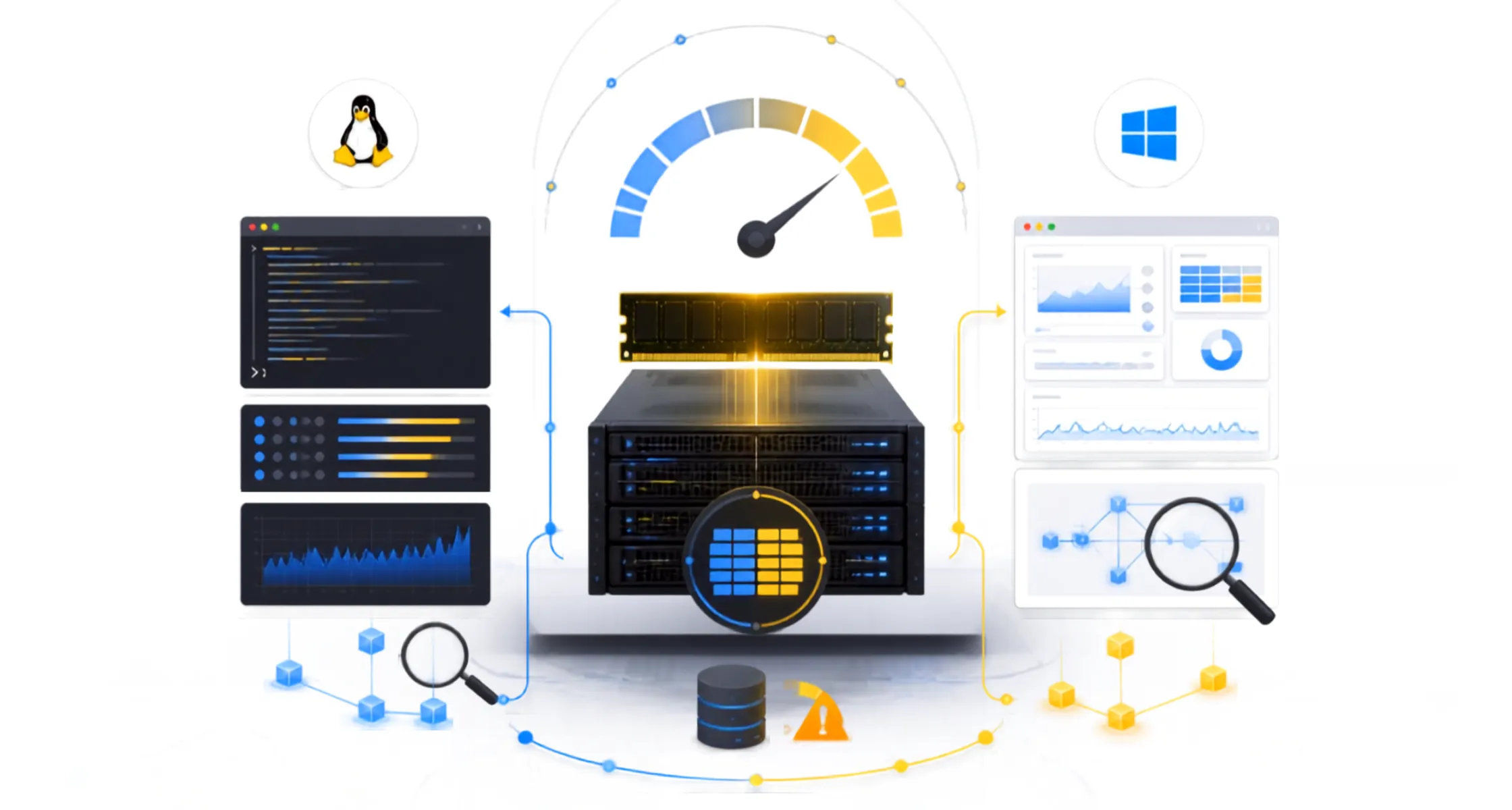
Knowing your real numbers beats guessing every time. Here is how to check your current usage on both major operating systems.
a) Linux
On Linux, the quickest check is running free -h command in your terminal, which shows used and available memory in a readable format. For a closer look over time, tools like top, htop, and vmstat let you watch usage change live as your server works.
These tools also show you which processes are eating the most memory at any given moment. That makes it much easier to spot whether your shortage comes from one heavy app or just general growth across your sites.
b) Windows Server
On Windows Server, Task Manager gives you a fast overview of current memory use right from the Performance tab. Resource Monitor digs a bit deeper, showing which processes are pulling the most memory at any given time.
Performance Monitor is the tool to reach for when you want to track trends over days or weeks rather than a single snapshot. Watch used memory, free memory, and any swap or page file activity. Heavy swapping is usually the clearest sign your dedicated server RAM is running short.
Match Your Dedicated Server RAM to Real Usage
Picking the right amount of memory comes down to being honest about what your server does day to day, not what sounds impressive on a spec sheet. A small blog, a growing store, and a database-heavy app all pull from that shared pool in very different ways, and the sections above should help you land closer to your real number.
Remember that RAM works alongside your CPU and storage rather than replacing them, so a balanced setup always beats overspending on one part alone. Checking your usage every few months, especially as your project grows, keeps your memory plan honest instead of based on a guess from day one.
If you are still unsure where your project lands, our team at Truehost can help you size a dedicated server plan around your real traffic, apps, and growth plans. Get a server plan built around the dedicated server RAM your project truly needs, not a rough estimate.